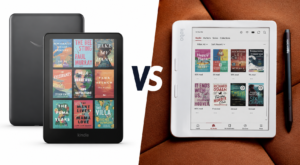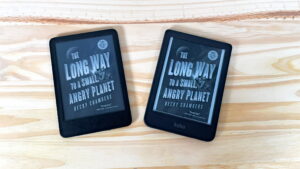
You’ve decided to buy a Kindle. That’s the easy part. Now you’re looking at two very similar-looking devices and wondering: is the Paperwhite actually worth the extra money, or is the Basic Kindle good enough?
It is a common question. Both devices are black-and-white E Ink readers. Both connect to Amazon’s massive library. Both have USB-C charging and 16 GB of storage. Both have a 300 PPI resolution display. From a distance, they seem nearly identical.
But the differences matter in everyday use. The Paperwhite has a larger screen, a warm front light, waterproofing, and double the battery life. The Basic is smaller, lighter, and costs about $50 less. Neither device is wrong. They just suit different types of readers.
This guide – Kindle Paperwhite vs Kindle Basic – explains exactly what those differences mean for real-world reading — so you can make the right choice the first time.
Quick Verdict
Not everyone wants to read through a long comparison. Here are the basic facts for them in a simple, straightforward manner.
Buy the Kindle Basic if:
- You want the most affordable Kindle available
- You mainly read indoors, in good ambient lighting conditions
- You prefer a smaller, lighter device
- Waterproofing is not important to you
- You read occasionally rather than every day
Check Latest Price of Amazon Kindle 16 GB
Buy the Kindle Paperwhite if:
- You read every day or for long sessions
- You often read at night or in dim light
- You want a warm front light to reduce eye strain
- You read near water — pool, beach, or bathtub
- You want a larger screen with more text per page
- You want a device that will feel premium for years
Check Latest Price of Amazon Kindle Paperwhite 16 GB
Check Latest Price of Amazon Kindle Paperwhite Signature Edition 32 GB
Comparison Table
| Feature | Kindle Basic (2024) | Kindle Paperwhite (2024) | Paperwhite Signature Edition |
| Display size | 6 inches | 7 inches | 7 inches |
| Resolution | 300 PPI | 300 PPI | 300 PPI |
| Screen flush with bezel | No (recessed) | Yes (flush) | Yes (flush) |
| Weight | 158g (5.6 oz) | 211g (7.4 oz) | 214g (7.5 oz) |
| Dimensions | 108.6 × 157.8 × 8.0 mm | 127.6 × 176.7 × 7.8 mm | 127.6 × 176.7 × 7.8 mm |
| Waterproof | No | IPX8 | IPX8 |
| Warm light | No | Yes | Yes |
| Max brightness | 94 nits | 300 nits | 300 nits |
| Auto-brightness | No | No | Yes |
| Battery life (est.) | Up to 6 weeks | Up to 12 weeks | Up to 12 weeks |
| USB-C | Yes | Yes | Yes |
| Wireless charging | No | No | Yes |
| Storage | 16 GB | 16 GB | 32 GB |
| Bluetooth | Yes | Yes | Yes |
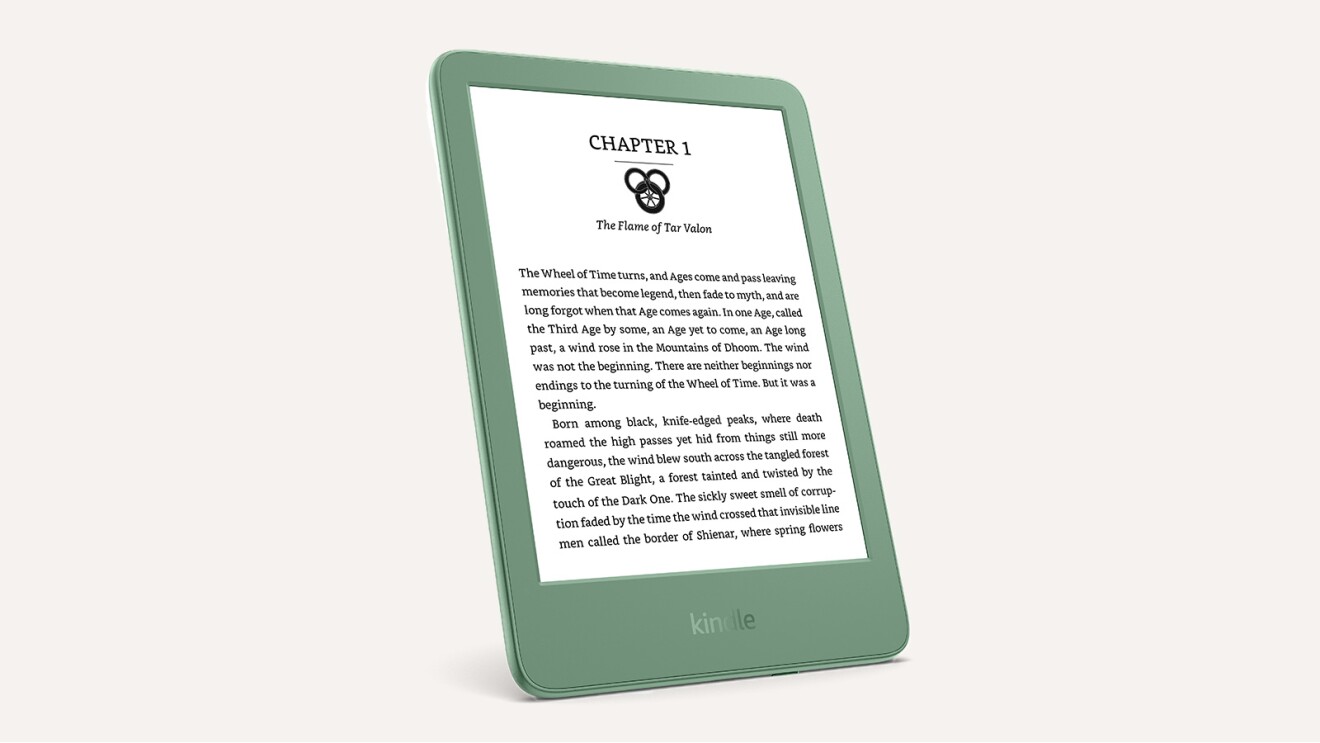
| Colors | Black, Matcha | Black, Jade, Raspberry | Metallic finishes |
| Starting price | $110 (with ads) / $130 (no ads) | $160 (with ads) / $180 (no ads) | $220 (no ads) |
Battery estimates are based on 30 minutes of reading per day with wireless off and front light at setting 13, per Amazon.
Design Comparison
Build Quality and Feel
Both Kindles have a plastic back. Neither feels like a premium gadget. That is fine for a device you drop in a bag or hold in one hand for hours.
The Paperwhite does feel slightly more refined. It has a flush front glass surface, meaning the screen sits level with the surrounding bezel. The Basic has a slightly recessed screen, with a small lip around the display. It is a minor difference, but the Paperwhite feels cleaner in the hand.
Size and Weight
The Basic is noticeably smaller and lighter. At 158g, it weighs less than most paperback novels. The Paperwhite weighs 211g. That is a difference of about 53g — roughly the weight of two AA batteries.
For short reading sessions, neither will cause discomfort. For long reading sessions — more than an hour, held in one hand — the lighter Basic has a real advantage. Some readers with smaller hands find the 7-inch Paperwhite slightly awkward to hold one-handed.
The Basic also fits in a jacket pocket more easily. The Paperwhite is closer to a small paperback in size.
Traveling and Commuting
Both devices are portable. The Basic wins on pure compactness. The Paperwhite wins if you read outdoors or near water, thanks to its waterproofing. For flights and commutes, either works well.
Display Comparison
Screen Size: 6 Inches vs 7 Inches
The Paperwhite has a 7-inch screen while the Basic has a 6-inch screen. That one extra inch makes a genuine difference.
With the same font size, you get more text on screen at once on the Paperwhite. That means fewer page turns per chapter. It also means the reading experience feels more like a printed page and less like reading on a phone.
If you use large fonts — common for readers who prefer bigger text — the difference is even more useful. The Paperwhite gives you more room to work with.
Resolution and Sharpness
Both devices share the same 300 PPI resolution. Texts have the same level of sharpness on both. At this pixel density, letters look crisp and print-like at typical reading distances. This is not an area where one wins over the other.
Screen Surface
The Paperwhite’s flush glass surface looks cleaner and is slightly easier to wipe clean. The Basic’s recessed screen does not affect reading quality, but fingerprints can accumulate in the border around the display. That said, this is only a minor issue, if at all.
Brightness
The Paperwhite is significantly brighter. It reaches 300 nits at maximum, compared to 94 nits on the Basic. In practice, most readers never use maximum brightness. But if you read in very bright environments, or if you have vision that requires a brighter screen, the Paperwhite gives you considerably more room to adjust.
Sunlight Readability
Both E Ink screens are easy to read in direct sunlight. This is one of E Ink’s core advantages over tablets and smartphones having traditional displays. Neither device washes out in the sun. The Paperwhite’s higher brightness gives it a slight edge in very intense sunlight, but both perform well outdoors.
Night Reading and Warm Light
This is one of the most important differences between the two devices.
The Paperwhite has a warm front light, something that is missing on the Basic Kindle.
A warm light shifts the color of the screen from cool white to a softer, amber tone. Many readers find this much easier on the eyes in dim conditions, and it reduces the amount of blue light the screen emits at night.
Blue light from cool-white screens is associated with sleep disruptions, particularly when used before bedtime. The Paperwhite lets users dial in the warmth to their preference — anywhere from white to a deep amber. This makes reading at evening noticeably more comfortable.
The Basic only has a cool white light. It is perfectly fine for daytime reading. But for readers who regularly read in bed or in the evening, the absence of warm light is a real limitation.
You can set the Paperwhite to automatically shift to warmer tones at a scheduled time — for example, after 9 PM. This makes it an extremely useful feature for those who enjoy reading at night.
Dark Mode
Both devices support dark mode, which inverts the display to show white text on a black background. Some readers find this helpful in very dark environments. Neither device has an advantage here.

Reading Experience
Turning Pages
Both devices feel responsive during normal reading. Pages turn quickly. You tap the right side of the screen to go forward, tap the left side to go back, or swipe.
The Paperwhite’s page turns are slightly faster. Amazon claims a 20 percent speed improvement over the previous Paperwhite generation. In practice, the difference between the two current devices is noticeable in side-by-side comparison but rarely disruptive in everyday reading.
Fonts, Margins, and Spacing
Both devices offer the same font selection and layout adjustments. You can change font size, typeface, line spacing, and margins. Both also support bold font adjustments for readers who prefer thicker lettering.
Highlighting and Notes
Both devices work identically here. Tap and hold on a word to start a highlight. Drag to extend it. You can also add a note if you want. All highlights sync across devices via Whispersync.
Dictionary Lookup
Tap and hold on any word to open the dictionary definition. Both devices support this. The Paperwhite’s larger screen makes the definition pop-up slightly more comfortable to read, but both work well.
Vocabulary Builder
Both Kindles come with Vocabulary Builder built-in. Every word you look up in the dictionary gets added to a list automatically. You can then quiz yourself on those words using flashcards. It is a useful feature for language learners and curious readers.
Reading PDFs
Both devices can open PDFs. The Paperwhite’s larger screen handles PDF documents more comfortably, even though that’s still a compromise. Academic papers, reports, and text-heavy PDFs are slightly more readable on a 7-inch display. On the 6-inch Basic, some PDFs might require zooming or feel cramped. On the whole, neither size is ideal for reading PDFs, but things are slightly better on the Paperwhite owing to its larger display.
Graphic Novels, Comics, and Manga
Both devices display comics and manga in black and white. The Paperwhite’s larger screen makes this significantly better. Detailed artwork that might feel small and hard to read on the Basic is more comfortable to view on the Paperwhite. For graphic novel and manga readers, the Paperwhite is the stronger choice. Neither device, however, handles these formats as well as a color E Ink device would.
Eye Fatigue
E Ink technology is inherently easier on the eyes than LCD or OLED screens found in tablets and phones. This is because E Ink is reflective in nature, whereas LCD and OLED require a backlight to function, and therefore emit light. Since both Kindles reflect light rather than emit it, this reduces the strain of long reading sessions.
The Paperwhite extends this advantage further with its warm light option, which reduces eye fatigue while reading in low-light conditions or at night. For readers prone to digital eye strain, the Paperwhite is the more comfortable device over long sessions.
Performance
The Paperwhite is faster. It runs a MediaTek dual-core 1 GHz processor with 512 MB of RAM. Amazon does not publish the Basic’s processor specs, but reviews consistently describe the Basic as performing well for normal reading tasks with occasional slowdowns during more demanding operations.
In practical terms: opening books, turning pages, and searching for titles are all fast on both devices. Where the Paperwhite’s speed advantage shows up more clearly is in navigating the library, loading book covers, and browsing menus.
Most readers will not find the Basic’s performance frustrating. But if you have a large personal library comprising hundreds of books, the Paperwhite handles it more smoothly.
Battery Life
This is one of the clearest differences between the two models.
The Kindle Basic lasts up to 6 weeks on a single charge. The Paperwhite lasts up to 12 weeks. Both estimates assume 30 minutes of reading per day with wireless off and the front light at moderate brightness.
In practice, real battery life depends on how much you read, how bright you set the screen, and whether Wi-Fi stays on. Heavy readers who use the warm light and higher brightness will see shorter battery life than the estimates suggest. But even so, the Paperwhite’s larger 1,900 mAh battery (compared to the Basic’s 1,040 mAh) gives it a meaningful real-world advantage.
For travelers who are likely to be away from a power source for extended periods, the Paperwhite is the more comfortable choice. The Basic still has excellent battery life compared to a smartphone or tablet — six weeks is impressive — but the Paperwhite’s 12-week estimate is exceptional.
Both devices charge via USB-C. The Paperwhite Signature Edition adds wireless charging, but the standard Paperwhite does not.
Waterproofing
The Paperwhite is rated IPX8. The Basic is not waterproof.
IPX8 means the device has been tested to withstand submersion in two meters of fresh water for up to 60 minutes. In everyday terms, this covers:
- Reading in the bath
- Using it by the pool with occasional splashes
- Reading on the beach when spray or rain might reach it
- Accidentally dropping it in water
The Basic offers no protection against water. A spill could damage it. Rain could be a problem.
Who genuinely benefits from waterproofing? More people than you might expect. Reading in the bath is quite popular among Kindle users. Vacations near the ocean or pool are another. Even light rain during a commute is a realistic scenario. If any of these situations describe you, the Paperwhite’s waterproofing is worth having.
Who probably does not need it? Readers who only use their Kindle at home and in dry environments, like at a desk, or in bed. If your reading life does not bring your Kindle near water, this feature will never matter.
Storage
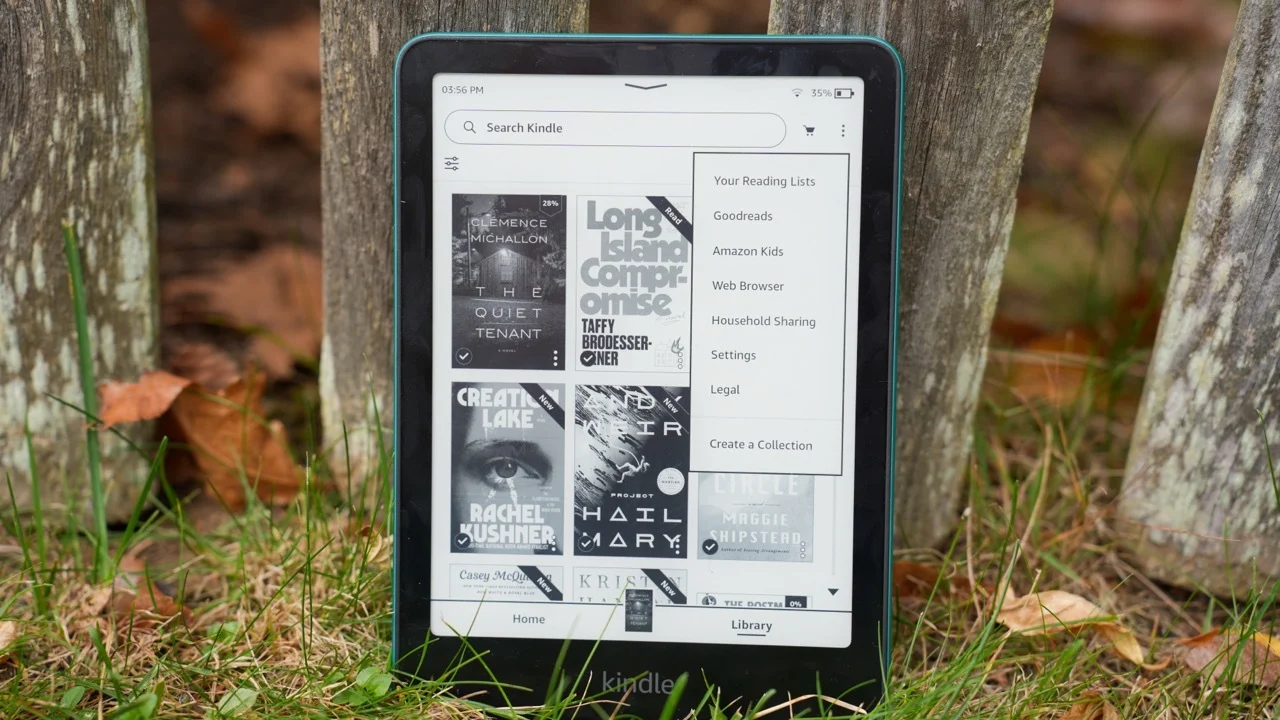
Both the Kindle Basic and Kindle Paperwhite come with 16 GB of storage. The Paperwhite Signature Edition offers 32 GB.
16 GB is enough to hold thousands of standard e-books. A typical novel takes up between 1 MB and 5 MB of space. At that rate, 16 GB can store thousands of books — far more than most people will probably read in a lifetime.
Where storage becomes relevant is with audiobooks, comics, manga, and PDFs. A single Audible audiobook can be several hundred megabytes. A large manga collection can take up significant space. Readers who store a lot of audio or visual content may eventually need more than 16 GB.
For most readers, 16 GB is more than sufficient. The Signature Edition’s 32 GB is a comfort upgrade, not a necessity.
Portability
The Kindle Basic is the more portable device. At 158g and with compact dimensions, it slips into a jacket pocket and feels light in one hand for extended periods. It is Amazon’s smallest and lightest Kindle.
The Paperwhite is not large by any measure. But at 211g and with a 7-inch screen, it feels closer to a small trade paperback. Most readers find it comfortable, but those with smaller hands or who do a lot of one-handed reading in bed may prefer the Basic’s size.
For travel, both devices are excellent. Either fits easily in a bag or carry-on. The Paperwhite’s waterproofing adds practical value on outdoor trips.
Software Features
Both devices run the same Kindle software and have access to the same features:
- Whispersync — your reading position, bookmarks, and highlights sync automatically across all your Kindle apps and devices.
- Collections — organize your library into custom folders.
- X-Ray — tap a character’s name or place to see a summary of their appearances in the book (available for supported titles).
- Vocabulary Builder — a log of every word you’ve looked up, with built-in flashcard quizzes.
- Dictionary — tap any word for an instant definition.
- Send to Kindle — send personal documents and PDFs from your computer or phone to your Kindle.
- Dark Mode — inverts the screen for white-on-black text.
- Goodreads integration — track your reading, see friend activity, and add books to your reading list.
- Kindle Unlimited — available on both devices (subscription required separately).
- Audible audiobooks — both support Bluetooth headphones for audio playback.
- Parents Dashboard and Kids Mode — set up child profiles with reading controls and curated libraries.
Neither device has exclusive software advantages over the other. The Paperwhite Signature Edition adds an auto-brightness sensor, which adjusts screen brightness automatically based on ambient light. That is the only software-adjacent difference.
Accessories
Both Kindles use the same accessory ecosystem from Amazon.
Cases are the most important accessory. A good case protects the screen and adds a little grip. Amazon’s official cases are magnetic and automatically put the Kindle to sleep when closed. Third-party options are widely available at lower prices.
Screen protectors are optional. The Kindle screen is glass and reasonably scratch-resistant, but a screen protector adds peace of mind.
Charging cables — both use standard USB-C. If you already own USB-C cables, you do not need to buy new ones.
Wireless charging dock — this only applies to the Paperwhite Signature Edition. The base Paperwhite and the Basic both charge via USB-C only.
Reading stands and Bluetooth page turners are compatible with both devices. A page turner is a small remote that lets you turn pages without touching the screen and is useful for hands-free reading.
Price Comparison
| Model | With Ads | Without Ads |
| Kindle Basic | $110 | $130 |
| Kindle Paperwhite | $160 | $180 |
| Paperwhite Signature Edition | $210 | $220 |
Prices as of 2024 launch. Prices fluctuate with sales.
The price gap between the Basic and the base Paperwhite is approximately $50. That is the most important number in this comparison.
For many buyers, $50 is a significant difference. For others, it represents good long-term value given how much time they spend with the device.
Amazon regularly discounts Kindles during major sales events. Prime Day, Black Friday, and holiday sales often bring $20 to $40 off standard prices. During these periods, the price gap between models sometimes narrows considerably. If you are not in a hurry, waiting for a sale can make the Paperwhite more accessible.
The Paperwhite Signature Edition carries a further $50 premium over the base Paperwhite. Its main extras are wireless charging, auto-brightness, 32 GB storage, and no lockscreen ads. For most readers, the base Paperwhite offers better value. (Amazon)
Kindle Basic: Pros and Cons
Pros:
- Lower starting price ($110 with ads)
- Lighter and more compact
- Easier to hold one-handed for long sessions
- Pocket-friendly size
- Good for casual, daytime reading
- Same sharp 300 PPI display as the Paperwhite
- 16 GB of storage
- USB-C charging
Cons:
- No warm front light
- Not waterproof
- Smaller 6-inch screen
- Battery lasts only up to 6 weeks
- Recessed screen (not flush)
- Slower processor than the Paperwhite
- No automatic brightness adjustment
Kindle Paperwhite: Pros and Cons
Pros:
- Larger 7-inch display, which means more text per page
- Warm front light for comfortable evening reading
- IPX8 waterproof rating
- 12-week battery life (double the Basic)
- Faster processor
- Flush screen surface
- Available in more colors
Cons:
- Higher starting price ($160 with ads)
- Heavier at 211g
- Slightly larger — less pocketable
- No wireless charging on the base model (Signature Edition only)
- Price increase from the previous generation
Which Kindle Is Right for You?
Here are some common reader profiles to help guide the decision.
The occasional reader: You read a few books per year, mostly on weekends or vacations. The Basic is a good fit. It covers all the essentials at a lower price, and its battery will easily last between charges for light use.
The daily reader: You read every day, often for an hour or more. The Paperwhite is the better choice. The larger screen, longer battery, and warm light add up to a meaningfully better experience over time.
The night reader: You read in bed, in dim light, or after dark. The Paperwhite’s warm light is genuinely useful here. Without it, the Basic’s cool white light can feel harsh on the eyes in a dark room.
The commuter: You read on the bus, subway, or train. Both devices work well. If your commute includes outdoor sections in variable weather, the Paperwhite’s waterproofing adds a level of protection the Basic lacks.
The traveler: You carry your Kindle on trips, including beach vacations, cruise ships, or hiking. The Paperwhite is the stronger choice — waterproofing and longer battery life both matter here.
The student: You use your Kindle to read textbooks, articles, or research papers. The Paperwhite’s larger screen handles PDFs and dense text better. If budget is tight, the Basic is still capable, but you may find it cramped for academic reading.
The budget buyer: Affordability is the top priority. The Basic at $110 is the right choice. It delivers the core Kindle experience at the lowest price.
The senior reader or those with vision needs: Larger font sizes help. Both devices support adjustable fonts, but the Paperwhite’s larger screen gives more room to work with larger text without losing too many words per line. The Paperwhite also gets brighter, which can help in varying light conditions.
The graphic novel or manga reader: The Paperwhite handles visual content better due to its larger screen. Neither device shows color, so color manga will display in grayscale on both. But detailed artwork is more comfortable to read on the 7-inch Paperwhite.
The reader upgrading from an older Kindle: If your old Kindle is several generations behind, both devices will feel like a significant improvement. If your existing device still works well, there may not be a compelling reason to upgrade.
Readers in humid or hot climates, or near water: The Paperwhite is the straightforward recommendation. The Basic’s lack of waterproofing is a genuine risk in these environments.
Common Misconceptions
“The Paperwhite is much faster.” The Paperwhite is faster, especially in menus and library browsing. But during normal reading — turning pages, looking up words — the difference is subtle. The Basic is not slow. It keeps pace well for its primary purpose.
“The bigger screen makes it bulky.” The Paperwhite is larger than the Basic but is still a slim and light device. It fits easily in a bag or large pocket. It is not bulky by any reasonable standard.
“The Basic Kindle isn’t very good.” This is not true. The Basic has the same sharp 300 PPI screen as the Paperwhite. It is a well-made, capable E Ink reader. Its limitations are specific — no warm light, no waterproofing, smaller screen — not general quality issues.
“Warm light is essential.” Warm light is useful for those who prefer reading at night or are sensitive to blue light. But many readers use their Kindle only during the day and will never miss it. It is an important feature for some readers and irrelevant for others.
“You need waterproofing.” Waterproofing is a genuine advantage in the right situations. But if you never read near water, it will never matter. It should not be a reason to pay more if your reading environment is always dry.
“More storage means a better Kindle.” Both the Basic and the base Paperwhite have 16 GB of storage, which is enough for thousands of ebooks. Storage becomes relevant for those who have a large collection of audiobooks or comics. For standard fiction and nonfiction reading, 16 GB should be more than adequate.
Frequently Asked Questions
Is the Kindle Paperwhite easier on the eyes? Yes, in certain conditions. The warm light makes night-time reading more comfortable by reducing blue light. But both devices use the same E Ink display technology, which is already much easier on the eyes than a phone or tablet screen.
Can the Kindle Basic read PDFs? Yes. Both Kindles can open and display PDF files. The Paperwhite’s larger screen makes PDFs more comfortable to read, especially documents with small text or complex layouts.
Does the Kindle Paperwhite last longer? Yes. The Paperwhite battery lasts up to 12 weeks. The Basic lasts up to 6 weeks. Both estimates assume 30 minutes of reading daily. The Paperwhite has nearly double the battery capacity.
Is the Paperwhite worth the extra money? For frequent readers, yes. The larger screen, warm light, waterproofing, and longer battery life add up to a meaningfully better experience for everyday use. For occasional readers on a tight budget, the Basic delivers excellent value.
Can both read library books? Yes. Both Kindles support OverDrive and Libby, which lets readers borrow ebooks from public libraries in the United States and many other countries.
Do both support Kindle Unlimited? Yes. Kindle Unlimited is a subscription service that gives access to over four million titles. It works on both devices identically.
Can both play Audible audiobooks? Yes. Both devices support Bluetooth and can pair with wireless headphones or earbuds for Audible audiobook playback. There is no built-in speaker on either device.
Which Kindle has the better screen? Both have the same 300 PPI resolution, so sharpness is equal. The Paperwhite has a larger screen, higher maximum brightness, warm light capability, and a flush surface. For most measures of screen quality, the Paperwhite is the better display.
Can I use the same Amazon account on both? Yes. All Kindle devices and the Kindle app share the same Amazon account. Your library, reading progress, and highlights are all available across devices.
Is the Paperwhite heavier? Yes. The Paperwhite weighs 211g. The Basic weighs 158g. That is a difference of about 53g. Both are light compared to a typical paperback book.
Can both connect to Bluetooth headphones? Yes. Both support Bluetooth for Audible audiobook playback via wireless headphones or earbuds.
Which Kindle is better for students? The Paperwhite. Its larger screen handles PDFs, academic articles, and dense text more comfortably. If cost is a limiting factor, the Basic is still capable, but the Paperwhite’s extra screen space makes a real difference for document-heavy reading.
Which Kindle is better for elderly readers? The Paperwhite. Its larger screen, higher brightness, and warm light make it more accommodating for a wider range of vision needs. Both devices support large font sizes, but the Paperwhite gives more room to display them comfortably.
Can both use dark mode? Yes. Dark mode — white text on a black background — is available on both devices. It can be invoked from the display settings.
Will I regret buying the Basic? Probably not, if you are a casual or daytime reader who does not need waterproofing or warm light. Many readers are completely happy with the Basic. If you find yourself wishing for a larger screen or warm light after purchasing it, that is when the Paperwhite becomes appealing. If in doubt and the budget allows, the Paperwhite is the safer long-term choice.
Final Verdict
Neither device is the wrong choice. Both deliver what Kindle is known for — a sharp, glare-free E Ink screen, weeks of battery life, and access to millions of books in Amazon’s library.
Choose the Kindle Basic if affordability and portability are your top priorities, you read casually or mainly indoors in good light, and waterproofing is not a concern.
Choose the Kindle Paperwhite if you read frequently, want a larger screen and warm light, care about waterproofing, or simply want a device that covers every reading scenario without compromise.
If you are deciding between the two during a major sale — Prime Day, Black Friday, or similar — and the price gap narrows to $30 or less, the Paperwhite becomes an easy recommendation for almost any reader.
For first-time Kindle buyers who are unsure, the Paperwhite is the safer long-term investment. Its advantages become more obvious over time, particularly for readers who use their device daily. The Basic is excellent at what it does, but the Paperwhite simply does more.
At the end of the day, buying either Kindle is a good decision. The real choice is between a capable, affordable reader and a more fully featured one. Once you start reading on either device — with that quiet, glare-free screen and weeks of battery between charges — you will likely wonder why you waited so long to get one.
Check Latest Price of Amazon Kindle 16 GB
Check Latest Price of Amazon Kindle Paperwhite 16 GB
Check Latest Price of Amazon Kindle Paperwhite Signature Edition 32 GB