This article contains affiliate links. If you purchase through these links, I may earn a commission at no extra cost to you. Our recommendations are based on our independent research and editorial judgment. Here is how it works
Kindles happen to be among the best e-readers you can buy in 2026. It is backed by one of the most comprehensive e-reading ecosystems in the world, which comprises of millions of titles while offering seamless syncing and Audible integration. Plus, the lineup includes devices that covers every type of reader. Whether you want an affordable entry-level reader, a waterproof companion for pool-side reading, or a large-screen writing tablet, Amazon has a Kindle for it.
Figuring out which Kindle best fits your need can be the real task. The lineup has expanded significantly, and the differences between models are not always obvious. This guide – Best Kindle in 2026: Which Kindle Should You Buy? – breaks down every Kindle currently available, explains who each one is for, and gives a clear recommendation for every type of reader.
Quick Verdict
| Use Case | Recommended Kindle |
| Best Overall | Kindle Paperwhite |
| Best Budget Option | Kindle |
| Best Premium Kindle | Kindle Paperwhite Signature Edition |
| Best for Note-Taking | Kindle Scribe |
| Best for Students | Kindle Paperwhite |
| Best for Travel | Kindle |
| Best Large-Screen Kindle | Kindle Scribe |
The Kindle Lineup in 2026: At a Glance
Amazon currently sells four main Kindle families:
Kindle — The entry-level model. Compact, affordable, and surprisingly capable. Starts at $109.99.
Kindle Paperwhite — The most popular Kindle. Larger screen, waterproofing, warm light, and excellent battery life. Starts at $159.99. The Paperwhite Signature Edition adds wireless charging, more storage, and auto-brightness for $199.99.
Kindle Colorsoft — The first Kindle ever to feature a color E Ink display. Available as both a standard Colorsoft ($249.99) and a Colorsoft Signature Edition ($279.99). Ideal for comics, manga, and illustrated books.
Kindle Scribe — Amazon’s large-screen, note-taking Kindle. The 2025 model features an 11-inch display, a magnetic pen, and AI-powered notebook features. Starts at $499.99 for the 32GB model. A Scribe Colorsoft with a color display is also available starting at $629.99.
How We Chose the Best Kindle
Every model was evaluated across five key areas:
Reading Experience. Text clarity, screen sharpness, contrast, and glare performance in various lighting conditions.
Portability. Weight, dimensions, and how comfortable the device is to hold for extended sessions, including one-handed use.
Battery Life. Real-world performance based on typical half-hour-per-day reading sessions.
Features. Waterproofing, warm light adjustment, auto-brightness, wireless charging, and writing support.
Value for Money. How well each model justifies its price compared to the rest of the lineup.
Kindle Paperwhite: Best Kindle Overall in 2026:
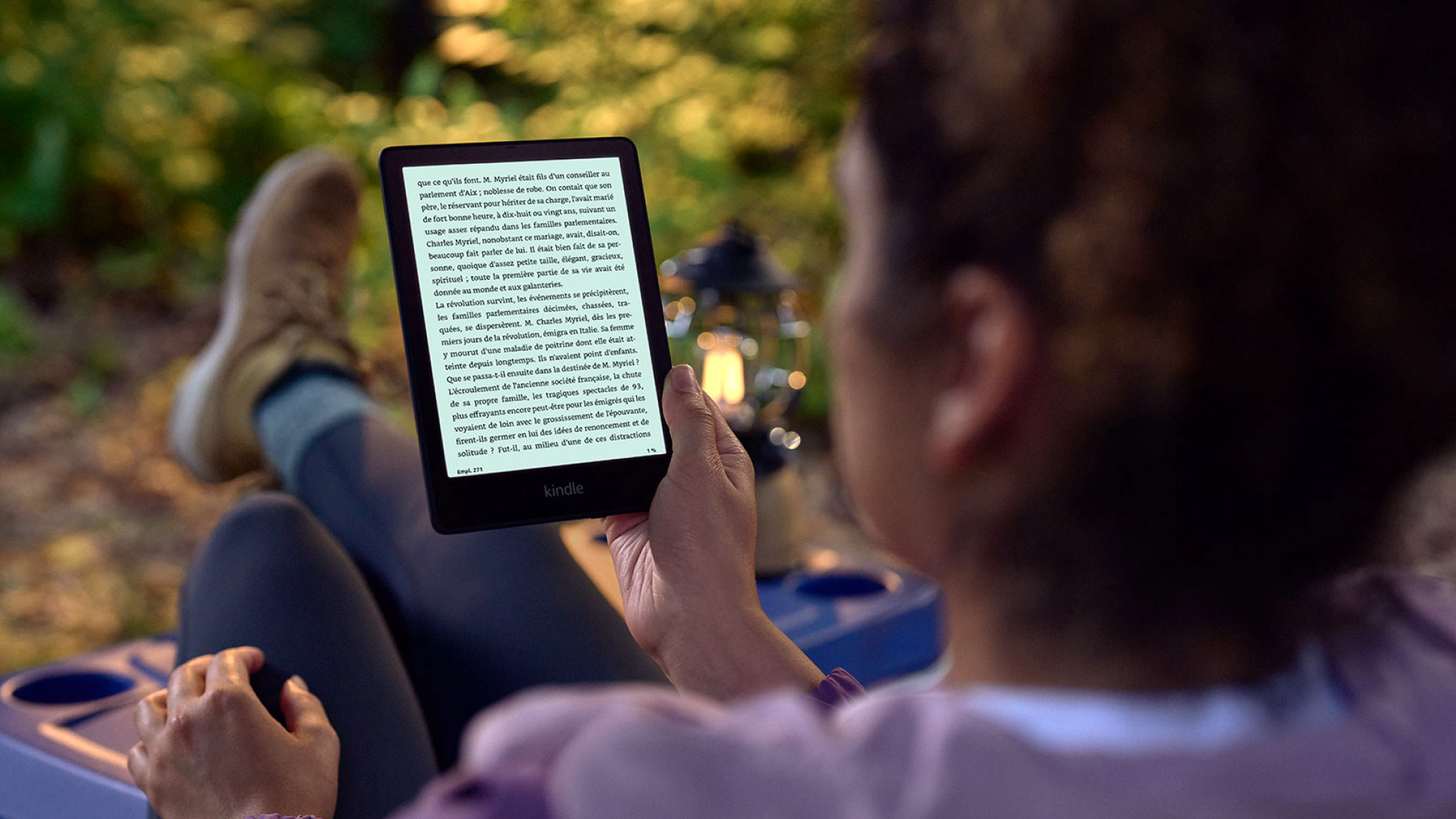
The Kindle Paperwhite is the best Kindle for most people. It has been for years, and 2026 is no different.
Why It Wins
The Paperwhite’s 7-inch, 300 PPI display is sharp, bright, and comfortable to read on for hours. The screen size is a meaningful upgrade from the base Kindle’s 6-inch display and is large enough to feel spacious without becoming unwieldy. Text looks crisp at any font size, and the higher contrast ratio compared to older models makes a noticeable difference.
The Paperwhite is fully waterproof as per IPX8 standards. It can remain submerged in up to two meters of fresh water for 60 minutes without suffering any damage. This makes it ideal for readers who tend to use their Kindle at the pool, beach, or in the bath.
The adjustable warm light is one of the Paperwhite’s best features. It lets readers shift the display from a cool white tone to a warm amber, which reduces eye strain during nighttime reading. This is something the base Kindle does not offer.
Battery life is exceptional. A single charge lasts up to 12 weeks based on half an hour of reading per day. In practice, most readers find themselves charging once every few weeks at most.
At $159.99, the Paperwhite hits the sweet spot between price and performance. It costs roughly $50 more than the base Kindle but delivers noticeably better in almost every area.
Pros
- Sharp 7-inch, 300 PPI display with high contrast
- IPX8 waterproof rating
- Adjustable warm light for comfortable night reading
- Up to 12 weeks of battery life
- Fast page turns
- Available in three colors: Black, Jade, and Raspberry
Cons
- No wireless charging (Signature Edition required)
- No auto-brightness sensor (Signature Edition required)
- Power button placement at the bottom can cause accidental presses
Who Should Buy It
The Kindle Paperwhite is ideal for readers who want the best all-around e-reader experience without spending much. It suits daily readers, people who read in multiple environments (indoors, outdoors, poolside), and anyone upgrading from an older Kindle or a basic model.
Who Should Skip It
Readers on a tight budget will be better served by the base Kindle. Those who want wireless charging or auto-brightness should look at the Signature Edition. Anyone who wants to take handwritten notes should consider the Scribe.
Check Latest Price of Amazon Kindle Paperwhite 16 GB
Kindle: Best Budget Kindle in 2026
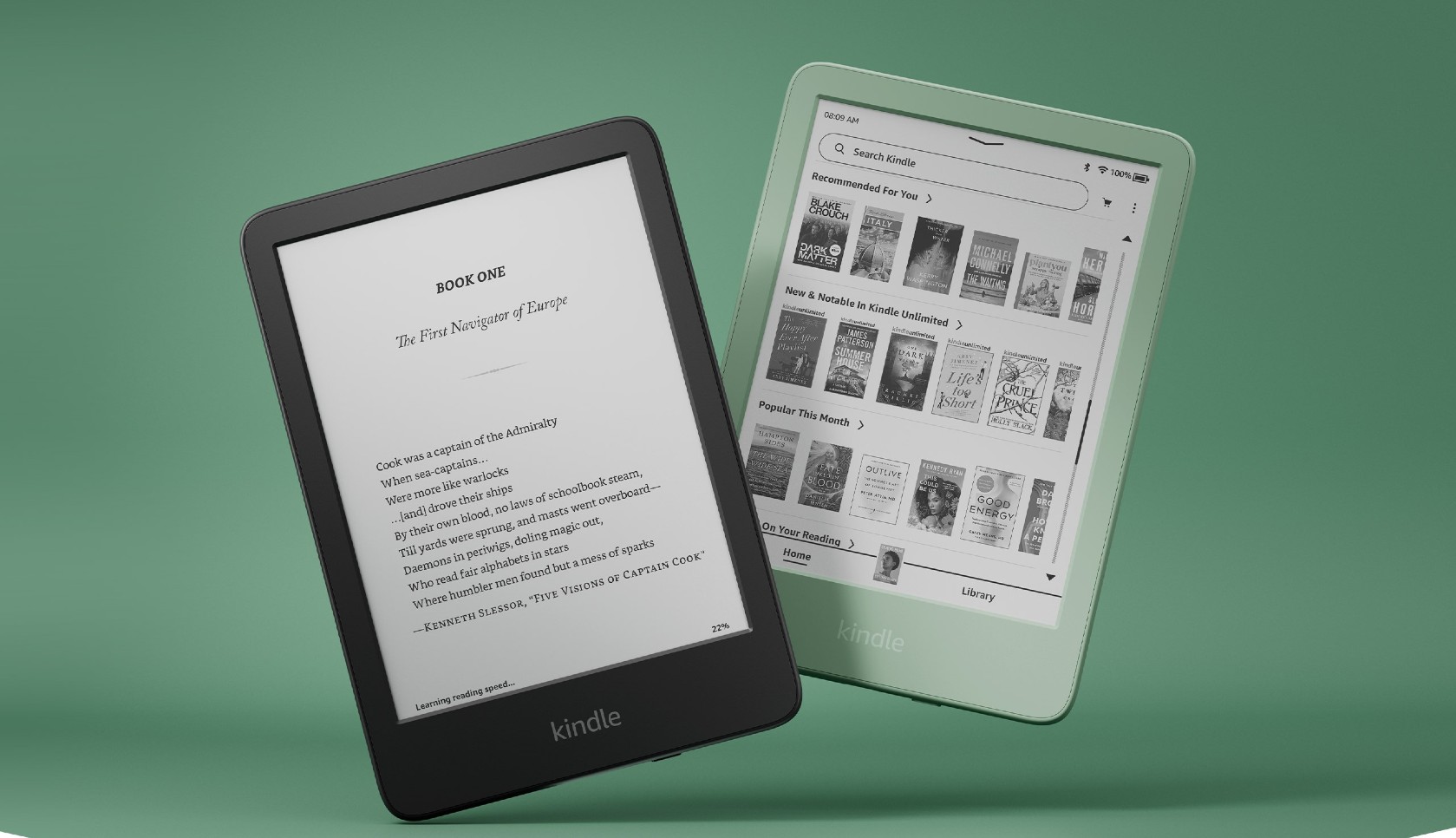
The base Kindle is not a compromise. It is a genuinely good e-reader at a price that undercuts the competition.
Why It Is the Best Entry-Level Kindle
At $109.99, the 2024 Kindle is the most affordable way to enter the Kindle ecosystem. It uses the same 300 PPI display resolution as the Paperwhite, which is the most significant upgrade it has received in recent generations. Text is sharp and clear. The screen looks better than many readers expect from an entry-level device.
The Kindle is also the lightest and most compact model in the lineup. It weighs 158 grams and fits easily in a bag or a coat pocket. For readers who are always on the go, the small footprint is a genuine advantage.
Battery life is solid. A single charge lasts up to 6 weeks, which is enough for most casual readers. The device charges via USB-C, and storage sits at 16 GB, which should be enough for thousands of books.
Pros
- Most affordable Kindle at $109.99
- Sharp 300 PPI display
- Lightest and most compact model
- 6-weeks battery life
- USB-C charging
- Available in Black and Matcha
Cons
- No waterproofing
- No warm light (front light only, no amber adjustment)
- Smaller 6-inch screen compared to Paperwhite
- No auto-brightness
Best For
Casual readers, first-time Kindle buyers, children, and anyone who primarily reads indoors and wants a no-fuss, affordable device.
Check Latest Price of Amazon Kindle 16 GB
Kindle Paperwhite Signature Edition: Best Kindle for Serious Readers
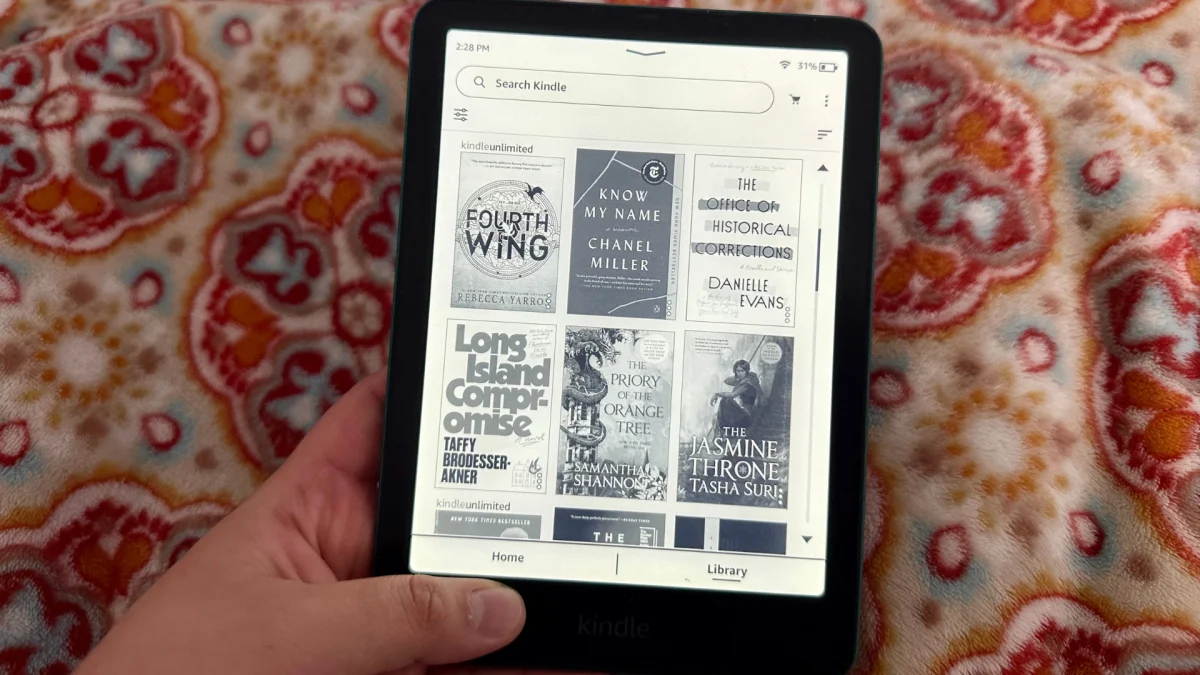
The Paperwhite Signature Edition is for readers who want everything the Paperwhite offers, plus a few meaningful upgrades.
What Makes It Better
The Signature Edition costs $199.99, which is $40 more than the standard Paperwhite. For that extra cost, readers get three additional features.
First, it doubles the storage to 32 GB. For most readers, 16 GB is more than enough, but those with large libraries, audiobooks, or many downloaded titles will appreciate the extra room.
Second, it adds wireless charging. The Paperwhite uses USB-C, which works perfectly fine, but wireless charging makes it easier to keep the device topped up in a wire-free manner.
Third, it includes an ambient light sensor that adjusts the display brightness automatically based on the environment. This is a feature the standard Paperwhite lacks, and it is convenient for readers who move between bright and dark spaces.
Pros
- All the strengths of the standard Paperwhite
- 32 GB of storage
- Wireless charging support
- Auto-adjusting brightness
- Available in Metallic Black, Metallic Jade, and Metallic Raspberry
Cons
- $40 more than the standard Paperwhite
- Wireless charging dock sold separately
- No color display
Best For
Readers who plan to use their Kindle daily for years and want the most complete non-color, non-writing Kindle experience. Also, a great choice for readers with large digital libraries or those who listen to Audible audiobooks alongside their e-books.
Check Latest Price of Amazon Kindle Paperwhite Signature Edition 32 GB
Kindle Scribe: Best Kindle for Note-Taking and Productivity
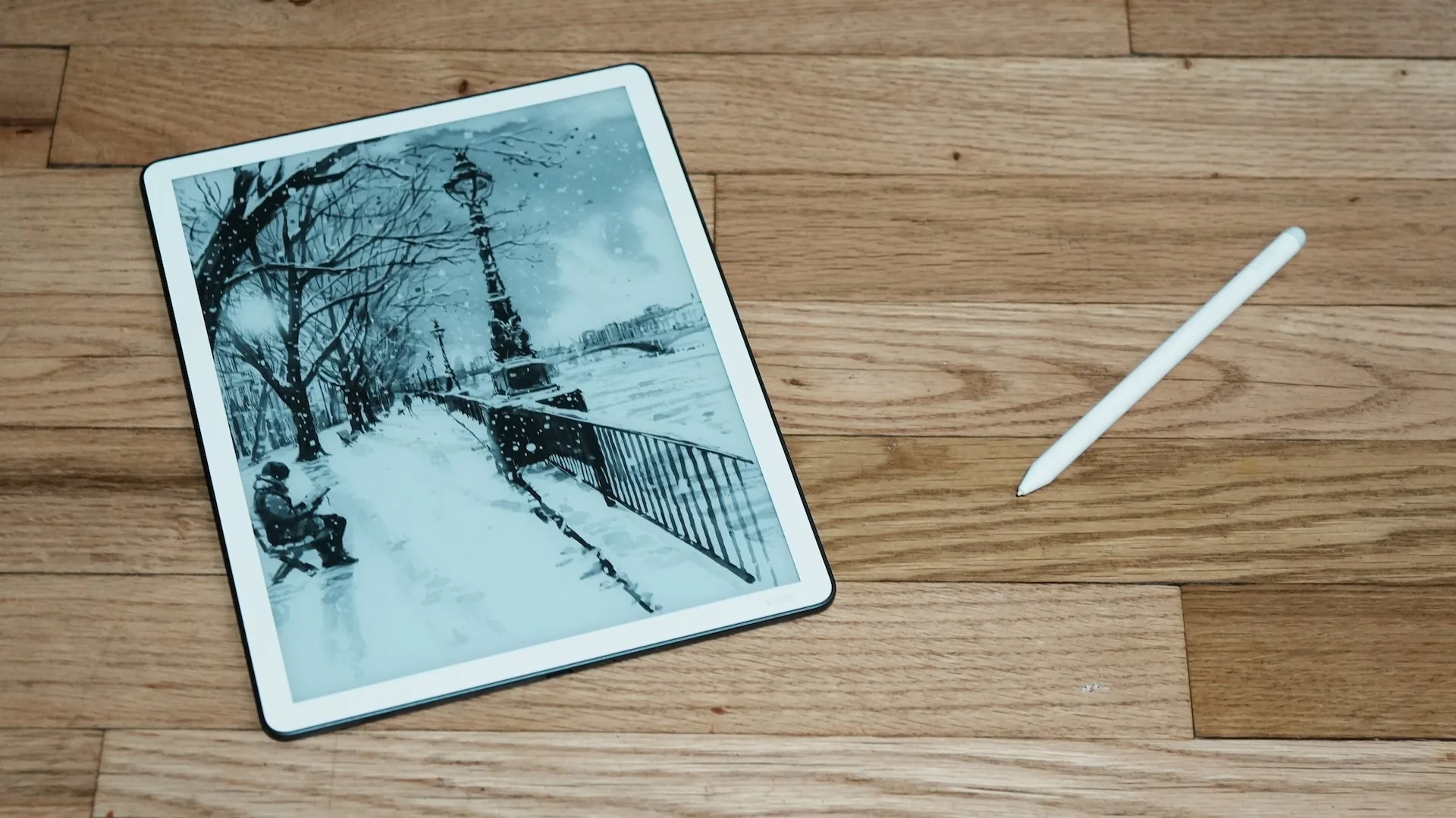
The Kindle Scribe is a different kind of Kindle. It is still primarily a reading device, but it adds the ability to take handwritten notes, mark-up books, and work on digital notebooks.
Why It Stands Out
The 2025 Kindle Scribe features an 11-inch, 300 PPI E Ink display. It is the largest screen Amazon has ever put on a Kindle, and it changes the reading experience in meaningful ways. The screen is roughly the same size as a standard paperback or hardcover, which makes it especially good for comics, manga, and documents.
The device includes a magnetic Premium Pen at no additional cost. The pen is battery-free and requires no pairing. It attaches magnetically to the Scribe when not in use.
Note-taking works in two main ways. Readers can write directly on a book page using the Active Canvas system, which embeds annotations as sticky notes alongside the text. Alternatively, they can open the expandable margin and keep notes separate from the main text. Both methods work, though the margin approach is cleaner for heavy annotators.
The 2025 model adds AI-powered features that improve on previous generations. Handwriting can be converted to searchable text. Notes can be summarized automatically. Notebooks sync with Google Drive and Microsoft OneDrive, which makes the Scribe more useful for students and professionals who want their notes accessible across devices.
Reading Experience
The Scribe is an excellent reader. The large screen makes long reading sessions comfortable, and the 300 PPI resolution ensures text looks sharp at any size. Readers who prefer large books or have visual impairments will find the spacious display a significant advantage over smaller Kindles.
Writing Experience
The writing surface feels good. The texture-coated glass provides paper-like friction that makes handwriting feel natural. Latency is low, and the pen tracks accurately. The dedicated eraser on the Premium Pen is a practical addition for quick corrections.
The Active Canvas annotation system is powerful but takes some getting used to. When notes are written directly on a page, the surrounding text reflows to make room. This can feel disruptive during dense annotation sessions. The margin system avoids this issue entirely.
Pros
- 11-inch, 300 PPI display — the largest and sharpest on any Kindle
- Included magnetic Premium Pen
- AI-powered note search, summarization, and chat
- Google Drive and OneDrive integration
- Excellent for comics, manga, and large-format documents
- Aluminum build feels premium
Cons
- Starts at $499.99 — significantly more expensive than other Kindles
- Too large for comfortable one-handed reading
- Active Canvas text reflow can disrupt reading layout
- Heavy at 400 grams
- No waterproofing
Best For
Students who annotate heavily, professionals who take meeting notes, avid readers who also want a digital notebook, and anyone who reads comics or large documents regularly.
Check Latest Price of Amazon Kindle Scribe Colorsoft 64 GB
Best Kindle for Students
Students have specific needs from an e-reader. They need to annotate, highlight, and take notes. They also need long battery life, portability, and a device that can handle textbooks and research reading.
For most students, the Kindle Paperwhite is the best option. The 7-inch display is large enough for comfortable reading, and the Paperwhite’s highlight and annotation tools work well for study use. Battery life of up to 12 weeks means students will rarely need to charge mid-week. The waterproof design is an added bonus for accident-prone environments.
Students on a tight budget can consider the base Kindle. It loses waterproofing and the warm light feature, but the reading experience is still strong, and the smaller size makes it easy to carry between classes.
Students who rely heavily on annotation, PDF markup, or handwritten notes should consider the Kindle Scribe. The large screen and pen support make it a serious study tool. The higher price is the main drawback.
For students who read textbooks with color diagrams, charts, or illustrated content, the Kindle Colorsoft may be worth considering. The color E Ink display is easier on the eyes than a tablet while still rendering visuals clearly.
Best Kindle for Seniors
Seniors benefit most from features that make text easier to see and navigation simpler to manage.
The Kindle Paperwhite is the best choice. The 7-inch screen gives more room for larger text settings, and the adjustable warm light reduces strain during long reading sessions. The glare-free display performs well under a variety of lighting conditions.
Seniors who want an even larger screen should consider the Kindle Scribe. The 11-inch display can render text at very large sizes without frequent page turns, and the high-contrast 300 PPI screen is comfortable for extended sessions.
Key features to look for include: adjustable font size and weight, line spacing control, glare-free screen, comfortable grip, and simple navigation. All current Kindle models support large text sizes and font adjustments.
Best Kindle for Travel
Travelers need a Kindle that is light, compact, and long-lasting. The less the device weighs and the longer it lasts, the better.
The base Kindle is the best travel-friendly Kindle. At 158 grams, it is the lightest model in the lineup. It fits easily in a jacket pocket, a small bag, or a carry-on. Battery life of up to 6 weeks means there is no need to pack a charging cable for a typical trip.
Travelers who want waterproofing — for beach trips, boat travel, or rainy destinations — should upgrade to the Kindle Paperwhite. The IPX8 rating provides real protection against water damage, and the larger screen can make long flights more comfortable.
Kindle Comparison: Which Kindle Should You Buy?
Kindle vs Paperwhite
The base Kindle and the Paperwhite share the same 300 PPI resolution, but they differ in almost every other way.
The Paperwhite has a larger 7-inch screen versus 6 inches on the base model. It adds IPX8 waterproofing, which the basic Kindle lacks. The warm light adjustment — shifting from white to amber — is a Paperwhite-exclusive feature that makes nighttime reading significantly more comfortable. Battery life is also longer: 12 weeks versus 6 weeks on the base Kindle.
The cost difference is roughly $50. For most readers, that could be worth spending.
Winner: Kindle Paperwhite, unless budget is the deciding factor.
Paperwhite vs Signature Edition
The Paperwhite Signature Edition costs $40 more than the standard Paperwhite. In return, readers get 32 GB of storage instead of 16 GB, wireless charging, and an ambient light sensor for automatic brightness adjustment.
These are real upgrades, but they are not essential for every reader. For many, 16 GB of storage might be sufficient. Wireless charging is a convenience but not an absolute necessity. Auto-brightness is a nice feature but easy to manage manually.
Winner: Standard Paperwhite should suffice most readers. Signature Edition is for those who want wireless charging or have a large collection of e-books and audiobooks.
Paperwhite vs Scribe
The Scribe costs more than three times the price of the Paperwhite. It offers a much larger screen and handwriting support in return.
For reading novels and standard e-books, the Paperwhite is the better choice. It is lighter, more portable, and much more affordable. The Scribe is best for readers who genuinely need to take notes, annotate documents, or read large-format content like comics and academic papers.
Winner: Paperwhite for dedicated readers. Scribe for note-takers and productivity-focused users.
Is the Kindle Scribe Worth It in 2026?
The Kindle Scribe is worth buying for a specific type of person. It is not the right choice for everyone.
The Scribe makes sense for students who annotate their readings, professionals who take notes during research, writers who prefer to capture ideas on a large paper-like surface, and readers who consume comics or manga regularly. For these users, the 11-inch screen and pen support provide genuine value that no other Kindle offers.
The Scribe does not make sense for casual readers who just want to read novels. The device is heavier, more expensive, and harder to hold one-handed. The Paperwhite does a better job at the core reading experience for a fraction of the price.
Compared to dedicated E Ink tablets like the reMarkable Paper Pro, the Scribe is a better reading device but a more limited writing tablet. The reMarkable offers more writing modes and feels closer to paper for long note-taking sessions. The Scribe wins on the reading side, with access to the Kindle store and the full Amazon ecosystem.
Features That Matter Most When Buying a Kindle
Screen Size
Kindles currently come in three main sizes. The base Kindle has a 6-inch display, which is compact and pocket-friendly but offers less reading area. The Paperwhite and Colorsoft use a 7-inch display, which is the sweet spot for most readers — large enough for comfortable reading, small enough to hold one-handed. The Scribe uses an 11-inch display designed for note-taking and large-format content.
Resolution (PPI)
All current Kindle models feature 300 PPI screens. This is an important number — it means text appears sharp and detailed rather than grainy or pixelated. The difference between 200 PPI and 300 PPI is significant, and the fact that even the base Kindle now offers 300 PPI is a recent improvement worth noting.
Waterproofing
The Paperwhite, Paperwhite Signature Edition, and Colorsoft models all carry IPX8 ratings. The base Kindle and the Scribe do not. Waterproofing matters for readers who use their device near water — at the pool, on a boat, or in the bath. For everyone else, it is a safety net that prevents damage from accidental spills.
Warm Light
The ability to adjust the display from white to amber is available on the Paperwhite, Paperwhite Signature Edition, Colorsoft, and Scribe. The base Kindle has a standard front light but lacks the warm tone shift. Readers who do a significant amount of night reading will find this feature genuinely useful for reducing eye strain.
Storage
The base Kindle and standard Paperwhite come with 16 GB of storage. The Paperwhite Signature Edition and both Scribe models come with 32 GB of internal storage. The Scribe also offers a 64 GB option. For most readers, 16 GB holds thousands of books with room to spare. Readers who store audiobooks, download many titles at once, or use the Scribe for large PDF files will benefit from more storage.
Battery Life
Battery life across the lineup ranges from 6 weeks (base Kindle) to 12 weeks (Paperwhite and Paperwhite Signature Edition). The Scribe’s battery performance is measured in weeks as well, though the larger screen draws more power. E-readers are exceptional in this regard and no other personal device comes close to weeks of use on a single charge.
Kindle vs Other E-Readers in 2026
Amazon dominates the e-reader market, but two other brands deserve attention: Kobo and BOOX.
Kindle vs Kobo
Kobo makes excellent e-readers and has closed the hardware gap with Amazon significantly. By 2026, both the Kindle Paperwhite and Kobo’s flagship models offer 300 PPI screens with adjustable warm lighting and comparable build quality.
Where Kobo stands apart is in ecosystem flexibility. Kobo devices natively support EPUB, the most common open e-book format, which makes it easy to sideload books from any source. Kobo also has built-in OverDrive integration for library borrowing — borrowing a library book and sending it to a Kobo is a seamless one-step process. On Kindle, library borrowing through Libby requires a few more steps.
Kindle wins hands down on book selection. Amazon’s store is the largest in the world, and the depth of its catalog — especially for mainstream titles, bestsellers, and English-language books — is unmatched. Kindle also integrates with Audible, making it easy to switch between reading and listening to the same book. Kobo lacks audiobook support on most models.
For readers who are already invested in the Amazon ecosystem — who have years of purchased Kindle books or use Audible regularly — switching to Kobo creates friction. For new readers, or those who borrow heavily from libraries, Kobo is a genuine alternative.
Kindle vs BOOX
BOOX devices run full Android, which means they function as small tablets that happen to have E Ink screens. Users can install apps — including the Kindle app, Libby, and PDF readers — all on a single device. BOOX hardware is capable, with 300 PPI screens, solid storage, and optional stylus support.
The main trade-offs are price and battery life. BOOX devices are generally more expensive than comparable Kindles. Battery life is shorter — often one to two weeks — because Android keeps background processes running. The user experience is also more complex. It is best-suited to tech-savvy users who want flexibility, and requires more setup than a Kindle or Kobo.
BOOX devices shine for readers who work with academic PDFs, technical documents, or want to annotate heavily with a stylus. No device in the Kindle or Kobo lineup matches a larger BOOX for serious PDF work.
For the average reader who wants a device that opens books and gets out of the way, Kindle remains the simpler and more polished choice.
Kindle vs PocketBook
PocketBook is a smaller player with a loyal following in Europe. PocketBook devices natively support EPUB and a wide range of other formats. Some models offer waterproofing and warm light adjustment. Book selection is more limited than Kindle or Kobo, and the ecosystem is not as mature.
For most readers, especially in the US, PocketBook is a niche option. Kindle and Kobo cover the mainstream market more thoroughly.
Frequently Asked Questions
Which Kindle is best for most people? The Kindle Paperwhite. It offers the best balance of screen quality, features, battery life, and price. Most readers who buy a Paperwhite do not feel the need to upgrade.
Is the Kindle Paperwhite worth the extra money? Yes, for most readers. The $50 difference over the base Kindle buys a larger screen, waterproofing, and warm light adjustment. Those are meaningful upgrades for daily readers.
What is the best Kindle for students? The Kindle Paperwhite for most students. The Kindle Scribe can be ideal for those students who need handwritten note-taking and PDF annotation.
Is the Kindle Scribe good for note-taking? Yes, with some caveats. The Active Canvas annotation system is unique and works well for book markup. General note-taking is solid, and AI features like handwriting search and summaries add real value. For pure note-taking without reading, dedicated E Ink writing tablets like the reMarkable offer a more refined experience.
Which Kindle has the longest battery life? The Kindle Paperwhite and Paperwhite Signature Edition both offer up to 12 weeks of battery life on a single charge, the longest in the lineup.
Can I read PDFs on a Kindle? Yes. All Kindles support PDF files. The reading experience is best on the Scribe, where the larger screen makes standard PDF pages easier to view without constant zooming. PDFs on smaller Kindle models often require pinching and scrolling to read comfortably.
How long does a Kindle last? Most Kindles last five to seven years or longer with normal use. Amazon continues to provide software updates to older models, and E Ink displays are durable. Many readers still use Kindles from 2018 or 2019 without issues.
Is it worth buying a Kindle in 2026? Yes. E-readers remain one of the best investments for regular readers. They are easier on the eyes than tablets and phones, last weeks between charges, and carry an entire library in a device smaller than a paperback.
Final Verdict
Buy the Kindle if: You want the most affordable way to start reading on a Kindle. The compact size and 300 PPI screen make it a solid entry-level device, especially for casual readers or first-time buyers.
Buy the Kindle Paperwhite if: You want the best Kindle for most reading situations. The larger screen, waterproofing, warm light, and 12-week battery life make it the right choice for daily readers who want a premium experience at a reasonable price.
Buy the Kindle Paperwhite Signature Edition if: You want the full Paperwhite experience plus wireless charging, automatic brightness adjustment, and double the storage. The best choice for readers who use their Kindle daily and want every convenience.
Buy the Kindle Scribe if: You want a Kindle that doubles as a digital notebook. The 11-inch screen and Premium Pen make it the best option for students, professionals, and anyone who reads and takes notes together. It is not the right choice for readers who only want to read.