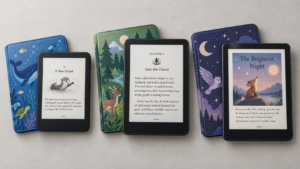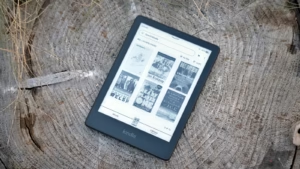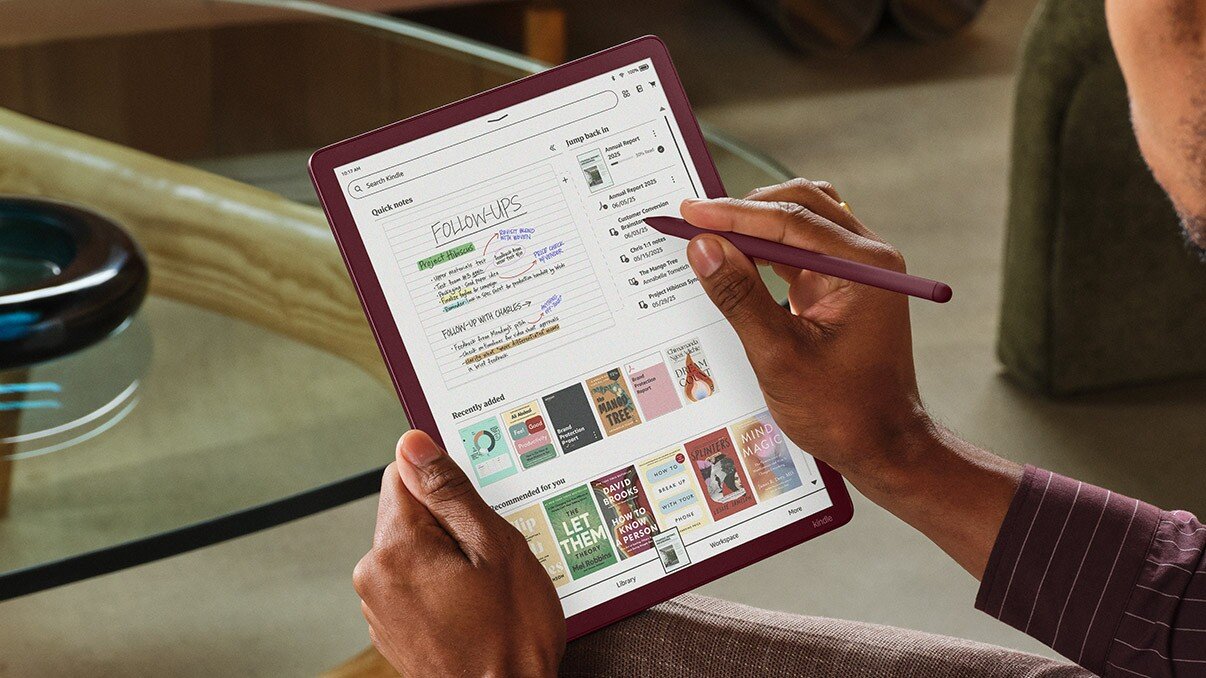
A Kindle Scribe works fine straight out of the box. Charge it, sign in, and you’re reading and writing within minutes. But the accessories you pair it with quietly decide a lot about how the device actually fits into your life, whether it survives being tossed in a bag, whether writing on it for twenty minutes feels natural, whether it lives on your nightstand or your desk, and so on.
Amazon and a long list of third-party brands sell dozens of products aimed at Scribe owners. Those include folio covers, magnetic stands, paper-feel screen films, replacement nibs, sleeves, chargers, to name a few. The list is almost endless. Some solve a real problem. Others solve one you don’t have.
There’s also something to keep in mind when out to buy new accessories for your Scribe: Amazon currently sells the Scribe in two different size options. There is the 10.2-inch model originally from 2022 that continues to be available. Then there is the latest generation Kindle Scribe with a 11-inch display that Amazon launched between December 2025 and mid-2026. The 11-inch Scribe line-up comprises of the plain Scribe, front-lit Scribe, and Colorsoft models. A case built for one will not fit the other, and is the first thing to sort out before buying anything.
This guide isn’t here to fill your cart. It’s meant to narrow things down to the two or three accessories that genuinely change how you use your Scribe while skipping the rest. The principle is simple: buy according to how you actually use the device, and not just because an accessory exists. At the end of the day, the particular accessory should enhance the user experience above all else.
Which Kindle Scribe Model Do You Have?
Confirm your model first, since it determines nearly every purchase below.
- 10.2-inch Kindle Scribe (2022 or 2024 release): 10.2-inch screen, Tungsten gray finish. If you bought your Scribe before December 2025, this is almost certainly what you own.
- 11-inch Kindle Scribe (2025/2026): 11-inch screen, 5.4mm thin, 400g, Graphite finish, with or without a front light.
- 11-inch Kindle Scribe Colorsoft (2025/2026): Same 11-inch body, color E Ink display, Graphite or “Fig” finish.
Check Settings > Device Options > Device Info on the device, or your original order confirmation. Compatibility is highlighted for each recommendation below. This way, you can be sure of what works for your Scribe.
Best Kindle Scribe Accessories at a Glance
The strongest pick per category — not every product mentioned in this guide.
| Accessory | Best For | Why We Recommend It | Importance | Price | Buy |
|---|---|---|---|---|---|
| Amazon Leather Folio Cover (10.2″ Scribe) | Most 10.2″ owners | Magnetic attach, fold-out stand, official pen loop | Essential | $99.99 | [Check Price → ] |
| Amazon Premium Cover w/ Stand (11″ Scribe) | Most 11″/Colorsoft owners | Guaranteed fit, folding stand, pen loop | Essential | $139.99 | [Check Price → ] |
| Fintie Trifold Case (10.2″ Scribe) | Budget 10.2″ owners | Auto sleep/wake, stand angles, roughly half the official price | Essential | $15.99 | [Check Price → ] |
| BOZHUORUI Folio Case (11″ Scribe/Colorsoft) | Budget 11″ owners | Pen holder, auto sleep/wake, well under official Executive Folio pricing | Essential | $19.99 | [Check Price → ] |
| Official Pen Replacement Tips | Regular writers | Guaranteed fit, includes swap tool, inexpensive | Useful | $16.99 | [Check Price → ] |
| Matte “paperfeel” screen protector | Writers who dislike the glassy pen feel | Adds paper-like friction; budget films cost very little | Depends on use | $15.99 | [Check Price → ] |
| Universal adjustable tablet stand | Desk-based note-takers | Fits either generation, survives your next device too | Optional | $9.99 | [Check Price → ] |
| Padded sleeve with pen pocket | Backpack carriers | Lighter than a case; protects in transit without daily bulk | Useful | $19.49 | [Check Price → ] |
| Kindle Scribe Premium Pen (spare) | Heavy writers, shared devices | Official fit and feel as a true backup | Optional | $79.99 | [Check Price → ] |
What Kindle Scribe Accessories Do You Actually Need?
The Scribe ships with the device, a pen, a USB-C cable, and a few spare nibs — everything past that solves a specific problem, and not every owner has the same ones.
Essential: Protection is essential since the Scribe is an expensive piece of hardware. That is why a cover is high on the priority list of almost all owners. Spare pen tips are the other near-essential as running out with no backup can be quite frustrating.
Useful: Meaningfully improves specific use cases without being mandatory — a screen protector for heavy writers, a sleeve for backpack carriers, a stand for desk-bound users.
Optional: Easy to justify, easy to skip — a second pen, a longer cable, a dedicated wall charger.
A simple framework carries the rest of this guide: Protect → Write → Position → Carry → Charge → Personalize. Work through those in order and you’ll know exactly what belongs in your cart.
Best Kindle Scribe Cases and Covers
A case is usually the first accessory most owners will opt for after having acquired the Kindle Scribe.
Things to look out for when comparing cases: full front/corner coverage, reasonable weight (a case that doubles the Scribe’s heft undercuts its main advantage), comfortable one-handed holding, auto sleep/wake via magnet, secure pen storage (a real loop or clasp, not a loose magnetic strip), usable stand angles, and stability under pen pressure.
Best overall Kindle Scribe case
Amazon Kindle Scribe Leather Folio Cover with Magnetic Attach (10.2-inch Scribe). Purpose-built for exact fit, magnetic rather than snap-in, folds into two stand angles, includes a proper Premium Pen loop.
What we like: Genuine leather with character, tight tolerances, reliable auto sleep/wake.
Drawbacks: Costs more than fabric or third-party options; leather shows wear over time.
Buy it if you want zero compatibility risk and don’t mind the premium.
Skip it if you’re budget-conscious or prefer fabric. [Check Price on Amazon →]
Best official Kindle Scribe case
For the 11-inch generation, Amazon’s own lineup got noticeably pricier alongside the hardware: a plant-based leather cover (~$89.99, matcha/graphite), a “Premium” cover with a folding stand and bottom pen loop (~$119.99, graphite/fig), and an Executive Folio in leather (~$139.99, caramel/fig/graphite) — though the Executive Folio secures the pen with a flap rather than a proper loop, a real usability step down.
Fit and magnet placement are guaranteed since Amazon designs these directly against the hardware. The price jump is the real trade-off: the 11-inch lineup starts nearly $50 above the equivalent 10.2-inch covers. For the Premium tier specifically — folding stand, proper pen loop — the extra cost is defensible. For the Executive Folio, less so. [Check Price on Amazon →]
Best budget Kindle Scribe case
10.2-inch Scribe: Fintie’s trifold case — auto sleep/wake, folding stand, pen loop, wide color range, typically well under half the price of the official leather cover. [Check Price on Amazon →]
11-inch Scribe/Colorsoft: BOZHUORUI’s folio case covers the essentials (auto sleep/wake, integrated pen slot, PU leather) at roughly a third of the Executive Folio’s price. The 11-inch third-party ecosystem is still thinner than the mature 10.2-inch one, but options like this are solid. [Check Price on Amazon →]
Best Kindle Scribe case with pen holder
Losing the pen is a common complaint since the stock magnetic attachment is convenient but not especially secure. Any case with an enclosed loop or clasp fixes this. MoKo’s folio case (available for both generations) uses a wide clasp specifically to keep the pen from working loose. This makes it worth the small premium over cases that skip pen storage entirely. [Check Price on Amazon →]
Case vs. cover vs. sleeve: what’s the difference?
Folio cover: Attaches semi-permanently via magnets, folds into a stand, and protects during active use or during transit. In short, folio covers are sometimes all what most owners want.
Sleeve: A separate pouch you slide the device into and out of; no stand, no protection while actually in use. This makes it better for people who prefer holding the bare device and dislike the extra heft that the case or cover comes with.
Hard shell: A rigid back shell for better drop protection and is usually heavier.
The real question: do you want protection while you use it, or just while you’re not?
Best Kindle Scribe Pens and Pen Accessories
The pen isn’t a peripheral here. Rather, it’s core to what makes the Scribe different from a regular Kindle.
Naming has shifted across generations. On the 10.2-inch Scribe, Amazon sold a Basic Pen (no buttons, magnetic attach only, historically ~$60) and a Premium Pen (dedicated eraser, programmable shortcut button, historically ~$80). Both use battery-free Wacom EMR tech — no charging, no pairing. On the 11-inch version, every model ships with a Premium Pen as standard; a standalone replacement runs $84.99.
Do you need a second pen?
Usually no as the included pen attaches magnetically and stays close by. A spare makes sense if you’ve lost or damaged the original, multiple people share one Scribe, or you want one at your desk and one in your bag. Otherwise, it’s a “nice to have,” not a need.
Are third-party styluses worth considering?
With real caution. The Scribe uses Wacom EMR input and generic capacitive styluses sold for phones and tablets won’t work at all. Third-party EMR pens exist (some marketed across both Scribe and reMarkable), but compatibility and pressure accuracy vary by brand. Check for explicit EMR compatibility and 4,096-level pressure specs before buying, and confirm the listing matches your exact Scribe generation.
Should you buy spare pen tips?
If you write daily, yes. Tips wear down with regular use, especially against the Scribe’s slightly textured screen coating. A worn tip changes the feel well before it looks visibly damaged. Heavy users may notice within months; casual writers may go a year or more. [Check Price on Amazon →]
Best Replacement Pen Tips for Kindle Scribe
One of the cheapest, most practical purchases in this guide.
Kindle Scribe Pen Replacement Tips (Official, Balanced Tip) — a 10-pack with the swap tool included.
Why we recommend it: guaranteed fit, matches the stock feel, inexpensive enough that there’s little reason to gamble elsewhere for your primary set.
Drawback: Amazon only sells one tip “feel”; for firmer or softer options, explore third-party offerings.
Buy it if you write regularly; skip it if you’re a casual reader who rarely touches the pen.
Tips wear because they’re intentionally softer than the screen’s coating, and a harder tip would scratch the display. Watch for scratchy resistance or a “dead” feel as signs it’s time to swap. Third-party packs (metal, titanium, felt variants) run much cheaper per-tip. However, confirm the listing states compatibility with your specific Pen rather than a vague “universal” claim. [Check Price on Amazon →]
Do You Need a Screen Protector for Kindle Scribe?
A genuinely debatable purchase, worth treating as a real question rather than a default yes.
The Scribe’s screen already ships with an anti-glare, matte-leaning coating. A protector on top changes three things: scratch protection, writing friction, and — depending on the product — pen tip wear speed.
In favor: extra scratch/dust protection for anyone hard on screens; matte “paperfeel” films noticeably increase pen friction, which some heavy writers prefer.
Against: the stock screen is already reasonably scratch-resistant and matte, so the marginal benefit is quite negligible at best. Plus, paper-feel films consistently wear pen tips faster, per user reports across brands.
Matte vs. clear
Clear protectors preserve the original feel and add scratch resistance without changing writing feel, which should be reasonable for readers who rarely write. Matte protectors add real pen grip at the cost of slight clarity loss and faster nib wear. If you prioritize clarity → go clear. Else, if you prioritize a pencil-on-paper feel → go matte.
Is it worth it?
Skip it if you mostly read and rarely write. Consider one if you write daily and specifically dislike the stock feel. In that case, a budget matte film (often under $15 for a two-pack) is a low-risk way to test the difference before spending more. [Check Price on Amazon →]
Best Kindle Scribe Stands
A stand doesn’t change what the Scribe does, but it can profoundly affect how you work with it, turning handheld reading/writing into something closer to a small desk monitor for video calls, long PDF sessions, or hands-free recipe reading.
What matters: adjustable angle (portrait and landscape), stability under pen pressure, and portability if it needs to travel.
Best desk stand
A universal adjustable tablet stand (Lamicall and similar aluminum-clamp designs) is the practical pick over a Scribe-specific product — it works across both hardware generations, survives your next device, and costs less than most branded “Kindle stands.” Look for one rated 4–13-inch with a wide, weighted base.
Owners who want a Scribe-shaped magnetic dock instead: Lululook makes an aluminum magnetic stand for the 10.2-inch Scribe, currently only built for that generation. [Check Price on Amazon →]
Best portable stand
A folding, generic tripod-style tablet stand packs flat into a bag pocket and provides a usable angle. If your case already folds into a stand, something that most folios do, you likely don’t need a second one.
Do you really need one?
Most owners don’t. A dedicated stand earns its keep specifically for desk-bound, PDF-heavy workflows or long note-taking sessions. If that’s not your pattern, the case you already own is probably enough.
Best Kindle Scribe Sleeves and Travel Protection
A sleeve solves a different problem than a case: not protecting the Scribe while you use it, but protecting it loose in a bag next to keys and a water bottle.
Case vs. sleeve: a case stays on full-time and protects during use; a sleeve comes off before use and goes back on for transit — lighter, but zero protection the moment you’re actually reading or writing. While a case is good, one problem with it is that it adds extra weight to the device and is not well-suited for those who’d prefer using the device as it is and without the additional heft.
Best sleeve
MoKo’s padded sleeve (10.2-inch Scribe, cross-compatible with the similarly-sized reMarkable 2) offers dual interior pockets, an elastic pen band, and a water-resistant exterior. For the 11-inch Scribe/Colorsoft, newer sleeves sized specifically for the larger device have started appearing from smaller brands — look for one explicitly listing 2025/2026 11-inch dimensions rather than a generic “fits most tablets” claim.
Choose a sleeve over a case if you already dislike bulky covers and mainly want backpack protection, or if the Scribe stays at a desk most of the time and only needs protection during the commute. [Check Price on Amazon →]
Kindle Scribe Charging Accessories
Easiest section to over-buy in, so let’s be direct.
The Scribe charges over USB-C, and like most current Kindle devices, does not ship with a wall adapter. All that you get is just the device and a cable. Any standard 5V/1–2A USB-C charger works fine, including a phone charger you likely already own. Amazon sells official 9W USB-A and 20W USB-C adapters, but they’re a convenience, not a requirement.
One caution: avoid chargers that only support proprietary fast-charging protocols (Quick Charge, Adaptive Fast Charging) without a standard 5V fallback — these negotiate higher voltages some e-ink devices don’t handle gracefully.
Do you need a separate charger?
Usually not, if you already own a compatible USB-C adapter, that should be fine since the Scribe charges slowly by design regardless of wattage. Worth buying only if you don’t already have a spare, or want one permanently parked at your desk or bedside.
Is a longer cable worth it?
Genuinely useful if your outlet is far from where you read or write. A 6–10ft braided cable is a small, cheap upgrade for that specific situation — not something to buy preemptively. [Check Price on Amazon →]
Best Kindle Scribe Accessories by Use Case
For Students
Daily carrying and constant writing mean protection and pen reliability matter most. In such a scenario, a case with a real stand angle, spare pen tips (daily use wears them faster), and a padded sleeve for backpack transit (if budget allows) would be a great buy. Skip a second pen, a dedicated stand, and premium leather, which tend to wear out fast under student use.
Recommended setup: budget folio case + spare tips + padded sleeve.
For Work and Professionals
Priorities roughly reverse compared to a student’s: protection first, pen convenience second, desk positioning third. A well-built leather case reads better professionally than a budget shell, and a desk stand earns its keep for long PDF review or video-call reference. Portability still matters if the Scribe travels between office and client sites.
For Writers and Journalers
Pen feel matters more than anything else. Prioritize a case that holds a comfortable writing angle without wobble, spare pen tips (this group burns through them fastest), and it’s genuinely worth testing a matte screen protector, since writing-feel differences matter disproportionately. A desk stand pays off for anyone journaling in the same spot daily.
For Reading
If you use the pen only occasionally, most writing-focused accessories here simply don’t apply. A comfortable, lightweight cover matters more than a stand or protector — skip spare tips, skip the screen protector, skip the stand. A slim case or sleeve should cover what you actually need.
For Travel
Compactness and redundancy beat desk comfort. A practical kit: the case you already carry daily, a slim sleeve for extra bag protection if needed, a spare pen tip in case one wears out mid-trip, and a compact cable. Skip a separate stand — most folio cases already fold into a usable angle.
Ideal travel kit: daily case + spare tips + compact cable, adding a slim sleeve only if the Scribe gets checked in luggage.
Official Amazon Accessories vs. Third-Party Accessories
The honest answer depends on the category, not a blanket rule either way.
Official is worth it for: cases and covers, since Amazon designs directly against the hardware — fit, port alignment, and magnet placement are guaranteed, something third parties sometimes get slightly wrong on brand-new hardware with less lead time. The official Pen is also the safer buy for guaranteed pressure accuracy.
Third-party is the smarter buy for: pen tips, screen protectors, and stands — categories that don’t need Amazon-level engineering precision, cost meaningfully less, and in the case of matte screen protectors, aren’t even sold officially at all.
Price: official 11-inch covers now run noticeably higher than their 10.2-inch predecessors — a real jump worth knowing before assuming the official option costs what it used to. Third-party covers for the new hardware are still catching up in variety compared to the mature 10.2-inch ecosystem, though the gap is closing.
Build quality: established brands (Fintie, MoKo, and similar longtime Kindle accessory makers) are generally reliable; newer or unfamiliar brands are more of a gamble. Make sure you check reviews specific to your exact generation first.
The practical rule: buy official for anything touching fit and function directly (cases, the pen); shop around for lower-stakes, preference-driven items (tips, protectors, stands).
How to Choose Kindle Scribe Accessories Without Wasting Money
How do you use your Scribe? Reading, writing, or both, and in what proportion — this alone reshapes the whole shopping list.
How much protection do you need? A nightstand-only Scribe faces a lower risk than one tossed in a bag daily; match ruggedness to actual risk.
Do you carry it outside the house? If yes, protection moves from nice-to-have to important.
Do you write every day? If yes, spare tips stop being optional and a screen protector becomes worth testing.
Do you use it at a desk? If yes, a stand — or at least a case with a solid fold-out angle — pays off.
Trying to keep things light? This is really the case-vs-sleeve decision again: always-on protection with added bulk, or minimal weight with protection only in transit.
Kindle Scribe Accessories You Probably Don’t Need
- A dedicated charger, if you already own a compatible USB-C adapter — the Scribe isn’t picky about wattage.
- Multiple cases. One good case beats two mediocre ones.
- A premium screen protector as a default. Test a cheap one first; the feel difference is smaller than the price gap suggests.
- Generic capacitive styluses. They don’t work with the Scribe’s EMR pen input, regardless of “universal” marketing.
- Heavily padded cases if the Scribe already lives in a bag most of the time — the bag is already doing that job.
- A second pen, unless you’ve lost one, share your device with others, or specifically want a desk/bag pair.
None of this means these products are poorly made — it means they solve problems not every owner actually has.
Build Your Ideal Kindle Scribe Setup
Budget: Third-party folio case (Fintie for 10.2″, BOZHUORUI for 11″) + official pen tips. This makes for the cheapest genuinely useful accessory while allowing for adequate levels of protection. Skips protector, stand, spare pen. ~$30–50. Best for anyone who wants the Scribe protected and have a hassle-free ownership experience without spending extra.
Balanced: Official or quality third-party case + spare tips + a budget matte protector. Adds writing-feel improvement without going premium. Skips second pen and stand. ~$70–120. Best for regular readers and writers.
Premium: Official leather cover (or Executive Folio) + spare Premium Pen + spare tips + a desk stand. Prioritizes guaranteed fit and redundancy for heavy daily use. ~$250–350+. Best for professionals and heavy users who’d rather decide once.
Minimalist: A slim sleeve only, no full case. Keeps the device close to stock weight; protects only in transit. ~$25–45. Best for readers who rarely write.
Student: Budget folio case with a stand angle + spare tips + a padded sleeve. Balances daily durability, writing reliability, and backpack protection. ~$60–90.
Professional: Official or premium third-party leather case + desk stand + spare tips. Presents well, supports long document review. ~$150–220.
Kindle Scribe Accessories: What I’d Buy First
Priority 1 — buy immediately: A case matching your Scribe generation. The closest thing on this list to a genuine must-have.
Priority 2 — buy if you use the Scribe heavily: Spare pen tips if you write daily; a screen protector if you dislike the stock feel; a padded sleeve if it travels in a bag regularly.
Priority 3 — buy later, if at all: A desk stand once your usage settles into a desk-bound pattern; a longer cable once you know where you’ll actually charge it.
Priority 4 — skip unless you have a specific need: A second pen, a dedicated wall charger, multiple cases.
Expert Buying Advice
- The most protective case isn’t automatically the best one — if it makes writing uncomfortable, it works against the Scribe’s biggest strength: a large, comfortable writing surface.
- A heavy case undermines part of what makes the Scribe worth owning. Its light, one-handed comfort erodes fast under a bulky cover.
- Pen storage matters more than first-time buyers assume — the stock magnetic attachment is convenient, not especially secure, and losing the pen is a common early regret.
- Judge a screen protector on writing feel, not scratch resistance — the stock screen is already fairly durable; how a matte film changes pen glide is the bigger factor for daily writers.
- A stand pays off more for PDF-heavy workflows than casual reading, where it will mostly sit unused.
- A spare pen tip is a far more practical backup than a spare pen — tips wear out; pens rarely fail outright.
- Buy around your actual workflow, not the look of a “complete” setup in a product photo.
Frequently Asked Questions
What are the best Kindle Scribe accessories? A protective folio case and spare pen tips cover the essentials for most owners. Beyond that, “best” depends on whether you mostly read, mostly write, or split the two.
What accessories do I need for Kindle Scribe? Realistically, just a case. Everything else here is genuinely optional depending on use.
Does Kindle Scribe come with a pen? Yes — every current model ships with one. Older hardware varies by storage tier (Basic on base, Premium on higher tiers); the 11-inch lineup includes the Premium Pen standard across all models.
Do I need a case for Kindle Scribe? Not required to use it, but strongly recommended given the hardware cost and exposed screen — the closest thing here to a genuine must-have.
Does Kindle Scribe need a screen protector? No — the stock screen already has anti-glare, matte-leaning glass. It’s a preference purchase for writing feel, not a protective necessity.
Is a Kindle Scribe screen protector worth it? Generally not for casual readers. Worth testing a budget matte film if you write daily and dislike the stock pen-on-glass feel.
Can I use a third-party case with Kindle Scribe? Yes, and the market is large and well-reviewed — just confirm the listing matches your exact generation (10.2-inch vs. 11-inch), since they’re not interchangeable.
Can I use a third-party stylus with Kindle Scribe? Some EMR-based third-party pens work; generic capacitive styluses don’t work at all. Confirm explicit EMR compatibility and matching pressure specs before buying.
Do Kindle Scribe pen tips wear out? Yes, gradually with regular use — a worn tip typically feels scratchier well before it looks damaged.
Should I buy spare Kindle Scribe pen tips? If you write regularly, yes — inexpensive, and about as close to a necessity as this guide gets for heavy writers.
Does Kindle Scribe need a special charger? No. Standard USB-C, and most existing 5V/1–2A adapters work fine.
Can I use my existing USB-C charger? In nearly all cases, yes — just avoid adapters that only support proprietary fast-charging without a standard 5V fallback.
Is a Kindle Scribe stand worth buying? For desk-based, PDF-heavy workflows, yes. For casual reading, most folio cases already fold into a usable angle.
Is a sleeve better than a case? Neither is objectively better — different roles. A sleeve is lighter and protects only in transit; a case protects during active use too, at the cost of some bulk.
What’s the best accessory for students? A protective folio case with a working stand angle, paired with spare pen tips for daily durability.
What’s the best accessory for travel? The case you already use daily, plus a spare pen tip and a compact USB-C cable — reliability of what you already have beats new purchases here.
Which Kindle Scribe accessories are actually worth the money? A protective case, spare pen tips for regular writers, and situationally, a screen protector or sleeve depending on use. Nearly everything else depends on you rather than being universal.
Final Verdict
If you just bought a Kindle Scribe today, here’s the straight answer:
- Most owners should buy: a protective folio case matching your exact Scribe generation — close to universal on this list.
- Most writers should consider: spare pen tips, and a budget matte screen protector if the stock feel bothers you.
- Most travelers should consider: a padded sleeve on top of your everyday case, plus a spare pen tip.
- Students should prioritize: a durable, budget-friendly case with a working stand angle over anything premium.
- The best optional upgrade: a desk stand, specifically for long PDF review or note-taking sessions at one spot.
- What most people can skip: a second pen, a dedicated wall charger, and a premium screen protector bought before testing a cheaper one.
Beyond that, build around how you actually use the device rather than what looks like a “complete setup” in a product photo. Match the picks above to your Scribe generation and your reading-versus-writing balance, and skip the rest.