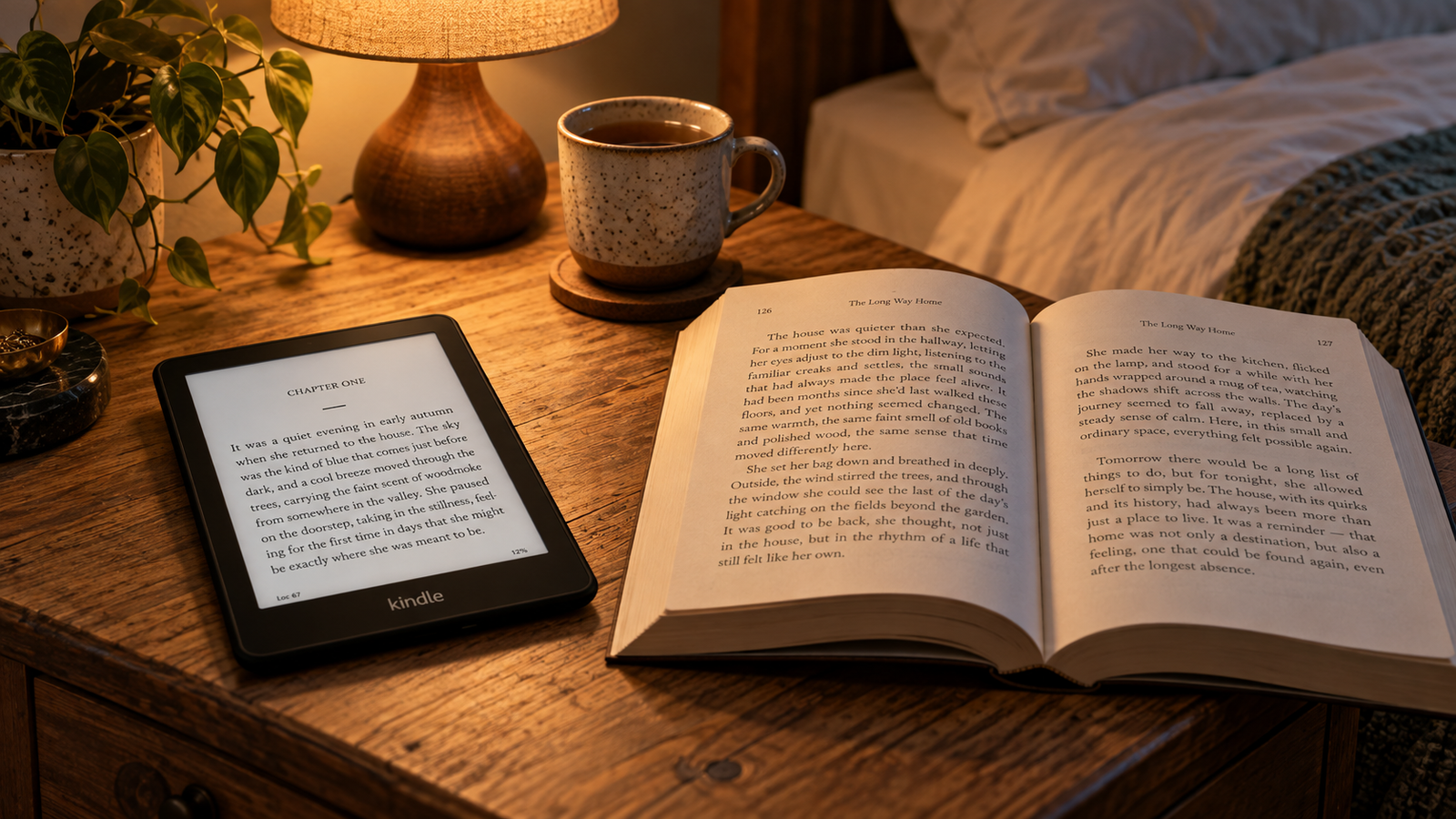
It’s 10:40 p.m. You’ve finally got twenty quiet minutes. The novel you want is a 600-page hardcover on the other side of the room; the bedside lamp would wake your partner, and the next book in the series is still sitting at the library across town. So you pick up your phone instead, and forty minutes later you’ve read nothing.
Now flip it. Someone else owns a Kindle, charged and loaded with a dozen books. Yet it lives in a drawer, and every night they reach for the dog-eared paperback on the nightstand.
Both readers have the same goal, and they need opposite solutions. So the useful question isn’t “Is a Kindle better than a book?” It’s this: which format removes the barriers that actually stop you from reading?
The short answer: a Kindle helps most when the obstacle is logistics, such as weight, lighting, small print, or getting the next book. Print helps most when the obstacle is motivation, attention, or navigating complex material. Many people do best with both.
First, what does “read more” mean?
More minutes, more days, or more finished books?
These are different goals, and they don’t always move together.
More minutes means longer or more frequent sessions. More days means consistency, reading on Tuesday even when Tuesday is terrible. More finished books is the number people post on Goodreads, and it’s the easiest to game. Pick shorter, lighter titles and the count goes up.
A reader who finishes eight dense histories in a year hasn’t failed next to someone who finishes thirty thrillers. They’ve read differently. Before choosing a format, decide which outcome you care about. For most people trying to rebuild a habit, reading on more days is the most useful target, because the other two tend to follow.
Reading more is not the same as retaining more
Four things get lumped together in this debate:
- Frequency: how often you read
- Speed: how quickly you move through text
- Enjoyment: whether you want to come back
- Comprehension: what you understand and remember
A format can help one and do nothing for another. A Kindle might get you reading on more days while doing nothing for how well you recall a dense argument. A paperback might help you remember a plot’s sequence but sit unopened because it’s too heavy for your bag. Keep these separate and the choice gets much clearer.
Quick verdict
This table is practical guidance, not a scientific scorecard. Your habits matter more than any general rule.
| Your situation | More promising format |
|---|---|
| You read mostly while commuting or traveling | Kindle |
| Small print tires your eyes | Kindle (or large-print library books) |
| You want to read in bed without a lamp | Kindle with a front light |
| You tend to abandon books and need a quick next option | Kindle |
| You study, annotate, or flip between sections | |
| Your phone keeps winning the battle for your attention | Dedicated Kindle or print (not a phone app) |
| You buy books but rarely open them | Neither. Fix the routine first |
| You already read happily in print | Stay with print |
| You read at home and on the go | Use both |
Where a Kindle can help someone read more
It puts the next book within reach
A Kindle holds thousands of books and weighs less than most paperbacks. That matters less for the book you’re reading now than for the one after it.
Stalled habits often die in the gap between books. You finish something on a Thursday, the next title isn’t in the house, and three weeks pass. With an e-reader, the next book can be a sample, a library loan, or a purchase away. The same applies when a book loses you halfway through. You can set it aside and switch to something else without hauling a stack of spares.
It makes short reading sessions practical
Most adult reading time is found time: a train ride, a lunch break, a wait at the dentist, ten minutes before sleep. A Kindle slips into a jacket pocket or small bag, opens where you left off, and doesn’t need a bookmark.
That convenience has conditions, though. It only helps if the device is charged, synced, and the book you actually want is on it. E Ink batteries last weeks, not days, but “weeks” still means you have to plug it in eventually. A Kindle you forget to bring doesn’t help on the train.
Adjustable text can remove a real obstacle
For many people, the barrier isn’t interest. It’s that a mass-market paperback’s type is small and tiring. On a Kindle you can change font size, typeface, boldness, line spacing, and margins, and the text reflows to fit.
That makes a real difference for readers who find small print uncomfortable. It won’t treat an eye condition, though, and anyone with vision changes should still see an eye-care professional. Print has a counterpart too: many public libraries carry large-print editions, which are worth trying before you spend money.
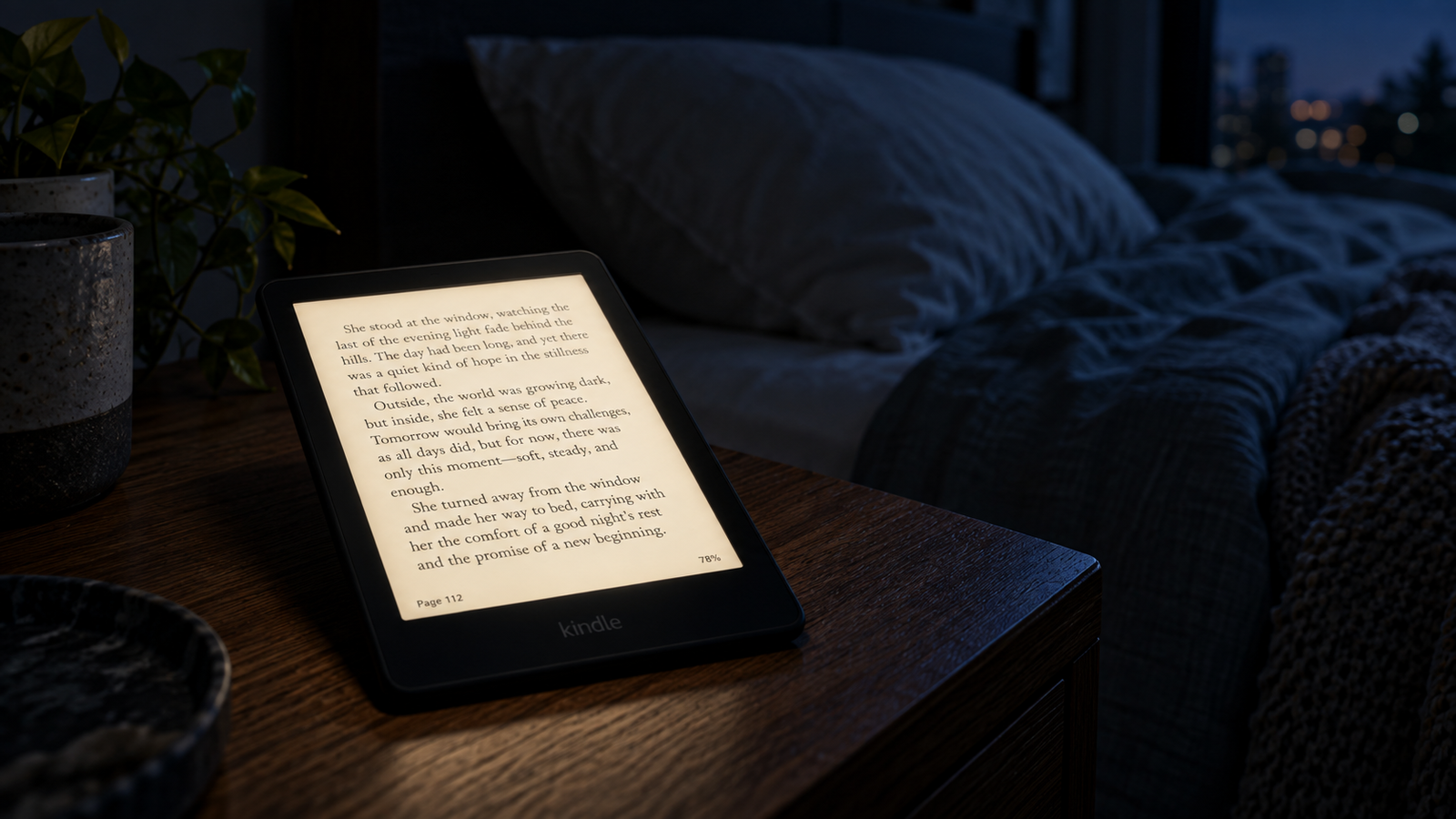
A built-in light can extend reading opportunities
Current Kindle e-readers include a front light, which lets you read in a dark room without a lamp. Some models go further. The Paperwhite and higher tiers add an adjustable warm-light setting, while the entry-level Kindle has a front light without warm-light control.
This is where a dedicated E Ink Kindle and the Kindle app on a phone or tablet part ways. A phone or tablet uses a backlit LCD or OLED screen and puts notifications, messages, and every other app one swipe away. E Ink reflects light like paper. The app gives you the same library. It doesn’t give you the same reading environment.
Library borrowing and samples can lower the commitment to starting
You don’t have to buy every book to read on a Kindle. Most US public libraries lend e-books through Libby, and many of those can be sent to a Kindle. You borrow in Libby, choose to read with Kindle, finish the checkout on Amazon, and the book arrives on your device over Wi-Fi.
There are limits. Sending Libby loans to a Kindle is available in the US only, and not every title supports it. Check each book’s “Read With” options before borrowing. Popular titles often have hold queues, and loans expire. Libby’s help pages cover the current details (help.libbyapp.com).
Free samples do similar work. Reading the first chapter or two before committing makes it easier to start, and easier to quit a book that isn’t working.
Progress tools can motivate, or become another chore
Kindles show your progress as a percentage or location, along with a time-to-finish estimate for the chapter or book based on your reading pace. Some readers find “12 minutes left in chapter” just the nudge they need to keep going.
Treat these tools with some skepticism. A streak shows that you opened a book. It says nothing about whether you understood or enjoyed it. If you catch yourself reading two pages at 11:58 p.m. to protect a streak, the tool is running you.
If portability and adjustable text are your barriers, compare the current Kindle models in our buying guide. For most people who read in varied lighting, the Kindle Paperwhite (Amazon US) is a sensible starting point.
9to5Kindle may earn a commission from qualifying purchases made through links on this page.
Where printed books may help someone read more
A book on a table can be a better reminder than a device in a drawer
A physical book is its own advertisement. Left on the coffee table or nightstand, it reminds you it exists. A Kindle, by contrast, looks the same whether it holds a gripping novel or nothing you care about.
Print also comes with rituals some people love: browsing your own shelves, lending a favorite to a friend, seeing a finished book join the collection. Not everyone cares about these things. For readers who do, they’re real motivation, not sentimentality.
Turning pages and seeing progress can feel more satisfying
With a printed book, you can feel where you are. The bookmark moves and the remaining pages thin out. Many readers find this more satisfying than a percentage.
That’s a preference, not a proven universal effect. Plenty of people read happily without it. But if a physical sense of progress keeps you going, count it as a genuine point in favor of print.
Print can make it easier to move around a complex book
Flipping is where paper still leads. Checking a map while reading a fantasy novel, glancing at a footnote, comparing a diagram with the text two pages back, or propping open a cookbook with flour on your hands are all easier in print.
Kindles have search, bookmarks, highlights, and linked footnotes, and for some tasks search beats paper outright. But jumping back and forth between sections is slower on a six- or seven-inch E Ink screen, and complex layouts don’t always convert cleanly.
A bookstore or library visit can restart a stalled reading habit
Sometimes the fix isn’t a new device. It’s a Saturday at the library. Wandering the shelves, picking up something unexpected, and leaving with three free books can restart a habit better than any gadget.
Used bookstores, library sales, and little free libraries also make print cheap or free. For someone whose problem is cost, a library card is the obvious first step, and it costs nothing.
Print avoids another digital purchase path
Instant e-book buying is convenient. It’s also a good way to build a pile of unread books you never have to look at. One-click purchases add up, and a Kindle library of 200 unread titles doesn’t nag you the way a physical to-read stack does.
If you tend to buy more than you read, the friction of print (going to a store, finding shelf space) may be a feature rather than a flaw.
What does the research actually say?
Start with what the research can’t answer. Most studies comparing print and screen reading measure comprehension in a single session. They don’t test whether buying a dedicated E Ink Kindle leads an adult to read more books over months or years. Nobody should turn a comprehension finding into a claim about reading frequency, in either direction.
What the research does suggest:
On balance, print holds a modest comprehension advantage in some conditions. A 2018 meta-analysis by Pablo Delgado and colleagues pooled dozens of studies and found that readers understood text somewhat better on paper. The gap was clearest for informational (expository) text and when readers were under time pressure. For narrative text, the gap was not significant. [Delgado et al., 2018, Educational Research Review.]
Narrative reading looks different. A 2019 meta-analysis by Virginia Clinton reached a similar conclusion: a paper advantage for expository text, but no clear difference for narratives. It also found that readers tended to be more overconfident about their understanding on screens. [Clinton, 2019, Frontiers in Psychology.]
Crucially, “screen” in many of these studies means computers, tablets, or phones, not E Ink e-readers. Those results can’t be applied directly to a Kindle.
One study did use a Kindle. Anne Mangen and colleagues had 50 adults read a roughly 28-page mystery story, either in paperback or on a Kindle DX. The two groups performed similarly on most comprehension measures. The Kindle readers, however, did worse at reconstructing the plot’s chronology, putting events in the right order. [Mangen et al., 2019, Journal of Research in Reading, via PMC or publisher.]
That’s an interesting finding with clear limits: a small sample, a single short story, an older Kindle model, and one reading session. It suggests the physical sense of where you are in a book may help some kinds of recall. It doesn’t show that Kindles ruin comprehension, and it doesn’t show that paper is “better for the brain.”
The fair summary: if you’re studying dense material under time pressure, print has some evidence behind it. For reading novels for pleasure, the evidence is thin and mixed. And no good evidence says either format makes people read more.
Which format fits the kind of book being read?
| Book type | Kindle strengths | Print strengths | Leaning |
|---|---|---|---|
| Novels and memoirs | Light, adjustable text, easy next book | Tactile progress, some evidence on sequence recall | Either |
| Dense nonfiction and textbooks | Search, highlights exported to notes | Flipping, margin notes, spatial memory | Print for study; Kindle for casual reading |
| Illustrated books and comics | Color Kindle models can help | Full-size color, intended layout | Print, unless you have a color or larger-screen device |
| Reference books | Fast search | Browsing, flipping between sections | Depends on how you look things up |
| Bedtime reading | Front light, one-handed use | No screen, visual reminder on nightstand | Kindle for dark rooms; either otherwise |
| Travel reading | Many books, one small device | No charging, no worry about theft or damage | Kindle |
| Shared or read-aloud books | Adjustable text for readers | Easy to share, show pictures, hand around |
Image-heavy material depends heavily on the specific e-book’s layout and the specific Kindle model. A fixed-layout picture book on a six-inch black-and-white screen is a very different experience from the same book on a color or larger device. Check the sample first.
The cost question: will a Kindle actually save money?
Sometimes. It depends almost entirely on where your books come from now.
The costs to weigh:
- The device: a one-time purchase, with prices varying by model and frequent sales
- Individual e-books: often cheaper than hardcovers, but not always cheaper than paperbacks, and major-publisher new releases can cost as much as print
- Library e-book loans: free, subject to holds and title availability
- Library print borrowing: also free, with no device required
- Used books: often cheaper than any e-book
- Subscriptions: a monthly fee for access to an eligible catalog
Here’s an illustrative example. The figures are made up to show the arithmetic, not current prices. Say a Kindle costs $110, and you’d otherwise buy 12 paperbacks a year at $17 each ($204). If the e-book versions average $11, you’d spend $132 on e-books. That saves $6 per book, or $72 a year, so the device pays for itself in about a year and a half ($110 ÷ $72).
Change one assumption and the answer flips. If you already borrow most of your print books from the library, a Kindle adds a cost rather than saving one. If you buy lots of cheap used paperbacks, the savings may never arrive.
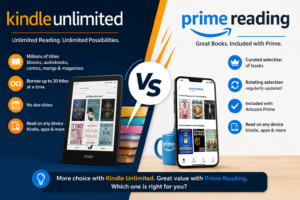
Subscriptions only pay off if you want what’s in them. Kindle Unlimited offers a large catalog, but many big-name bestsellers aren’t included. It makes sense for readers who already enjoy eligible titles, often genre fiction and independently published series, and read each month enough to cover the fee. See our comprehensive coverage of Kindle Unlimited as well as the Kindle Unlimited vs Prime Reading comparison.
Before you buy
If your main barrier is carrying books and reading in the evening, the basic Kindle covers the essentials: a small, light device with a front light. If you read in bed, by the pool, or across very different lighting, the Paperwhite adds warm-light adjustment and water resistance.
As an Amazon Associate, 9to5Kindle earns from qualifying purchases.
Confused which one to buy? See our detailed Kindle vs Kindle Paperwhite comparison.
Pick the format based on what stops you from reading
- Books feel too heavy or inconvenient. Try a Kindle, or start with the free Kindle app before buying hardware.
- Small print makes reading tiring. Try adjustable e-book text, and compare it with large-print books from your library.
- You buy books but rarely open them. Change the routine before buying another device. A new gadget won’t fix a missing reading slot.
- You get distracted on your phone. A dedicated e-reader or a printed book will likely work better than a reading app surrounded by notifications.
- You need to annotate and revisit dense passages. Test the same kind of material in both formats before committing.
- You already read happily in print. There’s no need to replace a habit that works.
A two-week test that gives you a personal answer
General advice only goes so far. A short experiment will tell you more.
Week one: read in one format. Week two: switch. Where you can, keep the books comparable: same genre, similar length, or two books in the same series. Pick one reading window, such as 20 minutes after dinner, and use it both weeks.
Each day, jot down:
- Did you read? (yes/no)
- Roughly how many minutes
- How easy was it to start? (1–5)
- How much did you enjoy it? (1–5)
- In one sentence, what do you remember from yesterday’s reading?
At the end, compare the two weeks. Be honest about what else could have affected the results: a gripping book beats a slow one in any format, a busy week drags the numbers down, and a new gadget has a novelty boost that fades. This isn’t a controlled study. The goal is a decision you can live with.
To test digital reading without buying hardware, use the free Kindle app with a library e-book, or borrow a friend’s e-reader. Just remember what the app can and can’t tell you. A phone app shows whether e-book access and reading flow suit you. It doesn’t reproduce E Ink, a dedicated device, or reading without notifications.
The strongest reading habit may use both
Mixing formats isn’t indecision. It’s matching the tool to the moment.
The home-and-away reader keeps a paperback on the nightstand for unhurried weekend reading and carries a Kindle for commutes, travel, and dark bedrooms.
The study-and-leisure reader uses print for dense nonfiction they want to annotate and a Kindle for novels read purely for fun.
The zero-cost reader borrows print books from the library for home and uses the free Kindle app with Libby loans for waiting rooms and lunch breaks: no new device, no purchases.
Some people read the same book in both formats: the hardcover at home, the e-book on the go. That can mean buying twice, so it works best with library copies or books you already own.
If the two-week test shows convenience is your missing piece, see our guide to choosing a Kindle, where we match each model to the kind of reader it suits. And if you’d rather start free, read our guide to borrowing library books on Kindle.
9to5Kindle may earn a commission from qualifying purchases.
Frequently asked questions
Do people actually read more after buying a Kindle?
Some do, some don’t, and there’s no reliable evidence showing that Kindle owners as a group read more because of the device. Surveys of e-reader owners often find they read a lot, but avid readers are also the most likely to buy e-readers, so the device may not be the cause. A Kindle tends to help when your obstacles are practical, such as carrying books, lighting, or small print. It rarely helps when the problem is a lack of time or interest.
Is reading on a Kindle as good as reading a physical book?
For most pleasure reading, it’s close enough that preference should decide. Research finds a modest paper advantage for some comprehension tasks, mainly informational text read under time pressure, and much of that research used computers or tablets rather than E Ink e-readers. For novels, the differences are small and inconsistent. For studying, annotating, or flipping between sections, print still tends to be more comfortable. “As good” depends on what you’re reading and why.
Is a Kindle better than a phone for building a reading habit?
For many people, yes. The biggest difference isn’t the screen technology but the distraction. A phone puts messages, social apps, and news one swipe from your book, while a dedicated Kindle mostly just shows the book. E Ink is also easier for many readers to use for long sessions. That said, the phone app is a free way to test e-book reading, and reading on your phone beats not reading at all.
Do you remember less when reading on a Kindle?
Possibly, in specific ways, but the evidence is limited. One study comparing a paperback with a Kindle found similar results on most measures, but Kindle readers were worse at putting a story’s events in order. It was a single study with a short story and 50 participants, so it doesn’t prove Kindle readers remember less in general. If recall matters, such as for study or book club, try taking notes or highlights and compare how you do in each format.
Can a Kindle replace printed books for students?
Partly. A Kindle is useful for novels and assigned literature, especially with search and highlights. For textbooks, it’s weaker: complex layouts, diagrams, and flipping between chapters work better in print or on a larger screen. Research also tends to favor paper for studying informational text. Many students do best using print or PDFs for core course material and a Kindle for lighter or supplementary reading. Check course requirements too, since page numbers can matter for citations.
Is Kindle Unlimited necessary to read a lot?
No. Kindle Unlimited is a subscription with its own catalog, and many popular bestsellers aren’t in it. It’s worthwhile if you already enjoy eligible titles and read each month enough to cover the fee. Otherwise, library e-books through Libby, library print books, used books, and occasional purchases can support a heavy reading habit for little or no money. Browse the catalog before subscribing, and verify current pricing and terms. See our detailed review of Kindle Unlimited.
Can you borrow library books on a Kindle?
In the US, often yes. Many public libraries lend e-books through Libby, and eligible titles can be sent to a Kindle. You borrow in Libby, select Kindle as the reading option, finish the checkout on Amazon, and the book syncs to your device over Wi-Fi. Not every title supports Kindle delivery, so check the “Read With” options for each book. Popular titles often have waitlists. Libby’s help site has current instructions. See our complete step-by-step guide to borrowing a library book on a Kindle.
Which Kindle makes the most sense for someone trying to read more?
Start with the cheapest model that removes your specific barrier. If you mainly want portability and a light for evening reading, the basic Kindle covers that. If you read in bed a lot, near water, or want warm-light adjustment, the Paperwhite is usually the better fit. Color and writing-focused models are for specific needs such as comics or note-taking, not for simply reading more. Features change, so check current specs before buying.
The bottom line
Back to the reader at 10:40 p.m. with the lamp off and the hardcover across the room. For that person, a Kindle with a front light may be exactly the fix. For the reader whose Kindle sits in a drawer while the paperback gets read every night, the answer is already on the nightstand.
The winning format is the one you’ll open repeatedly and enjoy enough to come back to tomorrow. Not the one with better specs, and not the one that looks better on a shelf.
So do something small this week: choose one book, choose one daily reading slot, and test a format for two weeks. If convenience turns out to be what’s been holding you back, our Kindle buying guide will help you find the right model without overspending.