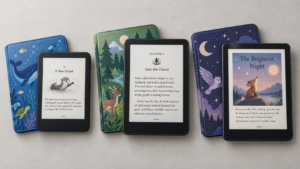
Buying a Kindle for college sounds simple until you look at the lineup. The cheapest Kindle is $109.99. The most expensive one is $679.99. They’re built for completely different kinds of readers, and picking the wrong one means either wasting money on features you’ll never touch or ending up frustrated with a device that can’t handle your actual coursework.
Here’s the thing most guides won’t tell you: most students don’t need the most expensive Kindle. But some students will genuinely regret buying the cheapest one, because their workload is full of PDFs, scanned textbooks, or lecture notes they need to annotate by hand.
This guide sorts that out. We’re going by what you actually read — novels, textbooks, PDFs, research papers — plus how you study, whether you take notes by hand, how much you can spend, and whether a Kindle is even the right device for you at all. No hedging, no “it depends.” By the end, you’ll know exactly which Kindle fits your semester, and which one to skip.
The Best Kindles for Students at a Glance
| Kindle | Best For | Screen | Storage | Note-Taking | PDF Suitability | Waterproof | Verdict |
|---|---|---|---|---|---|---|---|
| Kindle | Tight budgets, casual reading | 6″, 300 ppi | 16 GB | No | Poor | No | Best Budget |
| Kindle Paperwhite | Most students | 7″, 300 ppi | 16–32 GB | No | Fair | Yes (IPX8) | Best Overall |
| Kindle Colorsoft | Visual/color coursework | 7″, 300 ppi mono / 150 ppi color | 16–32 GB | No | Fair | Yes (IPX8) | Best Color |
| Kindle Scribe | PDFs, lecture notes, annotation | 11″, 300 ppi | 16–64 GB | Yes | Good | No | Best for Notes & PDFs |
| Kindle Scribe Colorsoft | Color annotation, heavy note-takers | 11″, 300 ppi mono / 150 ppi color | 32–64 GB | Yes (color) | Good | No | Best Premium |
Best Overall: Kindle Paperwhite — the best mix of price, screen quality, battery life, and comfort for the reading most students actually do.
Best for Notes and PDFs: Kindle Scribe — the only Kindle built for handwriting and full-page document review.
Best Budget: Kindle — cheap, light, and fine for novels, but not built for PDFs or heavy annotation.
Best Color Option: Kindle Colorsoft — worth it only if color genuinely matters to what you read.
Check the latest Kindle Paperwhite price on Amazon → Click Here
Best Kindle for Students Overall
Why the Kindle Paperwhite Is the Sweet Spot
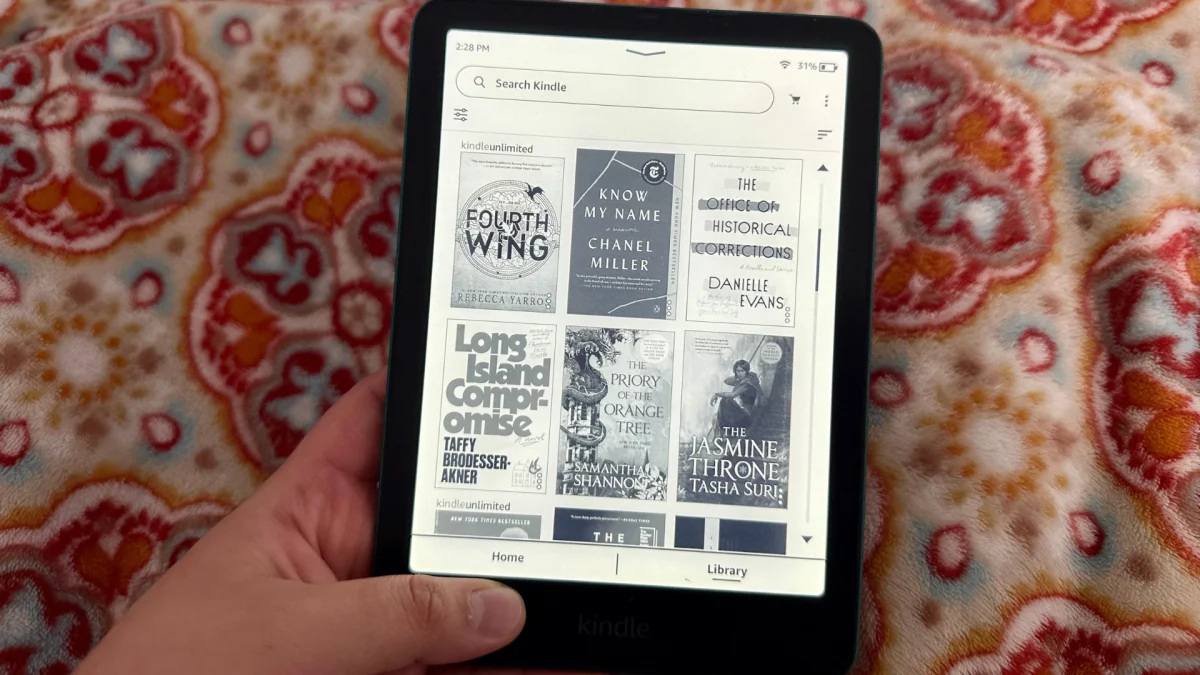
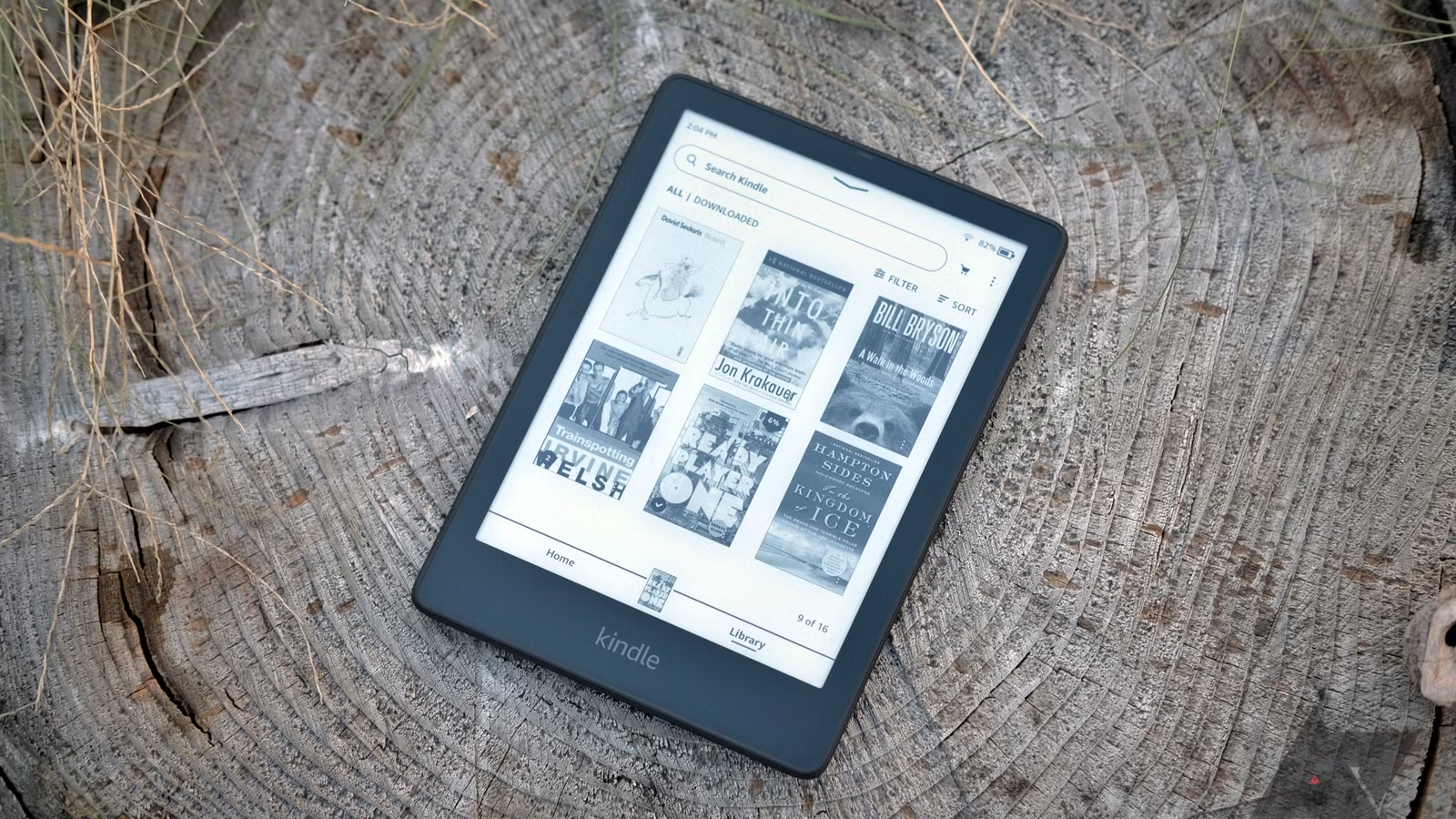
The Paperwhite’s 7-inch, 300 ppi display is sharp enough that text looks printed, not pixelated, and the screen is genuinely glare-free. You can read it in direct sunlight on a quad lawn without a filter or hood. The adjustable warm light means it works from a bright library table to a dark dorm room after your roommate’s asleep. Amazon rates the battery at up to 12 weeks with moderate daily reading, which in practice means you’re not hunting for a charging cable during finals week. It’s IPX8 waterproof, so a spilled coffee or a rainy walk across campus isn’t a crisis. At 16 GB (32 GB on the Signature Edition), storage is a non-issue for anyone who isn’t stockpiling audiobooks.
None of that is exciting on paper. That’s the point — it’s the Kindle that disappears and lets you read.
What Makes It Better Than the Basic Kindle?
The jump from the base Kindle to the Paperwhite buys you a bigger, better display (7″ vs. 6″), a warm-adjustable light instead of a flat one, waterproofing, and a noticeably better in-hand feel thanks to the flush-front glass. For $50 more, you’re getting the version of the Kindle Amazon actually designed to be the best reading experience, not a stripped-down entry point. If you’re going to own one Kindle for the next four-plus years, and Kindles do last that long, the extra $50 is cheap insurance against wishing you’d spent it.
Where the Paperwhite Falls Short
Be clear-eyed about what it can’t do. There’s no handwriting support. You can highlight and type basic notes, but you can’t scribble in a margin or sketch a diagram. Complex PDFs (two-column research papers, tables, scanned textbook pages) get cramped on a 7-inch screen; you’ll be zooming and panning constantly. It can’t replace a tablet for anything involving color, video, or web browsing. And if your program is genuinely document-heavy — think law school casebooks or dense STEM problem sets — a 7-inch screen will start to feel like a limitation within a few weeks.
Who Should Buy It?
Students who read mostly novels, assigned Kindle books, and the occasional short PDF. English and humanities majors working through reading lists. Anyone who wants one reliable device for pleasure reading between classes and during commutes. Students who want the best possible reading experience without paying for features they won’t use.
Who Should Skip It?
Students whose coursework is dominated by PDFs, scanned readings, or dense two-column papers. Anyone who wants to take handwritten notes on the device itself. Students who need color for diagrams, charts, or visual textbooks. For all three groups, keep reading, there’s a better match below.
See the Kindle Paperwhite on Amazon → Click Here
Best Budget Kindle for Students
Why the Basic Kindle Makes Sense for Budget-Conscious Students
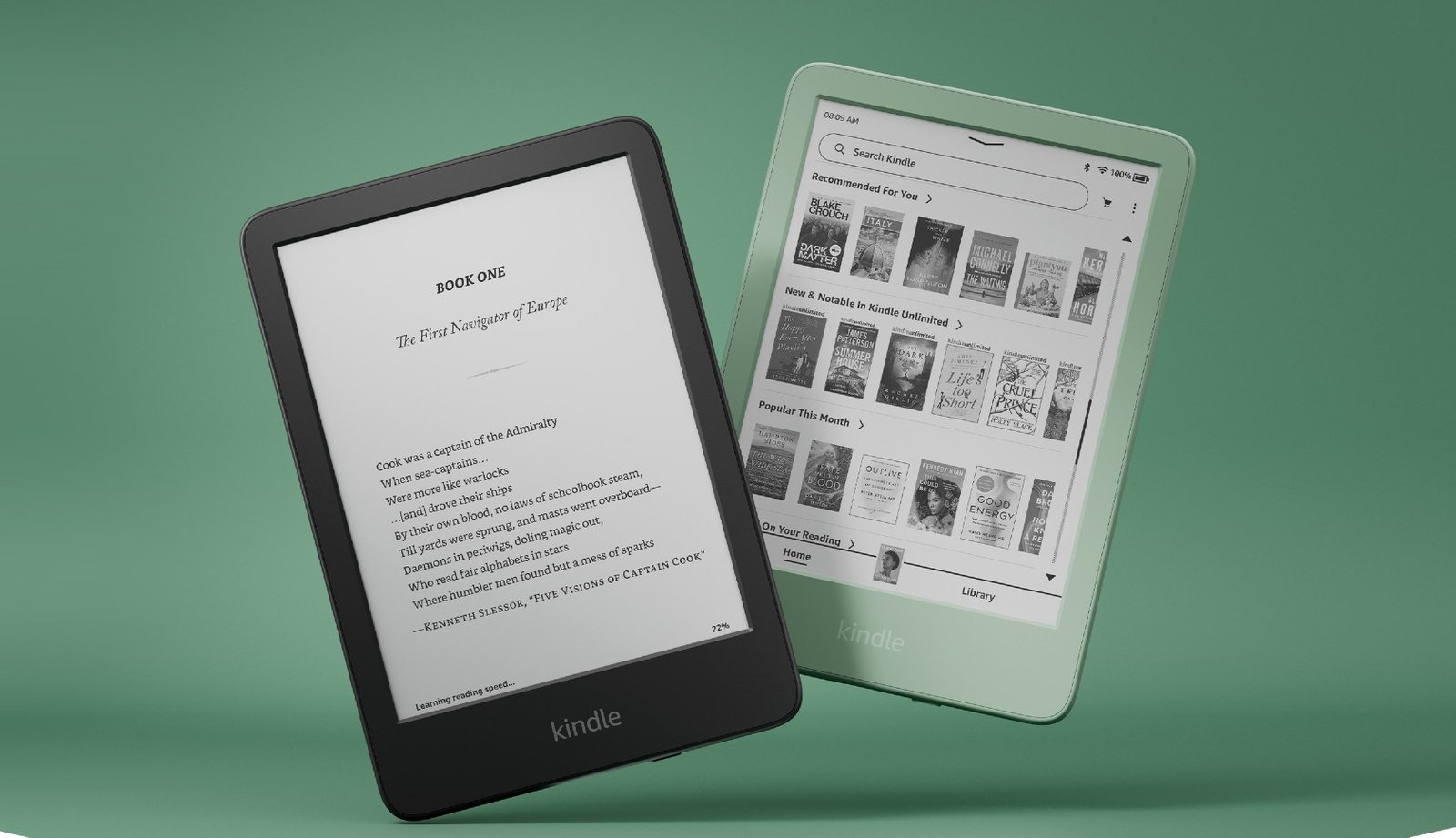
At $109.99 (or $129.99 without lockscreen ads), the base Kindle is the cheapest legitimate way into the Kindle ecosystem. It shares the same 300 ppi, 6-inch glare-free display resolution as the Paperwhite, so text still looks crisp. It’s the lightest and most compact Kindle Amazon sells, which makes it genuinely pocketable, while its 16 GB of storage is more than enough for a novel-reading habit. Battery life is rated at up to six weeks, which, for a student who reads on commutes and before bed, is still “charge it once a month, maybe.”
What You Give Up Compared With the Paperwhite
The screen is smaller (6″ vs. 7″) and the front light doesn’t adjust for warmth. It’s a flat, cool light rather than the amber tone the Paperwhite offers for nighttime reading. It is not waterproof. There’s no IPX8 rating, so a spilled drink in the dining hall is a real risk, not a shrug. Storage tops out at 16 GB with no higher tier. None of this makes it a bad device — it just makes it a more basic one.
Is Saving the Money Worth It?
If you’re reading only novels and assigned e-books and nothing else, yes. The core reading experience — the thing that actually matters — is close enough to the Paperwhite that most readers won’t notice a difference during a chapter. You’re paying $50 less for a smaller screen, a cooler light, and no water protection — not a worse reading experience.
Best Student Scenarios for the Basic Kindle
- Reading novels and assigned Kindle books between classes
- Commuting on a bus, train, or bike share where a compact device matters
- Casual dorm-room reading before sleep
- A first Kindle for someone who isn’t sure they’ll stick with e-reading yet
When the Basic Kindle Is a Bad Choice
Skip it if your semester involves large PDFs, scanned textbook chapters, or research papers with charts and footnotes — the small screen makes these genuinely frustrating to navigate. Skip it if you want to highlight and annotate heavily; the interface is workable but cramped. Further, skip it if you know you’ll be reading by pools, in bathtubs, or anywhere liquid is a realistic risk.
Check the current price of the Kindle on Amazon → Click Here
Best Kindle for Note-Taking: Kindle Scribe
Why the Scribe Is a Completely Different Kind of Kindle
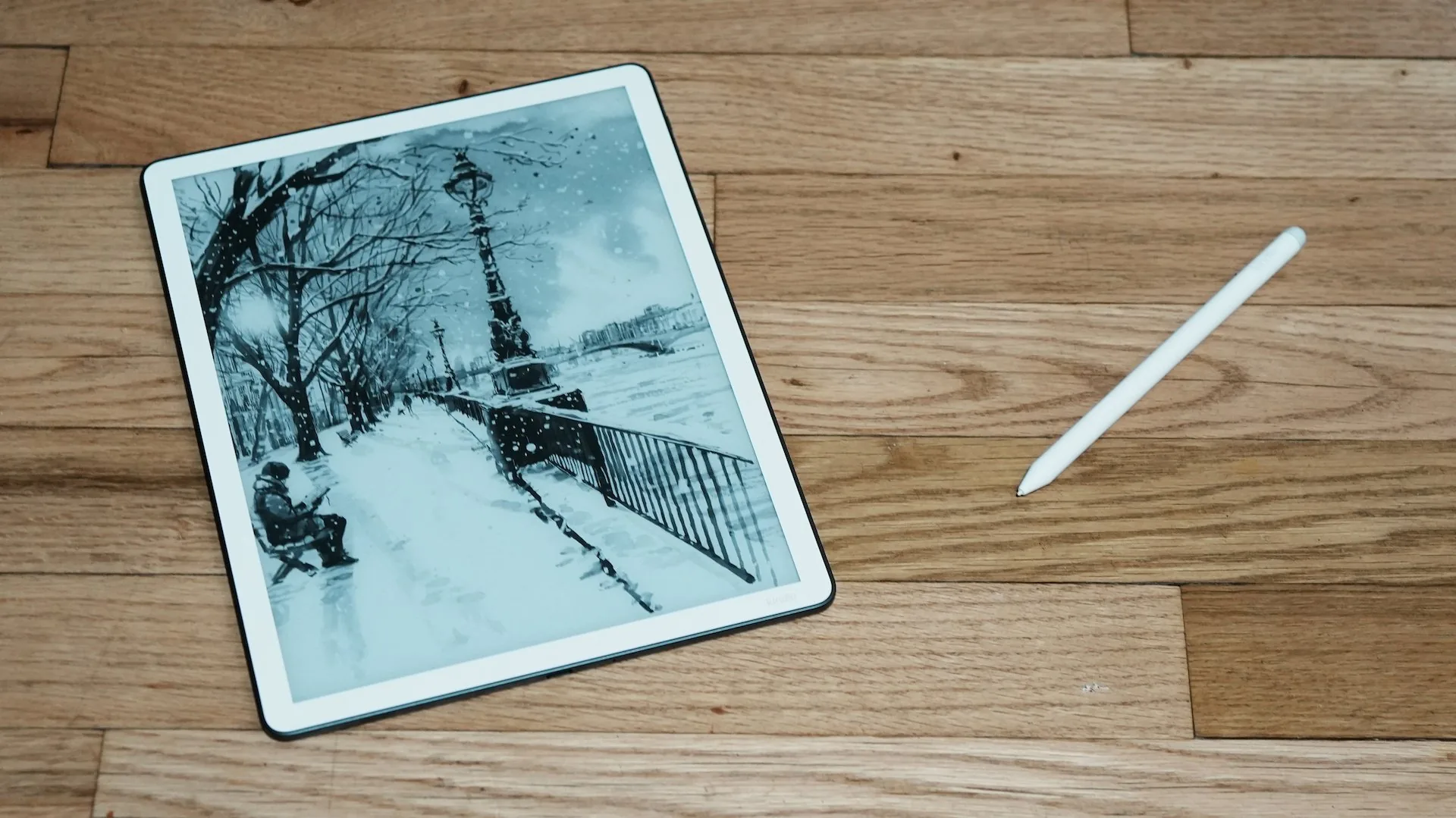
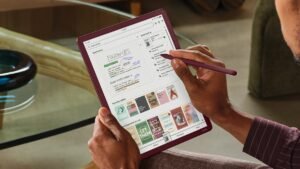
Don’t think of the Kindle Scribe as “a bigger Kindle.” It’s a different category of device. The 11-inch display is sized like a sheet of paper, the included Premium Pen never needs charging, and the software is built around a real notebook: you can write directly on imported PDFs, keep running notebooks organized by class, and use built-in AI tools to search across your handwritten notes and get a summary back. It also pulls documents straight in from Google Drive and Microsoft OneDrive, which matters more for students than almost any other feature on this list.
Is Kindle Scribe Actually Good for Students?
Genuinely, yes — for the right workload. Taking lecture notes by hand on an 11-inch screen feels closer to a legal pad than a tablet. You can mark up a reading assignment PDF the way you’d mark up a printout, with highlights and margin notes in the same file. Brainstorming, study planning, and outlining a paper all work well in the built-in notebook. Where it gets more nuanced is document review at scale: it’s excellent for annotating one PDF at a time, less ideal if you need to jump rapidly between a dozen open browser tabs and a notebook.
Where the Scribe Makes Sense
Heavy PDF readers, law and grad students annotating case files or long-form papers, anyone who wants to ditch a stack of physical notebooks, and students who specifically want to handwrite lecture notes rather than type them.
Where the Scribe Is Overkill
If you mostly read novels, the Scribe is a bad purchase. You’re paying at least $320 more than the Paperwhite for handwriting capability you’ll never use, on a device that — unlike the Paperwhite and Colorsoft — isn’t waterproof. A student who wants to read fiction between classes should not buy a Scribe because it “looks more capable.” Bigger and more expensive isn’t automatically better for reading.
Kindle Scribe vs. Paperwhite for Students
| Feature | Paperwhite | Scribe |
|---|---|---|
| Reading experience | Excellent | Excellent |
| PDFs | Small screen, limited | Full-page, markup-friendly |
| Handwritten notes | No | Yes |
| Portability | Excellent (~211g) | Good, tablet-sized (400g) |
| Screen size | 7″ | 11″ |
| Price (from) | $159.99 | $429.99 |
| Battery life | Up to 12 weeks | Up to 12 weeks reading / 3 weeks writing |
| Waterproof | Yes (IPX8) | No |
| Best for | Most students | Heavy annotators and note-takers |
Check the latest Kindle Scribe price on Amazon → Click Here
Best Kindle for Textbooks and PDFs
Are Kindles Actually Good for Textbooks?
It depends entirely on the format. A reflowable Kindle e-book — the standard format Amazon sells — reads beautifully on any Kindle because the text resizes to fit the screen. A scanned textbook PDF or a fixed-layout file is a different story: the page is a static image, and the Kindle can only shrink or crop it, not reflow it. This is the single most common source of student disappointment with Kindles, and it’s worth being blunt about.
Why Screen Size Matters So Much
On a 6- or 7-inch screen, a two-column academic paper, a chart-heavy chemistry textbook, or a scanned reading with small margin notes becomes an exercise in pinch-zooming and panning. It’s readable in short bursts. It is not comfortable for a 40-page assignment.
When the Kindle Scribe Makes More Sense
An 11-inch screen changes this equation substantially. A full PDF page at that size is close to its printed dimensions, so charts, tables, and two-column layouts stay legible without constant zooming — and you can annotate directly on the page while you read. If PDFs and scanned readings are a real, weekly part of your workload, the Scribe is the only Kindle that handles them comfortably.
When a Tablet Is Still Better
If your coursework regularly involves full-color diagrams, interactive digital textbooks, video lectures, Google Docs collaboration, spreadsheets, or specialized academic software, no Kindle — including the Scribe — can replace an iPad or Android tablet. Kindles are reading and writing devices first. They are not general-purpose computers, and they were never designed to be.
Best Color Kindle for Students
Do Students Really Need a Color Kindle?
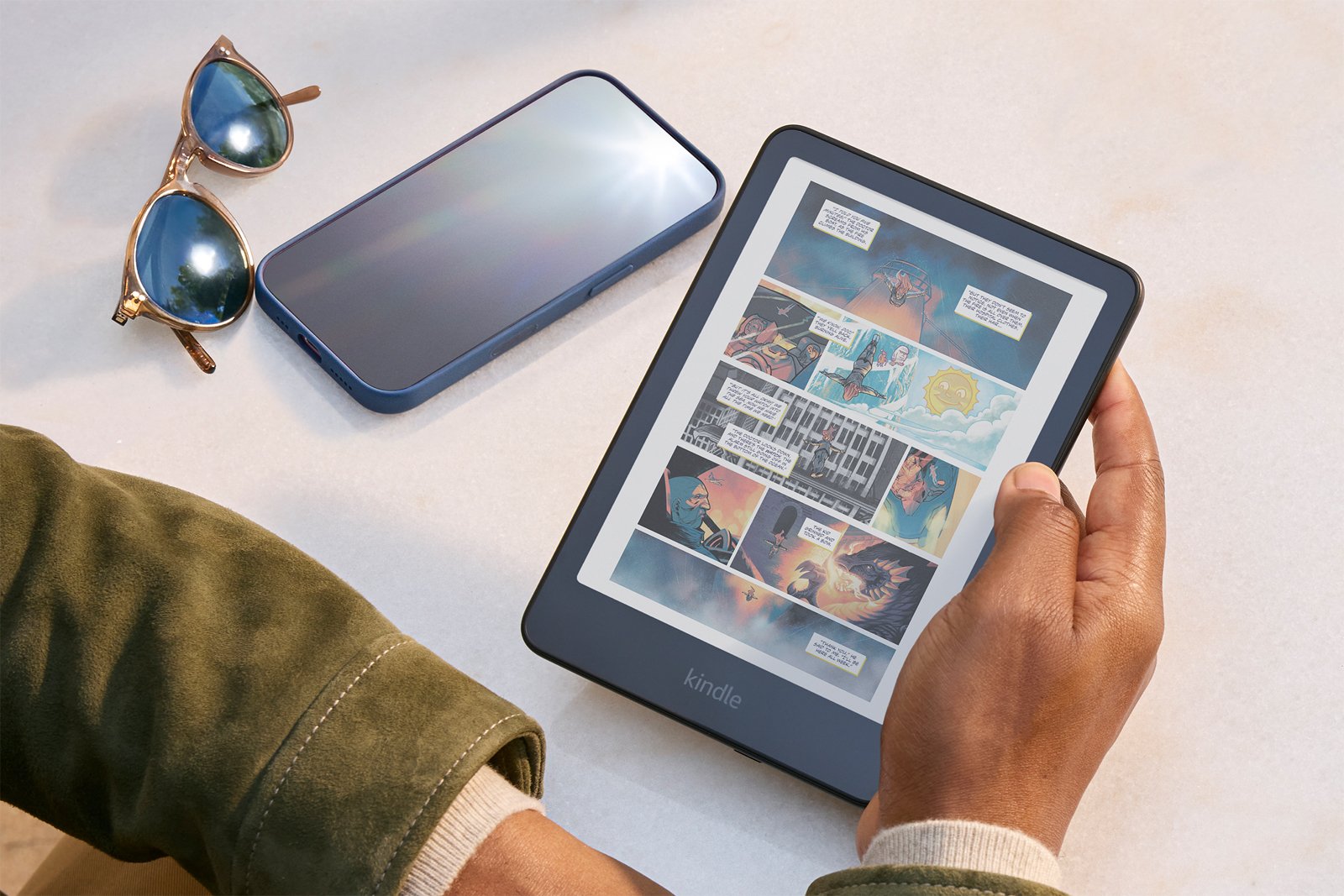
For most coursework, no — the vast majority of textbooks, novels, and PDFs are text-first, and monochrome E Ink handles that perfectly well. Color earns its keep in specific situations: color-coded highlighting across a semester of readings, textbooks with meaningful diagrams and charts, graphic novels or manga for literature or art courses, and magazines or illustrated references.
What Color Adds — and What It Doesn’t
The Kindle Colorsoft’s 7-inch display renders color at 150 ppi while text stays sharp at 300 ppi — good enough for covers, highlights, and simple diagrams, not good enough to replace a tablet or laptop screen for photo-heavy or richly illustrated material. It’s E Ink color, not LCD color: softer, more muted, and far easier on the eyes over a long session, but it will never look like a phone screen. That trade-off is the whole point of the device, and it’s worth knowing going in.
Colorsoft vs. Paperwhite for Students
Strip away the color, and the Colorsoft is essentially a Paperwhite: same 7-inch body, same IPX8 waterproofing, same adjustable warm light, similar battery life (up to 8 weeks vs. 12). The $90 premium buys you exactly one thing — color — and nothing else about the day-to-day reading experience changes.
Is Color Worth Paying More For?
If you specifically color-code your reading notes, study visual-heavy material, or read graphic novels and comics for class, yes — it’s the right tool. If you’re weighing it because color “seems nice to have,” skip it and put the $90 toward something you’ll actually use. Most students fall into the second group.
Check the Kindle Colorsoft on Amazon → Click Here
Best Premium Kindle for Students
What You Get for the Extra Money
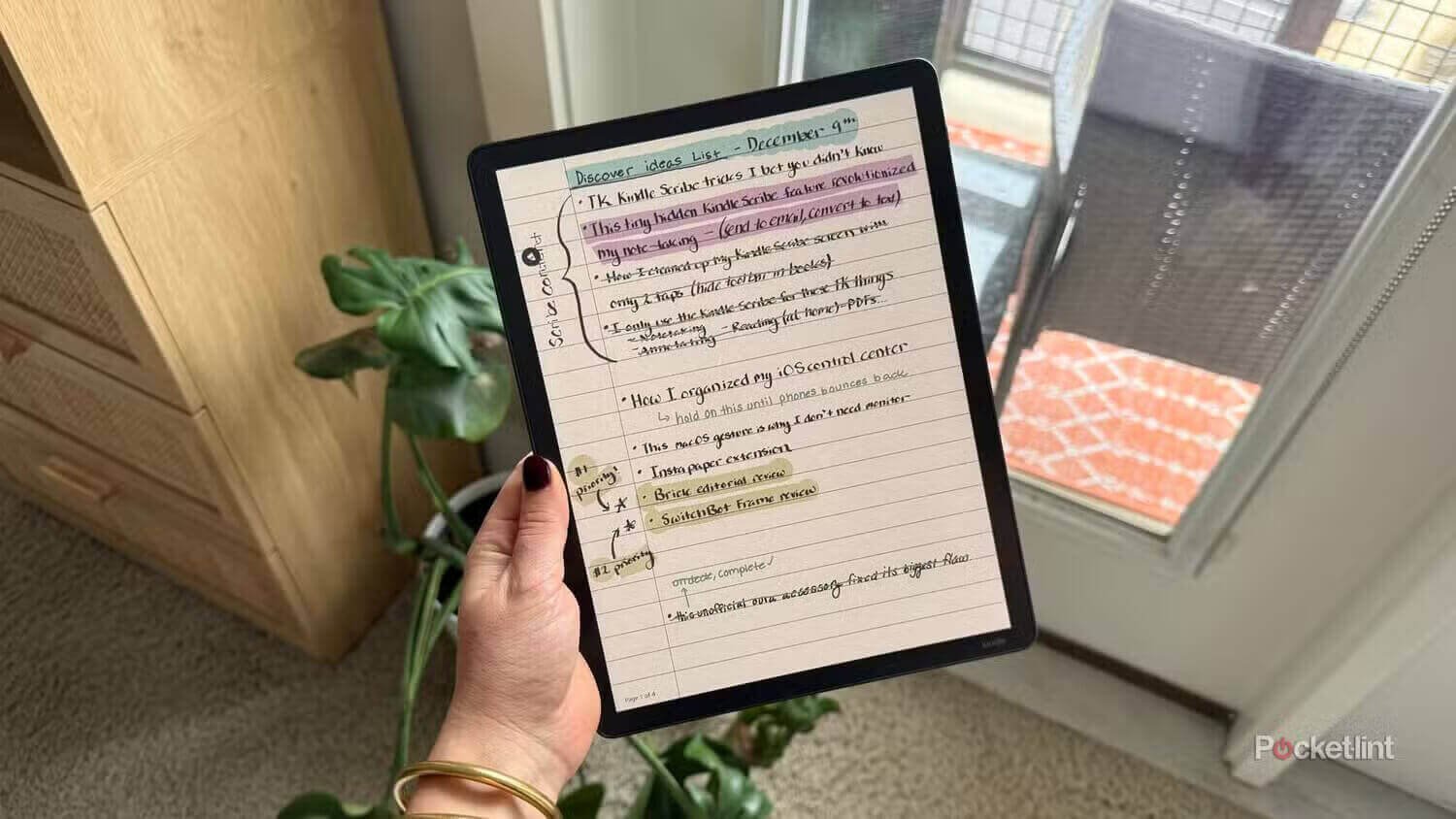
The Kindle Scribe Colorsoft combines the Scribe’s 11-inch writing surface with a color display, ten pen colors, and five highlighter colors. For students who annotate constantly, color-coding a semester of reading by topic, urgency, or source is a genuinely useful workflow, not a gimmick.
Who Actually Needs It?
Grad students and researchers marking up long documents where color-coding speeds up review. Visual note-takers who sketch diagrams, mind maps, or study guides and want color to carry meaning. Students who’ve already decided they need a Scribe and can justify the extra $130 for color on top of it.
Why Most Students Shouldn’t Buy It
Starting at $629.99, this is the most expensive device in the entire Kindle lineup — more than five times the price of the base Kindle. A $600-plus device shouldn’t be the default recommendation just because it has the most features. If you’re not certain you’ll use color specifically for annotation, the standard Kindle Scribe does the same core job — reading, PDFs, handwriting — for $130 to $200 less. Buy this one because you know you need color, not because it’s the top of the range.
Kindle vs. Paperwhite vs. Scribe vs. Colorsoft: Which Should a Student Buy?
| Feature | Kindle | Paperwhite | Colorsoft | Scribe | Scribe Colorsoft |
|---|---|---|---|---|---|
| Price (from) | $109.99 | $159.99 | $249.99 | $429.99 | $629.99 |
| Screen size | 6″ | 7″ | 7″ | 11″ | 11″ |
| Resolution | 300 ppi | 300 ppi | 300 ppi mono / 150 ppi color | 300 ppi | 300 ppi mono / 150 ppi color |
| Warm light | No | Yes | Yes | Yes (front-lit model) | Yes |
| Waterproof | No | Yes (IPX8) | Yes (IPX8) | No | No |
| Storage | 16 GB | 16–32 GB | 16–32 GB | 16–64 GB | 32–64 GB |
| Weight | ~158g | ~211g | Similar to Paperwhite | 400g | 400g |
| Battery (reading) | Up to 6 weeks | Up to 12 weeks | Up to 8 weeks | Up to 12 weeks | Up to 8 weeks |
| Handwriting | No | No | No | Yes | Yes |
| PDF suitability | Poor | Fair | Fair | Good | Good |
| Best student type | Budget, casual reading | Most students | Color-heavy readers | Heavy annotators | Color annotators |
How to Choose the Right Kindle for College
Start With What You Actually Read
Be specific with yourself: novels and assigned e-books, or PDFs, scanned readings, and research papers? The honest answer to this one question eliminates half the lineup immediately.
Think About Screen Size
Smaller is better for portability and one-handed reading of regular books. Larger only pays off if you’re regularly dealing with dense documents where zooming and panning genuinely slow you down.
Decide Whether You Need Handwriting
If you don’t currently take handwritten notes, you probably won’t start because a device makes it possible. If you already fill notebooks by hand, the Scribe is worth the jump.
Decide Whether You Need Color
Ask whether color changes how you use the material — color-coding, diagrams, graphic novels — or whether it would just be nice to look at. Only the first answer justifies the upcharge.
Consider Your Budget
- Under $150: Basic reading, tight budget — the Kindle.
- $150–$250: Best all-around value — the Paperwhite.
- $250–$450: Color reading or entry-level note-taking — Colorsoft or the no-front-light Scribe.
- $450–$700: Serious annotation, PDFs, and handwriting — Scribe or Scribe Colorsoft.
Don’t Pay for Features You Won’t Use
This is the single most important principle in this guide. Every dollar you spend above the Paperwhite should map to a feature you will use weekly, not one you might use someday.
Which Kindle Is Best for Your Type of Student Life?
College students who mostly read books: Kindle Paperwhite. It’s built for exactly this.
Students who read textbooks: Kindle Scribe, if the textbooks are PDFs or scans. If they’re standard Kindle e-books, the Paperwhite is fine.
Students who read PDFs: Kindle Scribe. The 11-inch screen is the difference between usable and frustrating.
Students who take handwritten notes: Kindle Scribe, full stop — it’s the only Kindle that does this.
Law students: Kindle Scribe. Case files and long PDFs benefit enormously from the larger screen and annotation.
Medical students: Proceed carefully here. Medical coursework often leans on color diagrams, anatomy illustrations, and interactive references that no Kindle — even the Scribe Colorsoft — handles as well as a tablet. A Kindle can supplement reading, but may not be good enough to be your primary study tool.
Literature students: Kindle Paperwhite. Reading volume matters more than screen size or annotation tools.
STEM students: Depends on the material. Problem sets and formula-heavy PDFs favor the Scribe; general reading favors the Paperwhite.
Graduate students: Kindle Scribe, especially for research-heavy programs involving long-form papers and literature reviews.
Commuting students: Kindle Paperwhite or the basic Kindle — portability and battery life matter more than screen size on a train or bus.
Students on a tight budget: The basic Kindle, as long as your reading is mostly novels and standard e-books.
Kindle vs. Tablet for Students: Which Is Better?
| Activity | Kindle | Tablet |
|---|---|---|
| Reading novels | Best | Good |
| Long reading sessions | Best (no glare, no eye fatigue) | Fair |
| PDFs | Fair to Good (Scribe) | Best |
| Color textbooks | Fair (Colorsoft only) | Best |
| Handwritten notes | Good (Scribe only) | Best |
| Web research | Not supported | Best |
| Video lectures | Not supported | Best |
| Academic apps | Not supported | Best |
| Distraction-free reading | Best | Poor |
| Battery life | Best (weeks) | Fair (a day or two) |
| Multitasking | Not supported | Best |
The decisive answer: buy a Kindle if your priority is reading without distraction, and buy a tablet if your coursework genuinely requires color, video, web access, or multitasking. It depends specifically on how much of your workload lives outside plain text. A humanities student doing 90% reading and 10% research should own a Kindle. A student juggling lecture videos, Google Docs, and PDF annotation across multiple apps needs a tablet — and a Kindle would just be a second device to carry.
The Biggest Mistake Students Make When Buying a Kindle
The most common mistake is assuming a Kindle will simply replace textbooks. It won’t, at least not automatically. Scanned PDFs don’t reflow like Kindle e-books. Formatting on complex documents — tables, footnotes, multi-column layouts — often degrades on smaller screens. Color-dependent material stays limited even on the Colorsoft. And no Kindle runs the academic apps, learning platforms, or citation managers your coursework may require. A Kindle is an excellent reading and (on the Scribe) note-taking device. It is not a textbook-replacement machine, and treating it as one is how students end up disappointed with a device that’s actually very good at what it’s designed to do.
Why Battery Life and Portability Matter More in College Than You Think
Between classes, in libraries, on commutes, and packed for a weekend trip home — a Kindle that runs for weeks rather than hours means you never have to think about it. That’s a bigger deal in practice than it sounds on a spec sheet: it’s one less charger to remember, one less thing to worry about before a long study session in a library with limited outlets. A 400g Scribe is still lighter than a laptop, but it’s noticeably more device to carry than a 158g basic Kindle slipped into a jacket pocket. Weigh that against how often you’ll actually use the extra capability.
How Much Kindle Storage Does a Student Need?
Standard e-books are small — a typical novel is a few megabytes, so even 16 GB holds thousands of them. Where storage actually matters is PDFs, scanned textbooks, and manga or comics, which run much larger per file. If you’re a light reader sticking to standard Kindle books, 16 GB is plenty. If you’re importing dozens of PDF textbooks or building a Scribe notebook library across several semesters, step up to 32 GB or 64 GB rather than deleting files to make room mid-semester.
Does a Student Need a Waterproof Kindle?
It’s a genuine convenience, not a gimmick. Dorm living means spilled coffee, water bottles, and the occasional rainy walk across campus with a bag that isn’t quite waterproof. The Paperwhite and Colorsoft carry an IPX8 rating; the basic Kindle and both Scribe models do not. If you read near water — pools, bathtubs, the beach over breaks — or you’re simply accident-prone, it’s worth prioritizing. If your reading happens mostly at a desk, it’s a nice-to-have rather than a requirement.
Why a Kindle Can Be a Better Study Device Than a Phone
E Ink’s reflective, glare-free display and the complete absence of app notifications make it easier to stay in one document for an extended stretch. There’s no group chat popping up mid-chapter, no infinite scroll one tap away. That’s a practical advantage for focus, not a medical claim — Kindles aren’t inherently “better for your eyes” in some scientifically proven sense, but a screen that doesn’t compete for your attention is a real, measurable study aid.
The Kindle Features That Matter Most for Students
- Display size — bigger helps with PDFs, hurts portability.
- Display quality — 300 ppi is the standard across the current lineup; look for it.
- Lighting — adjustable warm light matters for late-night studying.
- Weight — matters daily if you’re carrying it between classes.
- Battery life — fewer charging interruptions during busy weeks.
- Storage — scales with how many PDFs and large files you keep.
- Waterproofing — genuinely useful in dorm and campus life.
- Highlighting — core to how most students actually study on a Kindle.
- Annotation — margin notes and markup, especially for PDFs.
- PDF handling — the single biggest screen-size-dependent feature.
- Handwriting — only relevant if you already take notes by hand.
- Color — only relevant for specific visual coursework.
Kindle Features Students Shouldn’t Pay Extra For
- Color, if you’re reading mostly novels and standard textbooks.
- Maximum storage, if your e-book library is a few hundred titles, not thousands of PDFs.
- Handwriting, if you’ve never taken notes by hand and don’t plan to start.
- The largest screen, if portability matters more to your daily routine than document size.
Diminishing returns are real here — the jump from $109.99 to $159.99 buys real, everyday improvements. The jump from $499.99 to $629.99 buys color you may never use.
Why the Kindle Ecosystem Still Matters for Students
Amazon’s Kindle Store is the largest e-book marketplace available, Whispersync keeps your reading position and highlights synced across your Kindle and the Kindle phone app, and a Kindle Unlimited subscription (currently $11.99/month) gives access to a large rotating catalog if you read heavily. This matters practically: switching between your Kindle before bed and the Kindle app on your phone between classes means you never lose your place. Availability of specific titles, formats, and features can vary by region, so don’t assume every book or feature works identically everywhere.
Can Students Borrow Library Books on Kindle?
Yes, in the U.S., through participating public libraries using apps like Libby, which lets you send eligible borrowed titles to a compatible Kindle. Availability depends on your specific library, its lending platform, and the title itself. Not every library book can be sent to every Kindle, and the process varies by device and app version. If you haven’t set this up yet, see our guide to borrowing library books on Kindle for the full walkthrough.
Which Kindle Accessories Are Actually Worth Buying for Students?
A protective case is close to essential — a Kindle gets tossed into backpacks alongside textbooks and laptops daily, and a cover prevents scratches and cracked screens. For Scribe owners, a folio case that doubles as a stand makes note-taking in class or the library more comfortable than holding the device flat. A basic USB-C cable you don’t have to hunt for is worth keeping separate from your laptop charger. Skip screen protectors on E Ink displays — they’re not necessary the way they are on glass phone screens — and skip elaborate accessory bundles you won’t actually use.
Check Kindle cases and accessories on Amazon → Click Here
For more on getting the most out of your device, see our Kindle settings guide and Kindle accessories roundup.
7 Mistakes Students Make When Buying a Kindle
- Buying the cheapest Kindle without considering PDFs. Fine for novels, frustrating for coursework.
- Buying a Scribe because it looks like a tablet. It isn’t one — it reads and writes, nothing else.
- Paying for color unnecessarily. Nice to have, rarely essential.
- Ignoring screen size. It’s the biggest factor in whether PDFs are usable.
- Assuming every textbook works perfectly. Scanned and fixed-layout files don’t reflow.
- Buying too much storage. Most students never fill 16 GB with standard e-books.
- Expecting a Kindle to replace an iPad. It was never designed to.
You Probably Shouldn’t Buy a Kindle If…
Your coursework genuinely depends on video lectures, interactive or color-intensive textbooks, complex web research, academic apps, spreadsheets, presentations, or heavy multitasking across several open documents at once. In those cases, a tablet or laptop is the right tool, and buying a Kindle first — even the Scribe — means you’ll likely need a second device anyway. The goal here is the right purchase, not necessarily a Kindle purchase.
How Much Should a Student Spend on a Kindle?
- Under $130: Basic reading — the Kindle ($109.99 with ads, $129.99 without).
- Around $160–$200: The best all-around balance — the Paperwhite ($159.99–$199.99 depending on storage and ads).
- Around $250–$430: Color reading or entry-level Scribe — Colorsoft ($249.99) or the no-front-light Scribe ($429.99).
- $500 and up: Serious note-taking and PDF work — Scribe ($499.99+) or Scribe Colorsoft ($629.99+).
These are Amazon’s standard list prices as of publication; Kindles regularly go on sale during Prime Day, Black Friday, and other promotional windows, sometimes significantly below list price. Always check the current price before buying — what’s listed here is the baseline, not a guaranteed rate.
Our Final Kindle Rankings for Students
- Best Overall: Kindle Paperwhite — the right default for the vast majority of students.
- Best Budget: Kindle — cheap, light, and good enough for novel-heavy reading.
- Best for Note-Taking: Kindle Scribe — the only real choice for handwriting.
- Best for PDFs: Kindle Scribe — same reasoning, same device.
- Best Color Option: Kindle Colorsoft — for genuinely color-dependent reading.
- Best Premium Option: Kindle Scribe Colorsoft — only if you need both handwriting and color.
Best Kindle for Students — FAQs
Is a Kindle worth it for college students? Yes, for anyone doing significant reading — it’s lighter than a laptop, easier on the eyes for long sessions, and free of distracting notifications.
Which Kindle is best for college students? The Kindle Paperwhite, for most students. Heavy PDF or note-taking workloads point to the Kindle Scribe instead.
Is Kindle Paperwhite good for students? Yes — it’s the best-balanced option for reading novels, textbooks in standard e-book format, and general study material.
Is Kindle good for textbooks? Only if the textbook is a standard reflowable e-book. Scanned or PDF textbooks are much better on the larger-screened Kindle Scribe.
Is Kindle good for PDFs? On a 6- or 7-inch Kindle, only for short or simple ones. The Kindle Scribe’s 11-inch screen handles PDFs far better.
Is Kindle Scribe worth it for students? Yes, if you regularly work with PDFs or want to take handwritten notes. No, if you mostly read novels.
Can students take notes on Kindle? Basic highlighting and typed notes work on any Kindle. Handwritten notes require the Kindle Scribe or Scribe Colorsoft.
Can you write on a Kindle? Only with a stylus on the Kindle Scribe or Scribe Colorsoft. Other Kindles don’t support handwriting.
Do students need a color Kindle? Most don’t. It’s worth it specifically for color-coded annotation, diagrams, or graphic novels — not as a general upgrade.
Is Kindle better than an iPad for studying? For plain-text reading, yes. For video, web research, color materials, and multitasking, no — a tablet wins there.
Which Kindle is best for reading textbooks? Kindle Scribe for PDF or scanned textbooks; Kindle Paperwhite for standard e-book textbooks.
Which Kindle is best for college on a budget? The basic Kindle at $109.99, assuming your reading is mostly novels and standard ebooks rather than PDFs.
How much Kindle storage does a student need? 16 GB is plenty for standard ebooks. Step up to 32 GB or 64 GB if you’re importing many PDFs or building a large notebook library.
Can you borrow library books on Kindle? Yes, in the U.S., through apps like Libby, though availability depends on your library and the specific title.
Can a Kindle replace a tablet for college? Only partially. It replaces a tablet for reading and, on the Scribe, handwriting — not for video, web research, or academic apps.
So, Which Kindle Should a Student Buy?
For most students: Kindle Paperwhite. It’s the best balance of price, comfort, and capability for the reading a typical semester actually involves.
For students on a tight budget: the basic Kindle — as long as PDFs aren’t a major part of your workload.
For students who need handwriting or serious PDF annotation: Kindle Scribe. It’s the only Kindle built for that job.
For students who genuinely benefit from color: Kindle Colorsoft, or Scribe Colorsoft if handwriting matters too.
Don’t buy the most expensive Kindle you can afford. Buy the Kindle that matches the way you actually study.
Ready to choose? Check the latest Kindle prices on Amazon and see which model fits your study routine and budget.
Check the latest Kindle prices on Amazon → Click Here
Affiliate placements: 8 total, matching the brief’s placement strategy (quick-verdict table, post-Paperwhite deep dive, post-budget section, post-Scribe section, post-Colorsoft section, accessories section, final CTA — placement #6 for Scribe Colorsoft was intentionally omitted per the brief’s “only if justified” instruction, since the article already argues most students shouldn’t buy it; add one back in if you’d rather monetize that section too).