Specs and prices verified October 24, 2026. This article contains affiliate links. As an Amazon Associate, 9to5Kindle earns from qualifying purchases. Read our affiliate disclosure.
You open volume three of a series you love. The fight scene spans two pages. The sound effects are tiny, there’s a handwritten aside in the gutter, and the speech bubble in the corner might as well be a smudge. You pinch to zoom, lose the flow, and wonder if you bought the wrong Kindle.
Most people shopping for a manga Kindle assume the answer is color. Manga is comics, comics are colorful, so the Colorsoft must be the one. That’s usually wrong.
Most manga is printed in black and white. On a black-and-white page, screen size, sharpness, and contrast matter far more than color. For most readers, the Paperwhite is the sensible pick. The Scribe is the upgrade if small text and two-page spreads are what drive you mad. The Colorsoft earns its higher price only if color is a regular part of what you read.
Here’s how to work out which camp you’re in.
The quick answer: which Kindle should most manga readers buy?
| Reader type | Best pick | Why |
|---|---|---|
| Mostly black-and-white manga | Kindle Paperwhite | Sharp 300 ppi text, strong contrast, light, and the best value |
| Small text, dense art, or older scans | Kindle Scribe | The 11-inch screen shows pages at roughly print size or larger |
| Color manga, manhwa, or Western comics | Kindle Colorsoft | Color pages, covers, and inserts finally look like they should |
| Tight budget | Kindle Paperwhite, or the 6-inch Kindle if money is very tight | The Paperwhite is the cheapest screen that’s comfortable for manga |
| Reading in bed or in the bath | Kindle Paperwhite | Waterproof, warm light, and light enough for one hand |
| Also want to take notes or mark up PDFs | Kindle Scribe | The pen turns a manga reader into a work tool |
The 6-inch entry-level Kindle isn’t in the headline for a reason. It has a sharp 300 ppi screen, but detailed art and small balloons get cramped fast. It works for casual reading. For a serious manga habit, the extra inch on the Paperwhite is worth paying for.
- Mostly black-and-white manga: Check the current Paperwhite price on Amazon
- Lots of color content: Check the current Colorsoft price on Amazon
- Small text and two-page spreads: Check the current Kindle Scribe price on Amazon
Why manga is harder on an e-reader than a novel
Fixed pages don’t reflow
A novel on a Kindle is flexible. Make the font bigger, and the text reflows to fit the screen.
A manga page is an image. You can’t make the lettering bigger without making the whole page bigger. On a small screen, the only option is to zoom, and zooming means panning around the page instead of reading it.
That single fact explains most of what follows. The screen size sets the size of everything on the page.
The details that suffer first
Shrink a printed manga page and some things go long before others:
- Furigana, the tiny reading guides beside kanji in Japanese editions
- Sound effects drawn into the art
- Gutter notes and translator asides
- Screentone shading, which can turn into moiré or mush at small sizes
- Fine linework in detailed backgrounds
- Small speech balloons, especially in crowded panels
A screen that renders all of that cleanly at a comfortable size is the real goal.
Black and white is the norm, color is the exception
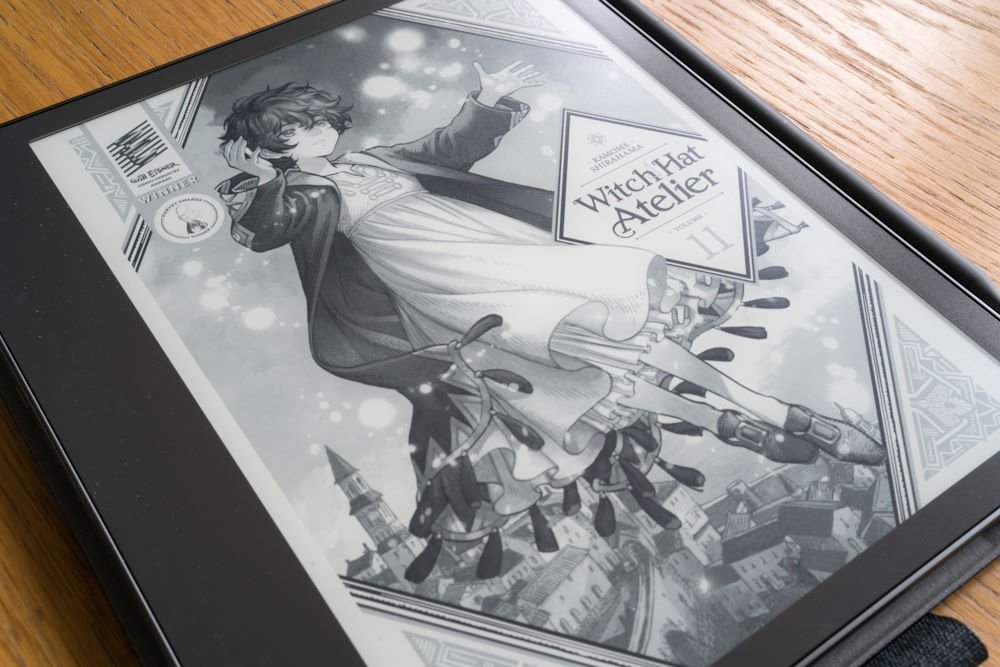
Most manga volumes are monochrome. Color usually shows up on covers, the first few pages of a volume, and special editions. Full-color manga exists, and manhwa and webtoons are usually in color, but for the typical manga reader, color is something you see a few pages per volume, not on every page.
Keep that in mind when you weigh what color costs you.
Paperwhite, Colorsoft, and Scribe compared for manga
The Paperwhite and Colorsoft here are the 2026 models Amazon announced on October 1, 2026, which ship October 28. The Scribe is the 2025 11-inch model and its siblings. Prices are US list prices at the time of writing.
| Kindle Paperwhite (2026) | Kindle Colorsoft (2026) | Kindle Scribe (2025) | |
|---|---|---|---|
| Screen size | 7 inches | 7 inches | 11 inches |
| Black-and-white resolution | 300 ppi | 300 ppi | 300 ppi |
| Color | No | Yes, 150 ppi in color | No (Scribe Colorsoft adds color) |
| Front light | Yes, with warm light | Yes, with warm light | Yes, with warm light (a cheaper model has no light at all) |
| Waterproof | Yes, IPX8 | Yes, IPX8 | No |
| Storage | 16 GB; 32 GB on Signature Edition | 16 GB; 32 GB on Signature Edition | 32 GB or 64 GB; 16 GB on the no-light model |
| Page-turn options | Touch; double tap and Page-Turn Cover on Signature Edition; Kindle Click remote | Touch; double tap and Page-Turn Cover on Signature Edition; Kindle Click remote | Touch; Kindle Click remote |
| Weight | About 204g | About 204g | About 400g |
| Starting price | $199.99 | $289.99 | $499.99 ($429.99 without front light) |
Sources: Amazon’s 2026 Kindle lineup announcement and Amazon’s Kindle Scribe features page. Weights are from published spec listings and may differ slightly from Amazon’s final figures.
Two things jump out. The Paperwhite and Colorsoft are the same size and the same sharpness on black-and-white pages. The only difference is color, and you pay $90 for it. The Scribe is in a different class of screen, at more than twice the price and about twice the weight.
If you’re also weighing the cheaper 6-inch Kindle, our Kindle Paperwhite vs Kindle Basic comparison covers that gap in detail.
Screen size matters more than anything else
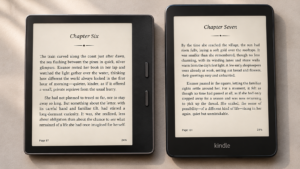
Seven inches vs eleven inches in practice
A typical English-language manga volume in the US is about 5 by 7.5 inches. That’s a page diagonal of roughly 9 inches.
The Paperwhite’s 7-inch screen, at its resolution, gives you a reading area of roughly 4.2 by 5.6 inches. That’s noticeably smaller than the printed page. Everything on it, from the lettering to the screentones, shrinks by about a quarter.
The Scribe’s 11-inch screen is roughly 6.6 by 8.8 inches. That’s bigger than the printed volume. Small balloons, gutter notes, and dense backgrounds become easy to read without zooming.
This is the most important difference in the whole comparison. More pixels per inch doesn’t help if the inches aren’t there. All three devices are 300 ppi for black and white. The Scribe simply has a lot more of them.
Two-page spreads and landscape mode
Manga artists love a two-page spread. On a 7-inch Kindle held upright, a spread is either split across two screens or shrunk to fit, and shrinking a spread onto a 7-inch screen leaves each half at roughly the size of a playing card.
Turning the device sideways helps a little, but the page gets wider, not taller, so the art is still small.
The Scribe is the only Kindle where spreads are genuinely enjoyable. In landscape, a full spread fills a screen almost 9 inches wide, so each half is about as big as a single page on a Paperwhite held upright.
Zooming and Panel View aren’t a fix for a small screen
You can pinch to zoom on any manga page. Many comics and manga bought from the Kindle Store also support Panel View, which moves through a page one panel at a time.
Both help when one balloon is unreadable. Neither is a good way to read a whole volume. Manga is designed to be read as a page, with your eye moving across panels in a deliberate rhythm. Zooming in and out breaks that rhythm on every page.
If you find yourself zooming constantly, the answer is a bigger screen, not a better zoom gesture.
Does color actually help with manga?
Where the Colorsoft shines
Color is a real upgrade for some content:
- Color covers and opening pages, which many volumes include
- Full-color manga and special color editions
- Manhwa and webtoon-style comics, which are usually in full color
- Western comics and graphic novels
- Your library view, where covers make series easier to find
- Colored highlights, if you annotate
If a big part of your reading falls into those categories, the Colorsoft is the right Kindle. Black-and-white Kindles show those pages in grayscale, which works but loses a lot.
The trade-off on black-and-white pages
Color E Ink isn’t free. The Colorsoft adds a color filter layer on top of a black-and-white display, and that layer costs you some brightness and contrast.
On the 2024 Colorsoft, reviewers such as Nathan Groezinger of The eBook Reader found the filter made the screen look darker, especially with the front light off, and that text contrast was better on the Paperwhite. Expert Reviews described the Colorsoft’s page background as noticeably greyer and darker than the Paperwhite’s.
Color detail is lower too. Amazon lists the Colorsoft at 300 ppi for black and white but 150 ppi in color. Fine color linework is softer than the same art on a black-and-white page.
The practical upshot: on a black-and-white manga page, the Colorsoft gives you nothing the Paperwhite doesn’t, and can look slightly worse.
The new 2026 Colorsoft
Amazon says the 2026 Colorsoft has a completely redesigned display, with a new light guide meant to reduce stray light and improve uniformity, plus a coating to improve clarity. It also claims higher contrast on both color and black-and-white content.
Those are Amazon’s claims, and the new model ships October 28. Until independent reviews compare it side by side with the 2026 Paperwhite, assume the black-and-white gap has narrowed, not closed.
The Scribe Colorsoft
The Kindle Scribe Colorsoft combines the 11-inch screen with color, starting at $629.99. On paper it’s the ultimate manga Kindle: a big page and color.
In practice, it’s a writing tablet first. Most of that price pays for the pen, the notebooks, and the productivity features. It makes sense if you’ll use those every week and also read a lot of color comics. As a manga-only purchase, it’s hard to justify.
The Paperwhite: the default choice for most manga readers
For a typical manga reader, the Paperwhite gets nearly everything right.
- 300 ppi black and white, the same sharpness as the Scribe
- Strong contrast. Amazon says the 2026 Paperwhite has the highest contrast ratio of any Paperwhite display
- Waterproof to IPX8, with adjustable warm light for night reading
- Light enough to hold in one hand for a long session
- The lowest price of any Kindle that’s comfortable for manga
Its weaknesses are honest ones. The 7-inch screen shows a manga page smaller than print, so dense art and tiny balloons take some squinting or the occasional zoom. And there’s no color.
When to choose the Signature Edition ($249.99): if you’ll keep a big library on the device, the 32 GB of storage matters more for manga than for any other kind of book. The Signature Edition also adds auto-brightness, double-tap to turn pages, and support for Amazon’s Page-Turn Cover with physical buttons. For a heavy manga reader, the extra $50 is easy to justify for the storage alone.
The Scribe: the best manga screen Amazon makes, with caveats
If the question is purely which Kindle displays manga best, the answer is the Scribe.
Why it wins on screen:
- An 11-inch, 300 ppi display shows each page larger than a printed US volume
- Small text, gutter notes, and furigana are readable without zooming
- Two-page spreads finally make sense
- Older or lower-quality scans with faint lettering become usable
The caveats are real:
- Weight. At about 400g, it’s roughly twice a Paperwhite. Reading one-handed in bed gets tiring.
- Price. It starts at $499.99, more than twice the Paperwhite.
- No waterproofing. Keep it away from the bath.
- The cheapest model has no front light. The $429.99 Scribe without a front light is a poor choice for manga readers who read at night. Skip it unless you only read in good light.
The pen is the deciding factor. If you’ll actually use the notebooks, write on PDFs, or mark up documents, the Scribe is two devices in one, and the price makes more sense. If you won’t, you’re paying a lot for a bigger screen.
Who shouldn’t buy it: commuters, people who read lying down, and anyone who wants a Kindle in a jacket pocket.
For a fuller look at the writing side, see our guide to the best Kindle for note-taking.
Page turns, speed, and ghosting
Right-to-left reading
Japanese manga reads right to left. Manga bought from the Kindle Store is generally set up for that, so a page turn goes the way the book does.
Sideloaded files are less predictable. Whether a converted file turns in the right direction depends on how it was made. Conversion tools usually have a manga mode for exactly this reason (more on that below).
Ghosting on image-heavy pages
Ghosting is a faint trace of the previous page that lingers after a page turn. E Ink displays clear it with a full refresh, the quick black flash you sometimes see.
Manga pages, with heavy blacks and screentone, show ghosting more readily than text does. If you notice it, look in your Kindle’s reading settings for an option to refresh the screen on every page turn. It costs a little speed and a little battery, but it keeps dense art clean.
Physical page-turn options in 2026
No current Kindle has built-in page buttons. You have three alternatives:
- Double tap to turn pages, built into the 2026 Paperwhite and Colorsoft Signature Editions
- Kindle Click ($34.99), a small Bluetooth remote that Amazon says works with the new Kindles and any Kindle model from 2024 or later
- Page-Turn Cover ($79.99), a magnetic case with physical buttons, for the Paperwhite and Colorsoft Signature Editions only
For manga, a remote is surprisingly useful. Long sessions mean hundreds of page turns, and tapping the screen with a thumb over dense art gets old.
If your Kindle is a 2024 model or newer, Kindle Click is compatible. Check the current Kindle Click price on Amazon. For the full rundown, see our coverage of Amazon’s new page-turn accessories.
Storage: how much do manga libraries actually need?
Manga is heavy. A novel might be a few megabytes. A manga volume is a book full of high-resolution images, and a single volume often runs to tens of megabytes, sometimes more than 100 MB. Sizes vary widely by publisher and page count, so check the file size on a few of your own titles.
It also matters that you don’t get the whole advertised capacity. The Kindle’s software takes part of it.
A worked example, using clearly approximate assumptions:
- Assume about 12 GB usable on a 16 GB Kindle
- Assume an average of 100 MB per volume
- 12,000 MB ÷ 100 MB = about 120 volumes
Double the storage and you roughly double that figure. Shrink the average file size and the number climbs.
Your purchased books stay in your cloud library, so you can download and remove volumes as you go. But if you like to keep entire long-running series on the device for travel, 16 GB fills up quickly. That’s why the 32 GB Signature Editions, or the 32 GB and 64 GB Scribes, are worth a look for serious collectors.
Where to get manga for your Kindle
The Kindle Store and Kindle Unlimited
The Kindle Store carries a large English-language manga catalog from major publishers, and purchased manga generally supports right-to-left reading and Panel View.
Kindle Unlimited includes some manga, often early volumes of a series. It can be a cheap way to sample several series before buying. It’s not a substitute for buying the series you love, because the catalog changes and many popular titles aren’t included. Check what’s actually available before you subscribe, and see our Kindle Unlimited vs Prime Reading breakdown.
Library manga through Libby
Many US public libraries lend manga digitally through Libby. Before you borrow, check the title’s Read With options. Not every library e-book can be sent to a Kindle, and comics and manga are more likely than novels to be readable only in the Libby app.
Our guide explains how to borrow library books on Kindle.
Sideloading DRM-free manga you own
If you buy manga from a store that sells DRM-free files, you can put those on a Kindle too.
Send to Kindle accepts EPUB and PDF files, among others. Manga is often distributed as CBZ or CBR archives, though, which a Kindle doesn’t read directly. Those usually need converting first.
The common free tool for that is Kindle Comic Converter. It can resize pages to fit your Kindle’s screen and set right-to-left reading for manga.
For EPUB files specifically, here’s how to send EPUB files to Kindle.
One firm rule: this is for legally purchased, DRM-free files. Don’t use scan sites or strip DRM from purchases.
Edge cases and specific reader types
Manhwa and webtoons
Webtoons are built for vertical scrolling on a phone. E Ink is bad at smooth scrolling, and long vertical strips don’t divide neatly into pages. Some publishers release page-formatted versions, which work better. If most of what you read is scroll-format webtoons, be honest with yourself: a phone or tablet may be the better screen. If you read manhwa in page format, the Colorsoft is the Kindle to choose.
Reading Japanese-language manga
Kindles support Japanese dictionaries and right-to-left reading, but furigana is the stress test. Those tiny characters push a 7-inch screen to its limit. If you read raw Japanese manga, especially while you’re still learning, the Scribe’s bigger page makes a real difference.
Kids and teens
Amazon sells Kids editions of the Paperwhite and Colorsoft with child-friendly covers and a Kids+ subscription, plus parental controls to manage what younger readers can open. The Paperwhite’s lighter weight and waterproofing suit younger hands. Our guide to the best Kindle for kids goes into the details.
Readers who also read lots of PDFs
PDFs have the same fixed-layout problem as manga, only worse, because their text is often smaller. If you read both, that tips the decision hard toward the Scribe. See our guide to the best Kindle for reading PDFs.
Is a Kindle the right device at all?
A Kindle is the easiest way to read manga bought from Amazon. It isn’t the only option. Some rival e-readers have larger color screens or read CBZ files without conversion, and a tablet handles color and webtoons better than any E Ink screen. If color is the priority, our Kindle Colorsoft vs Kobo Libra Colour comparison is a good next read.
Mistakes to avoid when buying a Kindle for manga
- Buying color for black-and-white manga. You pay $90 more and get a slightly darker page.
- Choosing 16 GB for a big library. Manga fills storage fast. Pay for 32 GB if you keep lots of volumes on the device.
- Buying the Scribe without a front light for night reading. It’s the cheapest Scribe for a reason.
- Assuming every sideloaded file will look right. Converted files can have the wrong page order, odd margins, or blurry images. Test one volume before converting a whole series.
- Judging screens by marketing photos. Product shots are lit and processed. Look for side-by-side photos from independent reviewers instead.
- Buying the Scribe as a manga-only device without checking the weight. Twice the heft of a Paperwhite matters in bed.
Our verdict by reader type
You read mostly black-and-white manga: get the Kindle Paperwhite. It’s the best balance of sharpness, contrast, weight, and price, and it’s the right answer for most people reading this.
You keep a big library on the device: get the Paperwhite Signature Edition for the 32 GB of storage. Double tap and auto-brightness are a bonus.
You squint at small balloons, read older scans, or love spreads: get the Kindle Scribe with a front light. It’s the only Kindle that shows manga at print size or larger.
You read a lot of color manga, manhwa, or comics: get the Kindle Colorsoft. If you read mainly black and white, don’t.
You want a big color screen and will use a pen every week: the Kindle Scribe Colorsoft is the one device that does everything. Just be sure you’ll use the writing features you’re paying for.
You’re on a tight budget: the 6-inch Kindle works for light manga reading. If you can stretch to the Paperwhite, do.
Which one should you buy?
9to5Kindle may earn a commission from qualifying purchases.
- Black-and-white manga, best value: Kindle Paperwhite. Check current price on Amazon
- Big library, double tap, Page-Turn Cover support: Paperwhite Signature Edition. Check current price on Amazon
- Color manga, manhwa, and comics: Kindle Colorsoft. Check current price on Amazon
- Color plus 32GB and double tap: Colorsoft Signature Edition. Check current price on Amazon
- Biggest page, small text, spreads: Kindle Scribe. Check current price on Amazon
- Big screen and color, with a pen: Kindle Scribe Colorsoft. Check current price on Amazon
Prices move often. Before you buy, check our Kindle Deal Watch for current discounts.
Frequently asked questions
Is the Kindle Colorsoft good for manga?
For color content, yes. Color covers, inserts, full-color series, and manhwa look far better than on a black-and-white Kindle. For standard black-and-white manga, it offers no advantage over the cheaper Paperwhite, and reviewers found the earlier Colorsoft’s page background looked darker. Buy it only if color is a regular part of your reading.
Is a Kindle Paperwhite big enough for manga?
For most readers, yes. Its 7-inch screen is smaller than a printed volume, so very small text and dense art can take some squinting or an occasional zoom. If that bothers you on most pages, not just a few, the Scribe’s 11-inch screen is the fix.
Is the Kindle Scribe worth it just for manga?
Only if screen size is your biggest frustration and the price doesn’t hurt. It’s the best manga screen Amazon makes, but it’s heavy, not waterproof, and you’re paying for writing features too. If you’ll use the pen, it’s easier to justify.
Can a Kindle read manga right to left?
Yes. Manga from the Kindle Store is generally set up to read right to left. Sideloaded files depend on how they were converted, so set your conversion tool’s manga mode before you send the files.
Can you put your own manga files on a Kindle?
Yes, if they’re DRM-free files you legally own. Send to Kindle accepts EPUB and PDF. CBZ and CBR files usually need converting first, with a free tool such as Kindle Comic Converter.
How many manga volumes fit on a 16 GB Kindle?
It depends on file size, which varies a lot. As a rough guide, with about 12 GB usable and an average of 100 MB per volume, you’d fit around 120 volumes. Check the sizes of your own books for a better estimate.
Is Kindle Unlimited good for manga?
It’s good for sampling. Kindle Unlimited includes some manga, often the first volumes of a series, but many popular titles aren’t included, and the catalog changes. Browse what’s available before subscribing.
Is the basic 6-inch Kindle OK for manga?
For occasional or casual reading, it works, and its screen is just as sharp as the Paperwhite’s. The smaller page makes detailed art and small balloons harder to read. If manga is a regular habit, the Paperwhite is worth the extra money.
The bottom line
Back to that unreadable sound effect in the corner of a two-page spread. Color wouldn’t have fixed it. A bigger, sharper page would.
For black-and-white manga, screen size and sharpness matter more than color. The Paperwhite is the smart default for most readers. The Scribe is the upgrade when detail and spreads matter most. The Colorsoft is the right choice when color is a regular part of what you read, not an occasional bonus.
Pick the reader type above that sounds like you, and use the buying box to check current prices. If you read more than manga, our guide to the best Kindle in 2026 covers the whole lineup.