
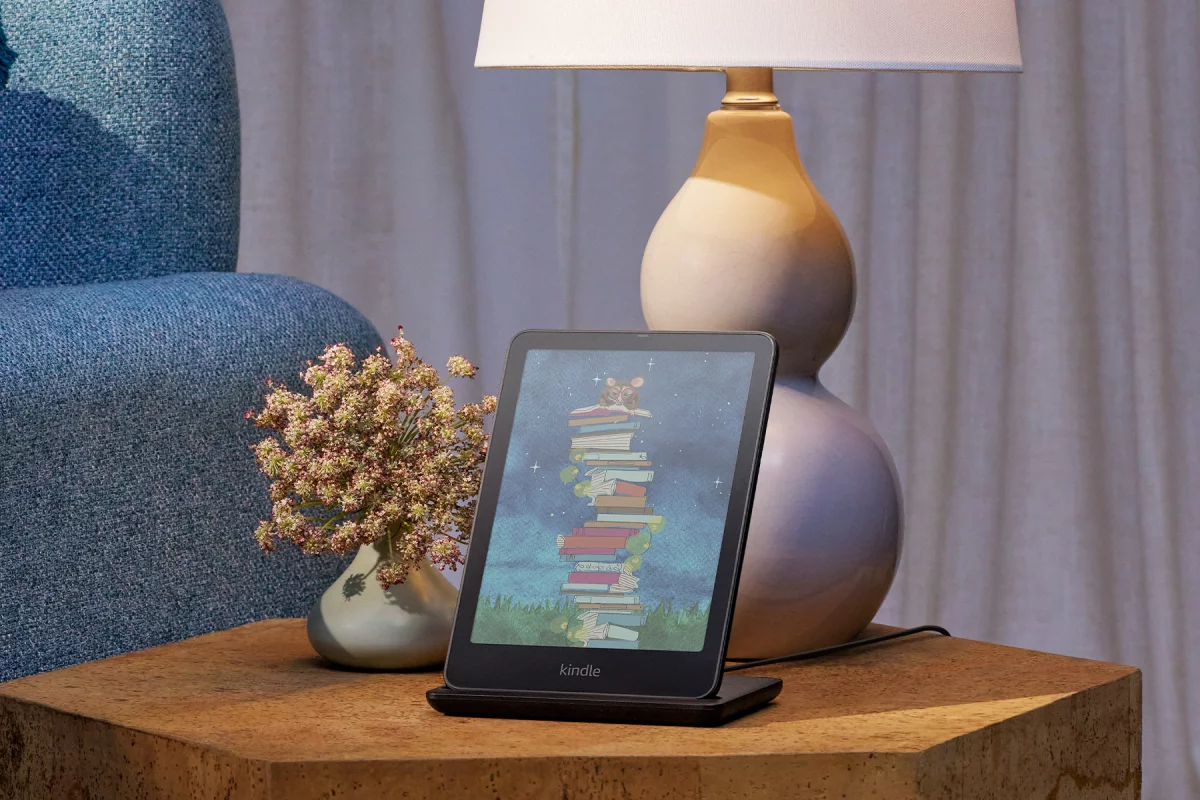
A Kindle works well straight out of the box. Charge it, sign in, download a book, and you’re reading within minutes. But most Kindle owners eventually run into small frustrations that the device alone can’t solve.
Reading in bed means holding the Kindle at an awkward angle for an hour. Traveling means worrying about scratches, drops, or a dead battery halfway through a flight. Studying means annotating PDFs or switching between a book and a notebook. None of these problems are dealbreakers, but the right accessory can make each one disappear.
That’s the appeal of Kindle accessories. They don’t change what the device does. They change how comfortable, durable, and convenient it is to use every day. A good case protects a purchase that often costs well over $100. A page turner lets someone read one-handed under a blanket. A reading stand frees up both hands at the kitchen table.
At the same time, the Kindle accessory market is crowded, and not everything sold under a “Kindle accessories” label is worth buying. Search results are full of gimmicky stands, decorative skins, and “essential” bundles that solve problems most readers don’t actually have. Spending money on the wrong accessory doesn’t just waste cash. It can also clutter a reading setup that was fine without it.
This guide – Best Kindle Accessories You Actually Need (2026 Buyer’s Guide) – breaks down the accessories that genuinely improve the Kindle experience, the ones that are nice extras for specific lifestyles, and the ones most readers can comfortably skip. It also explains compatibility across the current Kindle lineup, which now includes the base Kindle, the Kindle Paperwhite and Paperwhite Signature Edition, the Kindle Colorsoft and Colorsoft Signature Edition, and the redesigned Kindle Scribe family.
By the end, readers should be able to answer two simple questions with confidence: which accessories are worth buying, and which ones are safe to leave in the cart.
It also helps to remember that “accessory” doesn’t automatically mean “necessary.” Some of the products covered below solve a real, everyday problem. Others solve a problem that only affects a small group of readers, or don’t solve much of anything beyond looking nice in a product photo. Sorting the two apart is really the whole point of this guide.
Quick Recommendation Table
| Accessory | Best For | Why It’s Useful | Recommended For | Essential or Optional |
|---|---|---|---|---|
| Protective Case | Everyday use | Guards against drops, scratches, and dust | Nearly every owner | Essential |
| Screen Protector | Heavy travelers, Scribe writers | Adds scratch resistance, can change writing feel | Bag carriers, cautious owners | Optional |
| Protective Sleeve | Travel, backpacks | Lightweight cushioning without daily bulk | Minimalists, commuters | Highly Recommended |
| USB-C Charger | Charging at home or on the road | Faster, safer charging than old cables | All owners | Essential |
| USB-C Cable | Backup charging | Cheap insurance against a frayed cable | All owners | Essential |
| Power Bank | Long trips, camping | Extra charge when outlets aren’t available | Frequent travelers | Nice-to-Have |
| Page Turner | Bedtime, blanket reading | Hands-free page flipping | Side sleepers, accessibility needs | Highly Recommended |
| Reading Stand | Desk, kitchen, studying | Frees both hands, reduces neck strain | Students, hands-free readers | Highly Recommended |
| Reading Pillow | Long reading sessions | Reduces arm and wrist fatigue | Frequent bedtime readers | Nice-to-Have |
| Book Light | Older Kindles, camping | Adds light where none exists | Basic Kindle owners, campers | Optional |
| Scribe Pen & Tips | Note-taking, annotation | Replaces the core writing tool | Kindle Scribe owners | Essential (Scribe only) |
| Travel Pouch | Flights, commutes | Organizes cables and protects the device | Frequent travelers | Nice-to-Have |
| Skins & Grips | Personalization | Adds style without changing function | Anyone who wants a personal touch | Optional |
Essential Kindle Accessories
1. Protective Cases
What It Is: A case is a cover that wraps around the Kindle, usually with a front flap that folds over the screen. Common types include fabric, leather, TPU (soft plastic), clear, slim, and folio-style cases.
Why You Might Need It: Kindles are portable, which also means they get tossed in bags, dropped on nightstands, and carried through airports. A case absorbs impact, keeps the screen from getting scratched by keys or coins, and often triggers auto-wake and sleep when opened or closed.
Who Should Buy It: Almost everyone. A Kindle without any protection is one accidental drop away from a cracked screen or a costly repair.
Things to Look For: Auto wake/sleep magnets, secure corner-grip construction, low added weight, and materials that hold up to daily handling. Leather ages well but costs more; fabric and TPU are lighter and cheaper. Folio cases with an interior pocket can be of added convenience for readers who also carry a stylus or notes.
Potential Drawbacks: Bulkier folio cases add weight and thickness, which some readers find uncomfortable for one-handed reading. Cheap cases can also block sensors or interfere with auto wake/sleep.
Final Recommendation: A case is one of the few accessories nearly every Kindle owner should buy. The choice isn’t whether to get one, but which material and style fits daily habits.
2. Screen Protectors
What It Is: A thin film or tempered glass layer applied directly to the Kindle’s display.
Why You Might Need It: Kindle screens are more scratch-resistant than they look, but a protector adds a buffer against sharp objects in a bag or pocket. Matte protectors also reduce glare in bright light, while tempered glass adds a layer of impact resistance.
Who Should Buy It: Readers who carry their Kindle loose in a bag with keys or other hard objects, and anyone especially cautious about resale value down the line.
Things to Look For: For standard Kindles, a matte anti-glare film is usually enough. For the Kindle Scribe, the choice matters more, since the display is textured to create friction for the stylus. A poorly matched protector can make handwriting feel slippery or unnatural, so Scribe owners who write often should look specifically for protectors designed for e-paper and stylus use, or consider skipping one entirely.
Potential Drawbacks: Many readers can safely skip this accessory. If the Kindle already lives inside a case, and it isn’t tossed loose into a bag, the added protection is minimal. Bubbles, dust under the film, and reduced touch sensitivity are common complaints with cheaper protectors.
Final Recommendation: Optional for most reading-only Kindles. More worth considering for Kindle Scribe owners, but only with a protector made for that specific use case.
3. Protective Sleeves
What It Is: A padded pouch that the Kindle slides into, rather than a case that stays attached during reading.
Why You Might Need It: Sleeves protect a Kindle while it’s in a bag or backpack, without adding bulk while actually reading. This makes them a popular alternative to a case for people who don’t want the extra weight during a reading session but still want protection while carrying it.
Who Should Buy It: Travelers, students, and commuters who store the Kindle in a bag most of the day and only take it out for shorter reading sessions.
Things to Look For: Neoprene or padded felt materials, a snug (not loose) fit for the exact Kindle model, and a closure that keeps the device from sliding out.
Potential Drawbacks: A sleeve offers no protection once the Kindle is out of it, so it doesn’t replace a case for readers who want drop protection during actual use.
Final Recommendation: A smart addition for people who already use a case at home but want lighter protection on the move. Not necessary for readers who rarely leave the house with their Kindle.
4. USB-C Chargers
What It Is: A wall adapter that plugs into an outlet and powers the Kindle through its USB-C port. Every current Kindle, from the base model to the Scribe, charges over USB-C.
Why You Might Need It: Kindles don’t ship with a wall adapter in the box anymore, only a cable. A dedicated charger means not having to borrow one from a phone or laptop.
Who Should Buy It: Anyone who doesn’t already own a spare USB-C wall adapter, and travelers who want a compact charger dedicated to their reading device.
Things to Look For: Wattage matters less for a Kindle than for a phone or laptop, since e-readers draw very little power. A basic 10W to 20W USB-C charger is more than enough. Multi-port chargers are useful for people traveling with several devices, but higher wattage claims aimed at fast-charging phones don’t meaningfully speed up a Kindle.
Potential Drawbacks: Overpriced “fast charging” chargers marketed specifically for Kindles don’t offer real-world benefits, since the device’s battery and charging circuitry only draw a modest amount of power regardless of the adapter.
Final Recommendation: Essential, but readers don’t need to spend extra chasing high wattage. A reliable, basic USB-C charger should be more than enough for the job.
5. USB-C Charging Cables
What It Is: The cable that connects the Kindle to a charger or computer.
Why You Might Need It: Cables wear out, fray, or get lost. A spare avoids being stuck with a dead Kindle and no way to charge it.
Who Should Buy It: Every owner should have at least one backup cable, especially those who travel often.
Things to Look For: Braided cables resist fraying better than plain rubber ones. Length matters for convenience. A short cable works at a desk, while a longer one is better for charging in bed or from a floor outlet.
Potential Drawbacks: Ultra-cheap cables sometimes charge slowly or fail within weeks. It’s worth spending a small amount more for a reputable brand.
Final Recommendation: Essential. A spare cable is inexpensive insurance against an inconvenient dead battery.
6. Power Banks
What It Is: A portable battery pack used to recharge the Kindle without an outlet.
Why You Might Need It: Kindle batteries already last for weeks under normal use, which makes a power bank far less necessary than it would be for a smartphone.
Who Should Buy It: Travelers on extended trips without regular outlet access, campers, and readers who also use the power bank for other devices like phones.
Things to Look For: A small power bank in the 5,000mAh to 10,000mAh range is plenty, since a Kindle needs very little energy to top up. Airlines restrict power bank capacity for carry-on luggage, so travelers should check current limits before flying with one.
Potential Drawbacks: For most readers, a power bank is unnecessary. Kindle battery life is long enough that a nightly charge at home is all most people need.
Final Recommendation: A nice-to-have for frequent travelers, but not something typical readers need to rush out and buy.
7. Kindle Page Turners
What It Is: A small remote, usually a ring or clip-on device, that lets a reader flip pages without touching the Kindle’s screen. Most connect over Bluetooth or a similar wireless connection, and some clip directly onto the edge of the Kindle or its case.
Why You Might Need It: This has become one of the most popular modern Kindle accessories, and for a good reason. It solves a specific, common problem: needing to tap the screen while lying in bed, holding a warm blanket, or reading with one hand occupied.
Who Should Buy It: People who read in bed regularly, side sleepers who find screen-tapping awkward from certain positions, and anyone with limited hand mobility who benefits from a larger, dedicated button. It’s also popular during colder months, when readers want to keep a hand tucked under a blanket instead of reaching out to tap the screen.
Things to Look For: Battery life, one-handed usability, and confirmed compatibility with the specific Kindle model. Compatibility varies. Amazon doesn’t make an official page turner itself, so this remains a third-party accessory category, and some models don’t work well with older Kindle generations that lack a fully responsive capacitive touchscreen.
Potential Drawbacks: Quality varies widely between brands, and cheaper models can disconnect or double-tap unexpectedly. It’s also one more small device to charge and keep track of.
Final Recommendation: Genuinely useful for the right reader, especially anyone who reads in bed often. Worth the modest cost for the comfort it adds.
8. Adjustable Reading Stands
What It Is: A stand or mount that holds the Kindle upright at an angle, whether on a desk, nightstand, kitchen counter, or bed frame.
Why You Might Need It: Reading stands free up both hands, which is useful for cooking while following a recipe, studying while taking notes, or simply resting the arms during a long session. Kindle Scribe owners also use stands during video calls or presentations when referencing notes.
Who Should Buy It: Students, people who read while eating or cooking, and Kindle Scribe users who reference notes hands-free.
Things to Look For: Adjustable arms or gooseneck designs offer more flexibility than fixed stands. Stability matters more than looks. A stand that wobbles or tips over isn’t worth the convenience.
Potential Drawbacks: Not portable in the way a case or sleeve is, and largely unnecessary for readers who only read while lying down or sitting comfortably with the device in hand or on the desk.
Final Recommendation: Highly recommended for specific situations like the kitchen or desk, but not essential for casual readers who mainly hold their Kindle.
9. Reading Pillows
What It Is: A shaped cushion, sometimes with an arm sleeve or attached stand, designed to support the arms and wrists during reading.
Why You Might Need It: Long reading sessions, especially in bed, can strain the arms, wrists, and shoulders. A reading pillow distributes that weight and holds a more comfortable, consistent angle.
Who Should Buy It: Frequent bedtime readers, people who read for multiple hours at a stretch, and anyone who already experiences wrist or arm discomfort during reading sessions.
Things to Look For: Firm support that doesn’t collapse under the Kindle’s weight, breathable fabric, and a shape that matches how the reader typically sits or lies down.
Potential Drawbacks: This is a comfort accessory, not a functional necessity. Readers with shorter sessions may never notice a difference.
Final Recommendation: A nice-to-have for people who already read for long stretches and want more comfort. Skippable for occasional readers.
10. Book Lights
What It Is: A clip-on or standalone light designed to illuminate a Kindle screen or physical pages in the dark.
Why You Might Need It: Modern Kindles already include a built-in, adjustable front light, so most owners don’t need a separate light source. Book lights matter more for older basic Kindle models without a front light, and in situations like camping or power outages where no other light is available.
Who Should Buy It: Owners of the oldest base Kindle models without built-in lighting, plus campers and travelers who want a backup light source.
Things to Look For: Battery life, brightness adjustment, and a clip design that doesn’t interfere with a case.
Potential Drawbacks: For anyone using a Paperwhite, Colorsoft, or Scribe, all of which include adjustable built-in lighting, a separate book light is redundant.
Final Recommendation: Optional for most current Kindle owners, but genuinely useful for older devices or emergency situations like camping trips.
11. Kindle Scribe Accessories
What It Is: A category of accessories built specifically around the Kindle Scribe’s note-taking features, including replacement pens, pen tips, magnetic folio cases with a pen holder, and desk or keyboard stands.
Why You Might Need It: The Kindle Scribe ships with either a Basic Pen or a Premium Pen (the Premium version adds a dedicated eraser on one end). Both are battery-free and attach magnetically to the side of the device, but the tip wears down over time from contact with the display’s textured surface. Amazon includes five spare tips and a small removal tool in the box, and additional tip packs are widely available once those run out.
Who Should Buy It: Anyone who uses their Scribe regularly for handwritten notes, PDF markup, or journaling will eventually need replacement tips. A magnetic folio case with a built-in pen loop is worth it for anyone who doesn’t want to misplace the pen.
Things to Look For: Tip material affects the feel of writing. Some replacement tips are firmer for a more precise, pen-like feel, while others are softer to mimic pencil-like friction. Folio cases should hold the pen securely without it slipping loose in a bag.
Potential Drawbacks: Scribe-specific accessories don’t work with any other Kindle model, so they’re a wasted purchase for anyone without a Scribe. Premium stylus replacements can also be pricier than expected for what is essentially a plastic nib.
Final Recommendation: Essential, but only for Scribe owners. A spare tip pack is worth having on hand before the included ones wear out, and a case with a pen holder solves a very real problem of a loose stylus rattling around a bag.
12. Travel Accessories
What It Is: A broader category covering waterproof pouches, hard-shell carrying cases, cable organizers, compact chargers, and dedicated travel pouches.
Why You Might Need It: Travel introduces risks that everyday home use doesn’t: spilled drinks, checked luggage, airport security bins, and unpredictable weather. A hard-shell case or waterproof pouch protects against situations a standard case doesn’t fully cover.
Who Should Buy It: Frequent travelers, beach and pool readers, and anyone who checks their Kindle in luggage rather than keeping it in a carry-on.
Things to Look For: A hard-shell case is worth it for checked luggage; a soft sleeve is enough for a carry-on bag. Waterproof pouches matter most for pool or beach reading, even though most current Kindles already carry an official water-resistance rating for accidental splashes, not full submersion with the device unprotected.
Potential Drawbacks: Buying every travel accessory at once is overkill. Most travelers only need one or two of these, matched to how they actually travel.
Final Recommendation: Worth curating selectively based on travel habits, rather than buying the whole category at once.
13. Personalization Accessories
What It Is: Vinyl skins, decorative stickers, clear cases, PopSockets, and hand straps that change the look or grip of a Kindle without altering its core function.
Why You Might Need It: Some readers simply want their device to feel personal, or want a better grip for one-handed reading.
Who Should Buy It: Anyone who wants to express personal style, or readers who specifically struggle with grip and want a strap or grip accessory.
Things to Look For: Skins and stickers should be residue-free when removed. Grip accessories like straps should attach without blocking ports, buttons, or the auto wake/sleep sensor.
Potential Drawbacks: Purely cosmetic accessories add no functional value. They’re worth buying only if personalization genuinely matters to the reader. Adhesive skins can also leave residue behind on removal if left on for a long time, particularly in hot climates or direct sunlight.
Final Recommendation: Entirely optional. A fun extra for readers who want it, and completely skippable for those who don’t care about appearance.
Kindle Model Snapshot
Since several sections above reference compatibility, it helps to see the current lineup side by side before deciding which accessories to shop for:
- Kindle (base model): The most affordable entry point, best paired with a simple case and a spare cable. A book light is the one accessory this model benefits from more than the rest of the lineup, since older units in this line skip a built-in front light.
- Kindle Paperwhite / Paperwhite Signature Edition: The most popular tier, and the one with the widest accessory selection. The Signature Edition adds wireless charging, which pairs well with a charging dock accessory for a nightstand setup.
- Kindle Colorsoft / Colorsoft Signature Edition: Shares most dimensions with the Paperwhite line, but color accuracy makes a matte screen protector a slightly more attractive option for readers who want to keep the display looking pristine for comics or highlighted notes.
- Kindle Scribe (all three tiers): The only line that supports a stylus, and the only one where pen tips, folio cases with a pen loop, and writing-specific screen protectors come into play.
Accessories That Most People Can Skip
Not every product marketed as a “must-have Kindle accessory” or “Best Kindle Accessories” is worth the label. Here are a few such accessories that you can safely skip:
- Cheap generic chargers that make exaggerated fast-charging claims a Kindle’s battery can’t actually benefit from.
- Poor-quality cases with weak magnets, ill-fitting cutouts, or cheap stitching that falls apart within months.
- Overpriced luxury accessories, like premium leather cases priced far above what the materials and craftsmanship justify.
- Gimmicky add-ons, such as novelty stands or attachments that solve a problem few readers actually have.
- Redundant book lights for anyone already using a Paperwhite, Colorsoft, or Scribe with built-in adjustable lighting.
- Bundled accessory kits that pad out a purchase with items like extra cloths, unnecessary adapters, or low-quality styluses no one asked for.
None of these purchases are dangerous or defective by nature. They simply don’t add meaningful value for most readers, and skipping them is often the smarter financial decision.
How to Choose Kindle Accessories
Compatibility
Accessories differ by Kindle model, and mixing them up is one of the most common mistakes buyers make. A case designed for the Kindle Paperwhite won’t fit the larger Kindle Scribe, and a Colorsoft Signature Edition case may not fit the standard Colorsoft due to slight differences in button and port placement between models. Always check the exact device name and generation before buying, since Amazon has released multiple hardware revisions of the Paperwhite and base Kindle over the years that look similar but aren’t interchangeable.
The current lineup makes this especially important to double check. Amazon currently sells the base Kindle, the Kindle Paperwhite and Paperwhite Signature Edition, the Kindle Colorsoft and Colorsoft Signature Edition, and the Kindle Scribe, which itself now comes in three versions: an entry model without a front light, a standard front-lit model, and the color Scribe Colorsoft. Each of these has slightly different dimensions, so a listing that simply says “fits Kindle Paperwhite” without naming a generation or release year is worth a second look before buying. When in doubt, checking the accessory listing against the exact model name printed on the device’s product page is the safest way to avoid a return.
Build Quality
Materials matter more than they might seem to on a spec sheet. Stitching that comes loose, magnets that weaken over time, and hinges that crack after repeated folding are common complaints with lower-end accessories. Weight is also worth considering, especially for cases, since a heavier case changes how comfortable one-handed reading feels over a long session.
Portability
Some accessories, like reading stands, add real value at home but aren’t practical to carry around. Others, like sleeves and slim cases, are built specifically with portability in mind. It helps to think about where the Kindle will actually be used most before buying something bulky.
Reading Habits
Different reading habits call for different accessories:
- At home: a case and possibly a reading stand.
- During travel: a sleeve, spare cable, and a compact charger.
- In bed: a page turner and possibly a reading pillow.
- Outdoors: a case with strong drop protection, and a book light for older models.
- For studying: a reading stand and, for Scribe owners, spare pen tips.
- For work: a folio case that protects both the device and a stylus.
Budget
Prioritizing purchases helps avoid overspending. A simple, effective approach is to buy essentials first, then decide whether the more situational accessories are worth adding later. A case and a reliable charger cover most of what a new owner needs on day one. Everything else can wait until a specific need actually comes up.
Frequently Asked Questions
Do I really need a Kindle case? Yes, for almost everyone. A case is one of the cheapest ways to protect a device that often costs well over $100, and most cases also add auto wake/sleep convenience.
Is a screen protector worth it? It depends. Most reading-only Kindles don’t strictly need one, especially if they’re already kept in a case. Kindle Scribe owners who plan to write often should be more careful, since the wrong protector can change how the pen feels on the screen.
Are page turners worth buying? For readers who read in bed or need hands-free page flipping, yes. For readers who mostly sit at a desk or read casually, it’s a nice extra rather than a necessity.
Can I use any USB-C charger? Generally, yes. Kindles don’t need high wattage to charge efficiently, so a basic USB-C charger from a reputable brand works fine. There’s no benefit to buying an expensive, high-wattage charger specifically for a Kindle.
Which accessories fit every Kindle? Generic accessories like power banks, USB-C cables, and basic chargers work across the entire lineup since all current models charge over USB-C. Cases, covers, and page turners, however, are model-specific.
Which accessories are exclusive to Kindle Scribe? Replacement pens, pen tips, and magnetic folio cases with a pen holder are exclusive to the Scribe line, since no other Kindle model includes stylus support.
Are Kindle accessories interchangeable between models? Rarely for cases and covers. Even similarly sized models can have different port placements, button locations, or dimensions that prevent a case from fitting properly.
What’s the best accessory for bedtime reading? A page turner solves the most common bedtime frustration, which is needing to tap the screen while lying in an awkward position. A reading pillow is a good complement for longer sessions.
What should I buy first after purchasing a Kindle? A case and a spare USB-C cable. These cover protection and basic charging reliability, which are the two most universally useful accessory categories.
Do I need a power bank for a Kindle? Most readers don’t. Kindle battery life is long enough that a power bank only becomes useful on extended trips without regular access to an outlet.
Is a reading stand worth it for casual readers? Not usually. Stands are most valuable for specific situations, like cooking, studying, or hands-free reading, rather than everyday casual use.
Can I use a phone screen protector on my Kindle? It’s not recommended. Kindle screens are a different size and, in the case of the Scribe, have a textured surface designed for stylus use that a phone-specific protector isn’t built to accommodate.
Does a case affect battery life or auto sleep/wake? A well-fitted case with properly placed magnets shouldn’t interfere with either. A poorly designed or ill-fitting case can occasionally cause auto wake/sleep to misfire.
Are official Amazon accessories better than third-party ones? Not automatically, but they tend to offer a more reliable fit and dependable auto wake/sleep function, since they’re designed directly against Amazon’s own specifications. Many third-party accessories are just as well made, but fit and quality vary more from brand to brand.
Final Verdict
The right Kindle accessories don’t need to be numerous, expensive, or trendy. They need to match how a specific person actually reads.
For nearly every owner, two purchases matter most:
- Must-Have Accessories: a protective case and a reliable USB-C charger. These cover the basics of protection and dependable charging that every Kindle owner benefits from.
Beyond that, a smaller set of accessories meaningfully improves day-to-day comfort:
- Highly Recommended Accessories: a page turner for bedtime reading, a reading stand for hands-free use, or a protective sleeve for travel.
Finally, a handful of accessories suit specific lifestyles rather than general use:
- Nice-to-Have Accessories: power banks for extended travel, reading pillows for long sessions, and personalization accessories like skins or straps.
The goal was never to own every Kindle accessory on the market. It’s to walk away from this guide knowing exactly which ones will actually get used, and which ones would just sit in a drawer. A Kindle already reads like paper and lasts for weeks on a single charge. The right accessories simply make it more comfortable, more durable, and easier to fit into daily life, without wasting money on things that don’t.