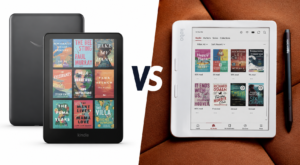
“Should I buy a Kindle or a Kobo?”
This is the question almost anyone out to buy a new e-reader asks before spending real money on a device they will use for years. It sounds simple. But the answer depends on how someone reads, where they buy books, and how much control they want over their digital library.
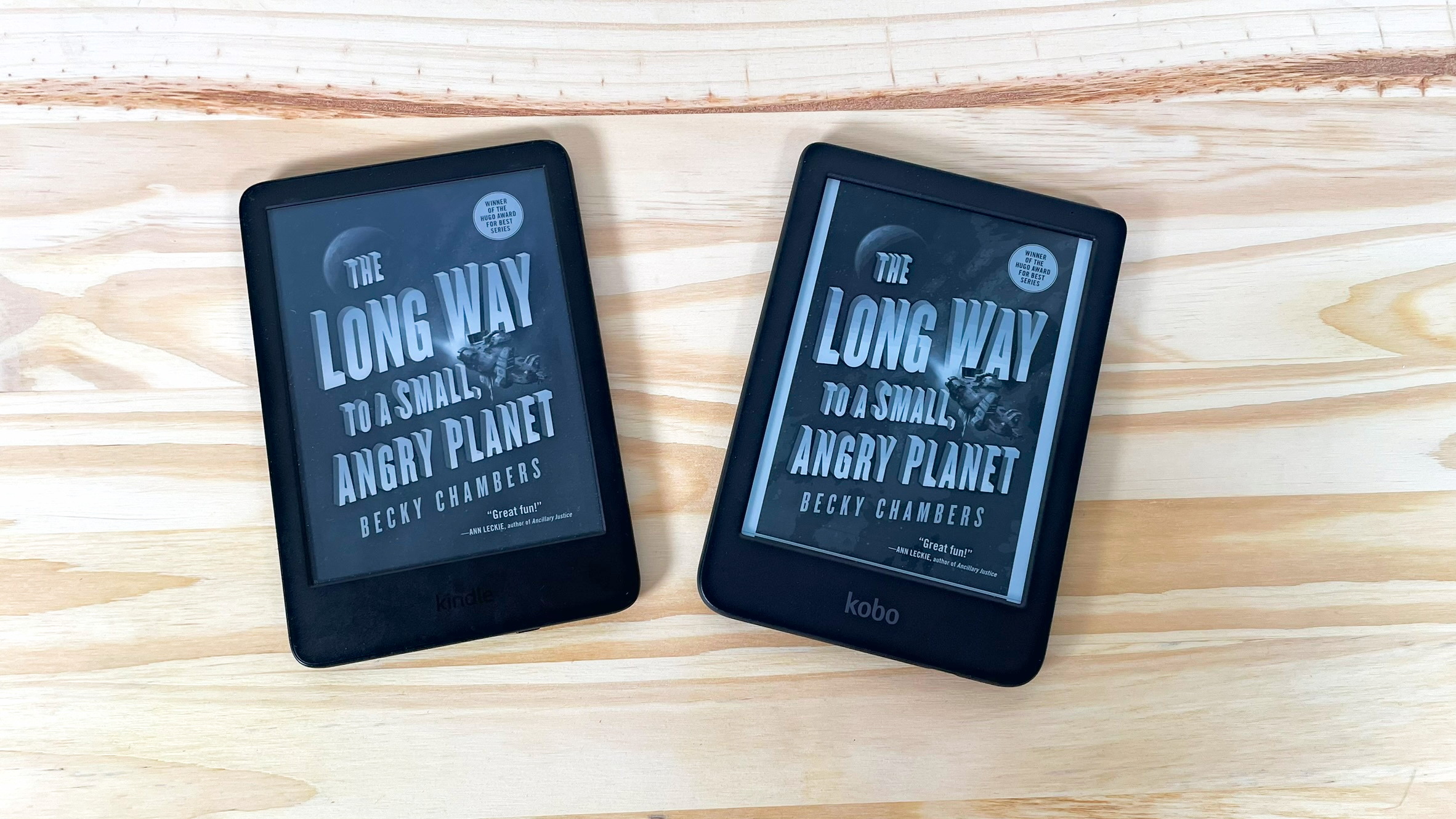
Both Kindle and Kobo use E Ink displays. Both promise distraction-free reading, free of notifications and blue light. On the surface, the two brands look almost identical. However, they take very different approaches to software, bookstores, library support, customization, and overall philosophy.
This comparison matters more today than it did a few years ago. Both companies now sell color e-readers, both support note-taking, and both compete hard for library patrons and subscription readers. The gap between the two brands has narrowed in some areas and widened in others, which makes an up-to-date comparison more useful than ever.
This guide compares Kindle and Kobo across every category that matters in 2026. That includes hardware, displays, file formats, library borrowing, subscriptions, note-taking, battery life, and pricing. By the end, readers should know exactly which e-reader fits their habits, without needing to check another comparison.
Quick Comparison Table
| Category | Best Choice | Why It Wins |
|---|---|---|
| Best overall | Kindle Paperwhite | Balances price, ecosystem, and reading comfort for most readers |
| Best for beginners | Kindle | Simplest setup and the most polished software |
| Best for library books | Kobo | Built-in library borrowing that works in more countries |
| Best for sideloading | Kobo | Reads EPUB natively and works smoothly with Calibre |
| Best display | Tie | Both use comparable E Ink Carta and Kaleido panels |
| Waterproof models | Tie | Kindle Paperwhite, Colorsoft, and Scribe match Kobo’s Clara and Libra lines |
| Battery life | Tie | Both last weeks with the front light and Wi-Fi turned off |
| Store selection | Kindle | Larger catalog and more frequent deep discounts |
| PDF handling | Kobo | More cropping, margin, and contrast tools across the lineup |
| Customization | Kobo | Custom fonts, screensavers, and community tools like NickelMenu |
| Value for money | Kobo (budget) / Kindle (ecosystem) | Depends on whether price or ecosystem matters more to the reader |
Kindle vs Kobo at a Glance
Kindle launched in 2007 and remains the world’s most popular e-reader. It is built and sold by Amazon, and it is tightly woven into Amazon’s other services. That includes the Kindle Store, Kindle Unlimited, Audible, and Amazon’s shopping account system. For most casual readers, especially in the United States, Kindle is the default choice.
Kobo has its roots in Canada but was later acquired by Rakuten, the Japanese e-commerce company that also owns the audiobook service Kobo Audiobooks. Kobo devices are less common in the US, but they are widely sold in Canada, the UK, Australia, and much of Europe. Kobo has built its reputation on being the more open alternative to Kindle. It supports more file formats out of the box and gives readers more control over their libraries.
Amazon introduced the first Kindle at $399, a steep price but still sold out within hours. Since then, the lineup has expanded into several tiers: a basic entry model, the mid-range Paperwhite, the color Colorsoft, and the note-taking Scribe family. Each generation has focused on making reading faster, lighter, and more integrated with Amazon’s other products.
Kobo entered the market a couple of years after Kindle, originally as a joint venture backed by Canadian bookstore chain Indigo. Rakuten acquired Kobo in 2012 and has continued investing in it as a reader-first alternative to Amazon. Kobo’s product lineup mirrors Kindle’s in structure, with a compact Clara line, a mid-size Libra line with page buttons, and the larger Elipsa line for note-taking, but its software has always leaned toward openness rather than lock-in.
The core difference comes down to philosophy. Kindle wants readers to stay inside Amazon’s ecosystem. That includes buying books, subscriptions, and accessories all from one company. Kobo does not seem to mind if readers bring their books from anywhere, whether that’s the Kobo Store, a public library, or a personal file collection.
Design and Build Quality
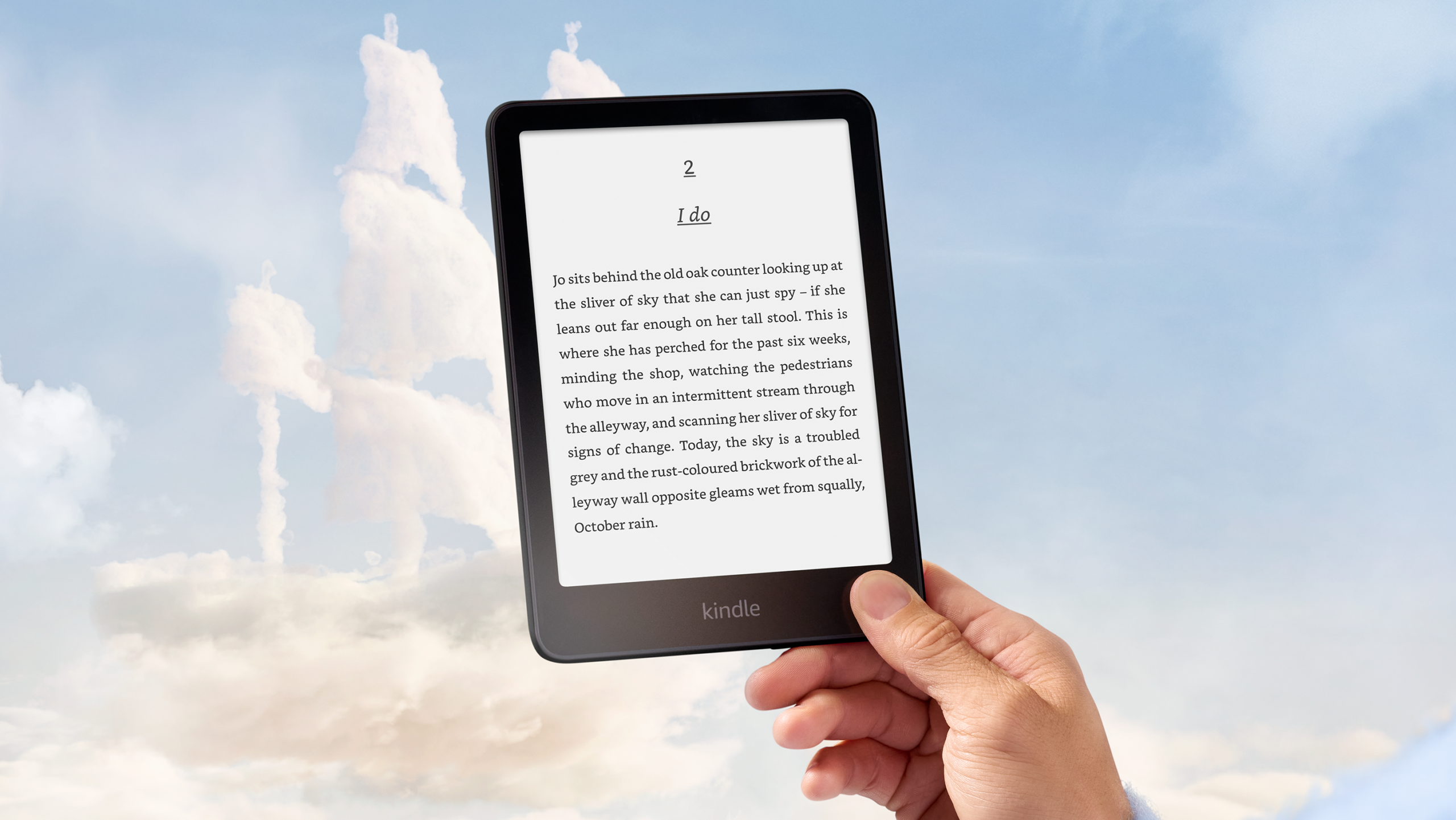
Both brands use lightweight plastic bodies with textured backs for grip. Neither line uses premium metal or glass on the outside, which keeps devices light and affordable.
A few real differences stand out:
- Buttons vs touchscreen. The Kobo Libra Colour includes physical page-turn buttons. Current Kindle models, including the Paperwhite and Colorsoft, rely entirely on touch and swipe gestures. The last Kindle to come with physical buttons happens to be the Kindle Oasis, which has gone out of production.
- Weight. Entry-level models from both brands weigh under 180 grams. Larger color and note-taking models weigh more, in the 350 to 400 gram range.
- Water resistance. Kindle Paperwhite, Colorsoft, and Scribe models carry an IPX8 rating. Kobo’s Clara and Libra lines match that rating. The base Kindle model does not include waterproofing.
- Ergonomics. Kobo’s Libra-series devices use an asymmetrical shape, with one side thicker to hold like a paperback. Kindle’s current lineup uses a flat, symmetrical design across the board. Interestingly, it was the Kindle Oasis that first started the asymmetrical design layout trend, but, as already stated, it isn’t produced anymore.
- Durability. Both brands hold up well under normal use. Screen protectors and cases are recommended for anyone who reads in bags or backpacks.
Portability is a non-issue for either brand. Every current model, aside from the two note-taking tablets, fits easily into a bag, purse, or large pocket. Both brands also lean on similar materials: recycled plastics have become more common in Kobo’s builds, while Amazon has made smaller sustainability claims about recycled content in newer Kindle models.
Neither brand has a clear design advantage. Readers who like physical page buttons will lean toward Kobo. Readers who prefer a simpler, flatter shape will be equally happy with Kindle.
Display Comparison
Both companies use E Ink display technology, which mimics the look of ink on paper and avoids the eye strain of backlit screens.
For black-and-white reading, Kindle Paperwhite and Kobo Clara BW both use E Ink’s Carta panel at around 300 pixels per inch. Text looks equally sharp on both. For color reading, Kindle Colorsoft and Kobo’s Libra Colour and Clara Colour use E Ink’s Kaleido panel. Color resolution is lower than the black-and-white layer underneath it, so covers and illustrations look good but not vivid like that of a tablet with a conventional screen.
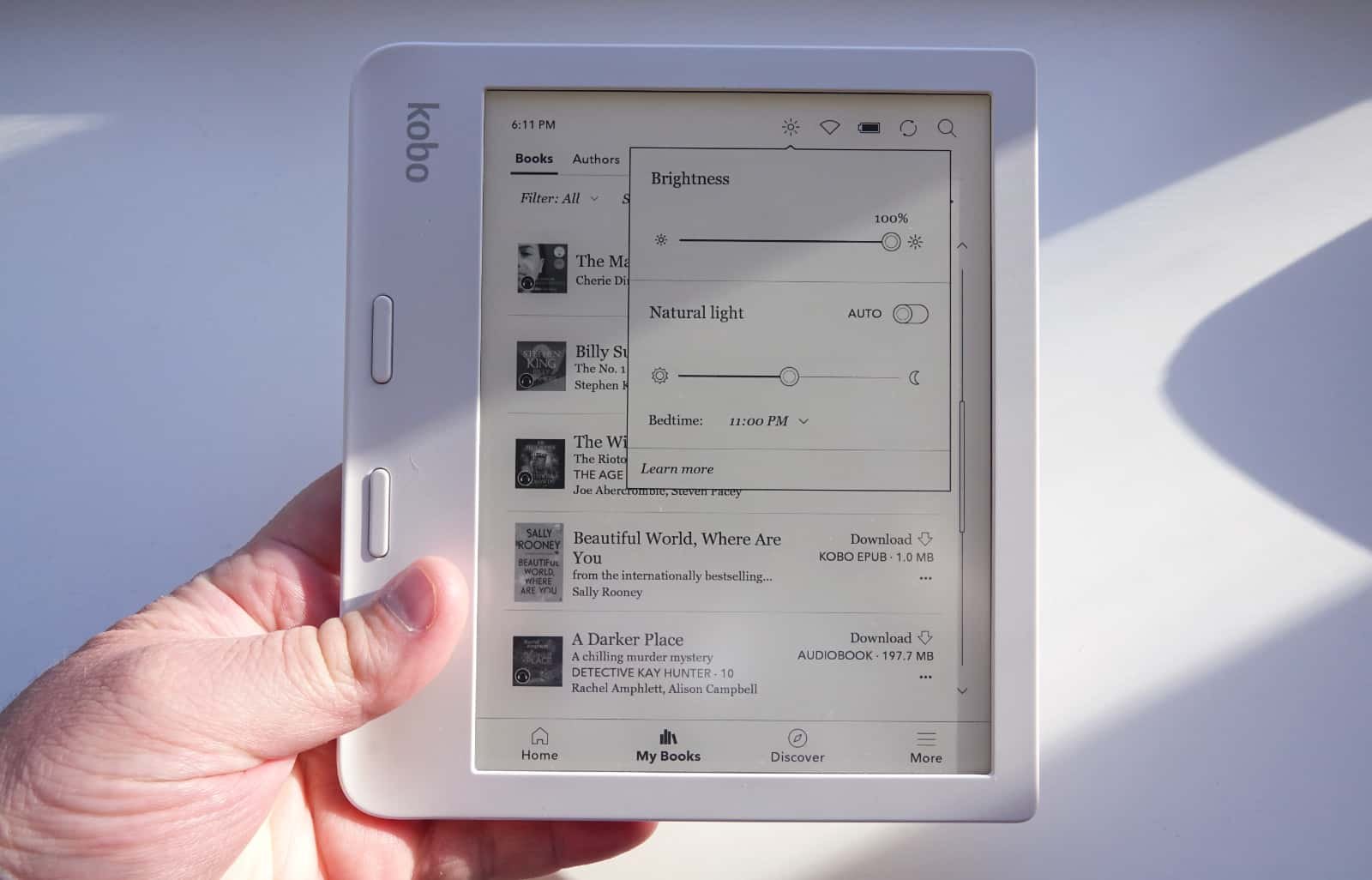
Both brands offer adjustable front lighting with a warm-light option for night reading. Amazon calls this “Warm Light.” Kobo calls its version “ComfortLight PRO.” Both let readers shift the light from cool white to amber.
Dark mode is one area where Kobo has had a head start. Kobo devices have offered a full system-wide dark mode for years. Amazon is still rolling this feature out across the Kindle Scribe Colorsoft and other models through 2026, with older Kindles relying on the “Page Color” feature instead, which only inverts the book page rather than the whole interface.
Outdoors, both brands perform well thanks to matte, glare-free screens. Neither line uses glass, so reflections are minimal even in direct sunlight.
Reading Experience
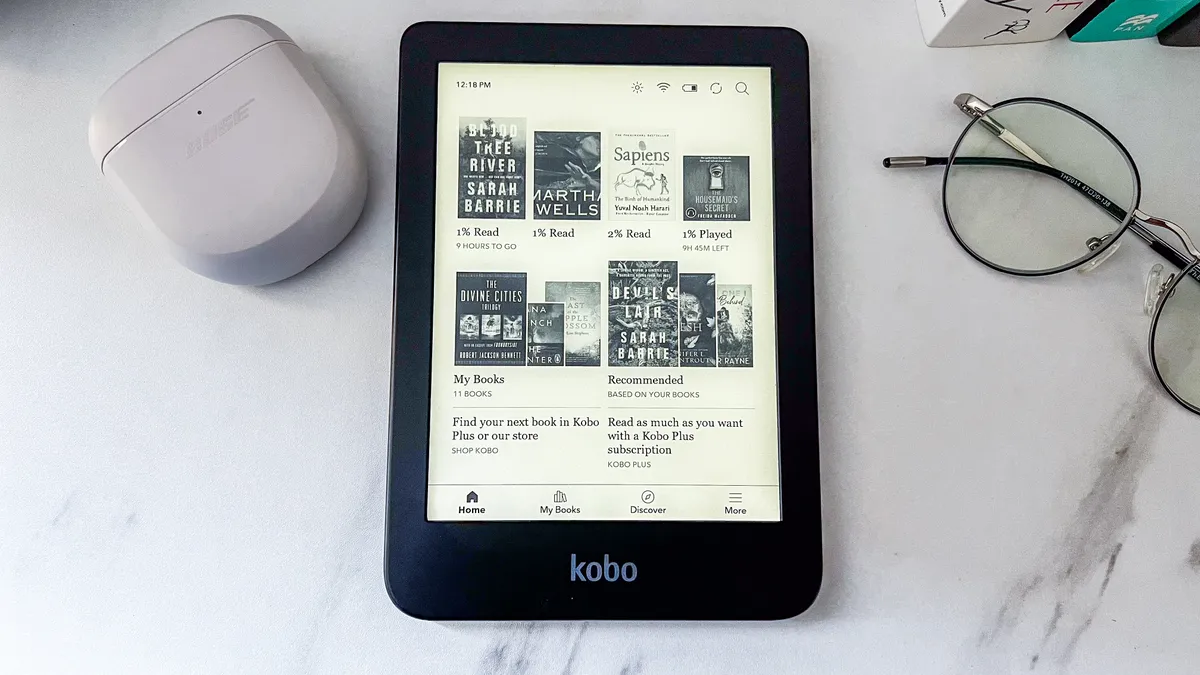
Reading on a Kindle and reading on a Kobo feels very similar day to day. Both offer adjustable fonts, font sizes, line spacing, margins, and landscape mode.
A few differences are worth noting:
- Page turning. Kobo’s Libra Colour lets readers turn pages with a button press, which some people find more comfortable for one-handed reading. Kindle relies on taps and swipes across its whole current lineup.
- Reading statistics. Kobo includes detailed reading stats built into its software, tracking reading speed, time spent per session, and streaks. Kindle’s stats are more limited by comparison.
- Lookup tools. Both support an on-device dictionary and Wikipedia lookups. Kindle adds X-Ray, which shows background information about characters and terms in supported books, along with Word Wise and a Vocabulary Builder for building a personal word list.
- Highlighting. Both support multi-color highlighting on color models, useful for readers who color-code notes by topic.
- Translation. Kindle includes basic in-book translation for many titles. Kobo’s translation support varies by book and region.
Neither brand has a runaway advantage here. Kindle edges ahead on vocabulary tools, while Kobo edges ahead on reading stats and physical buttons.
Book Ecosystem
This is one of the most important sections for anyone comparing Kindle vs Kobo, because it shapes years of future purchases.
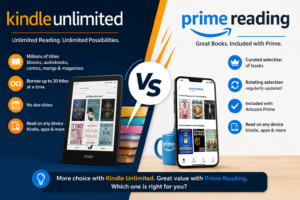
The Kindle Store is the largest e-book marketplace in the world. It has the deepest catalog, the most frequent daily deals, and the widest selection of independently published books through Amazon’s KDP program. Kindle Unlimited, Amazon’s reading subscription, costs $11.99 a month and includes access to more than four million titles, though not every bestseller is included.
The Kobo Store is smaller but still substantial, with millions of titles available. Kobo has built partnerships with independent bookstores, letting shoppers support a local bookshop while still buying digital books for their Kobo device. Kobo Plus, its subscription service, is more flexible than Kindle Unlimited. Readers can choose a $7.99 a month plan for e-books only, a $7.99 a month plan for audiobooks only, or a combined plan for $9.99 a month.
For audiobooks, Kindle owners typically turn to Audible, Amazon’s separate audiobook service, which offers a much larger audiobook catalog than Kobo Audiobooks. Kobo owners can buy audiobooks directly from the Kobo Store or use Kobo Plus Listen.
Comics and manga read well on either brand’s color models, thanks to the Kaleido display technology. Magazine support is stronger on Kindle, largely through Kindle Unlimited’s magazine selection.
In short: Kindle wins on catalog size and deals. Kobo wins on subscription flexibility and independent bookstore support.
Supported File Formats
File format support is one of the clearest differences between the two brands.
| Format | Kindle Support | Kobo Support |
|---|---|---|
| EPUB | Not native; converted through ‘Send to Kindle’ | Native, no conversion needed |
| AZW | Native (older Kindle Store format) | Not supported |
| AZW3 (KF8) | Native | Not supported without conversion |
| KFX | Native (current default format) | Not supported |
| MOBI | Legacy support only; no longer accepted for new uploads | Limited; usually needs conversion |
| Native, with basic reflow on some models | Native, with more cropping and margin tools | |
| TXT | Native | Native |
| DOCX | Native through ‘Send to Kindle’ conversion | Not native; convert to EPUB or PDF first |
| CBZ | Not supported | Native |
| CBR | Not supported | Native |
| HTML | Native through ‘Send to Kindle’ conversion | Native |
| RTF | Native through ‘Send to Kindle’ conversion | Not native; convert first |
| Images (JPG, PNG, GIF, BMP) | Native through ‘Send to Kindle’ | Native |
Kindle devices do not open EPUB files directly. Amazon’s ‘Send to Kindle’ service accepts EPUB uploads and converts them into AZW3 or KFX before delivering them to the device. This works well for most books, though very complex layouts can shift slightly during conversion.
Kobo devices read EPUB, PDF, CBZ, CBR, and several other formats without any conversion at all. Files can be copied straight onto the device over USB and will appear in the library immediately. This makes Kobo the far easier device for anyone who manages a personal e-book collection with Calibre, since Calibre’s native library format is EPUB.
Library Borrowing
Library borrowing is where the two brands diverge the most, and it can be a deciding factor for many buyers.
Both Kindle and Kobo work with Libby, the popular library app from OverDrive. However, the experience is very different on each device.
On Kobo, library borrowing is built directly into the device software. Readers can search their library’s catalog, borrow a book, and start reading, all without leaving the Kobo interface. This works in the US, Canada, the UK, Australia, and many other countries where Libby operates.
On Kindle, borrowing a library book means using the Libby app or website first, since Kindle Books format is only available to US libraries. After borrowing, readers select “Read with Kindle,” get redirected to Amazon’s website, and then confirm delivery to their device over Wi-Fi. It works well, but it takes more steps and is not available to library patrons outside the United States.
For readers who borrow frequently, Kobo generally offers the smoother experience. Kindle’s library support depends on Amazon’s licensing agreements and remains more limited geographically.
Software Experience
Kindle’s software is simple, clean, and beginner-friendly. Amazon has also added AI-powered features in 2026, including ‘Recaps’ for catching up on a series, ‘Story So Far’ for spoiler-free summaries of a book in progress, and ‘Ask This Book’ for answering questions about a passage.
Kobo’s interface is similarly clean, though slightly more utilitarian in places. Kobo has no lockscreen advertisements at all. Kindle’s cheapest models display ads on the lock screen unless the buyer pays a small premium for an ad-free version.
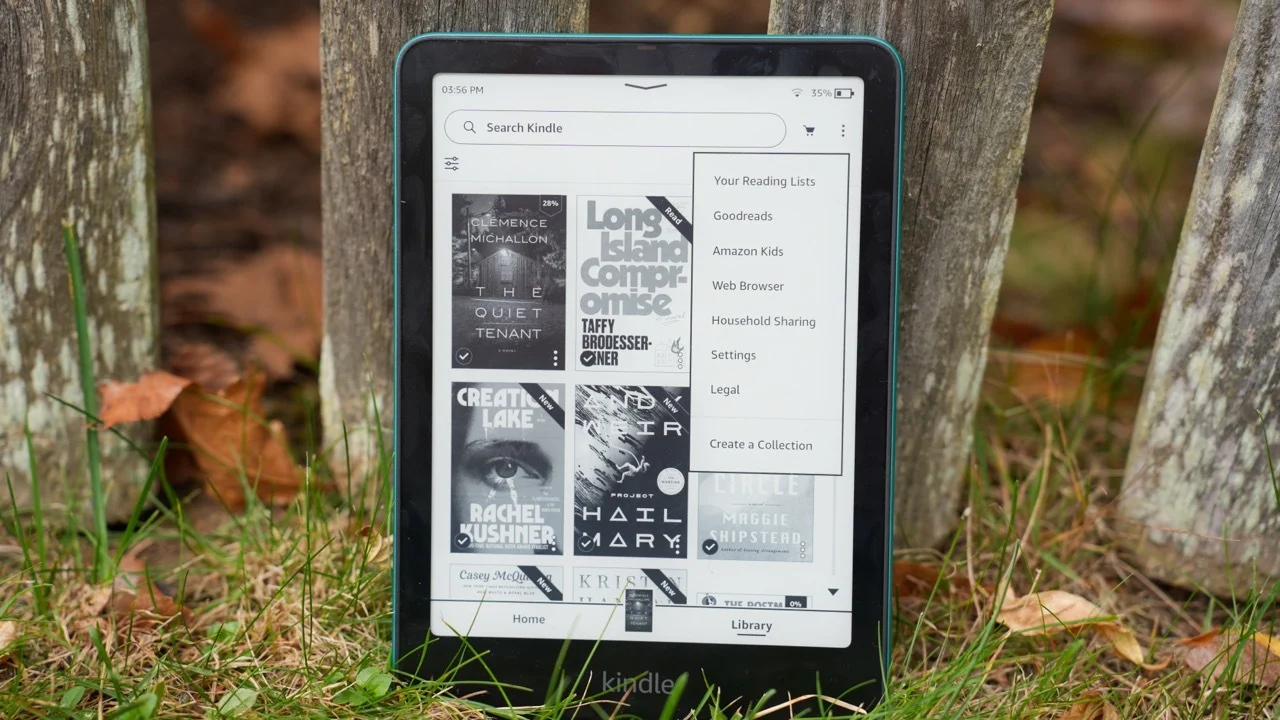
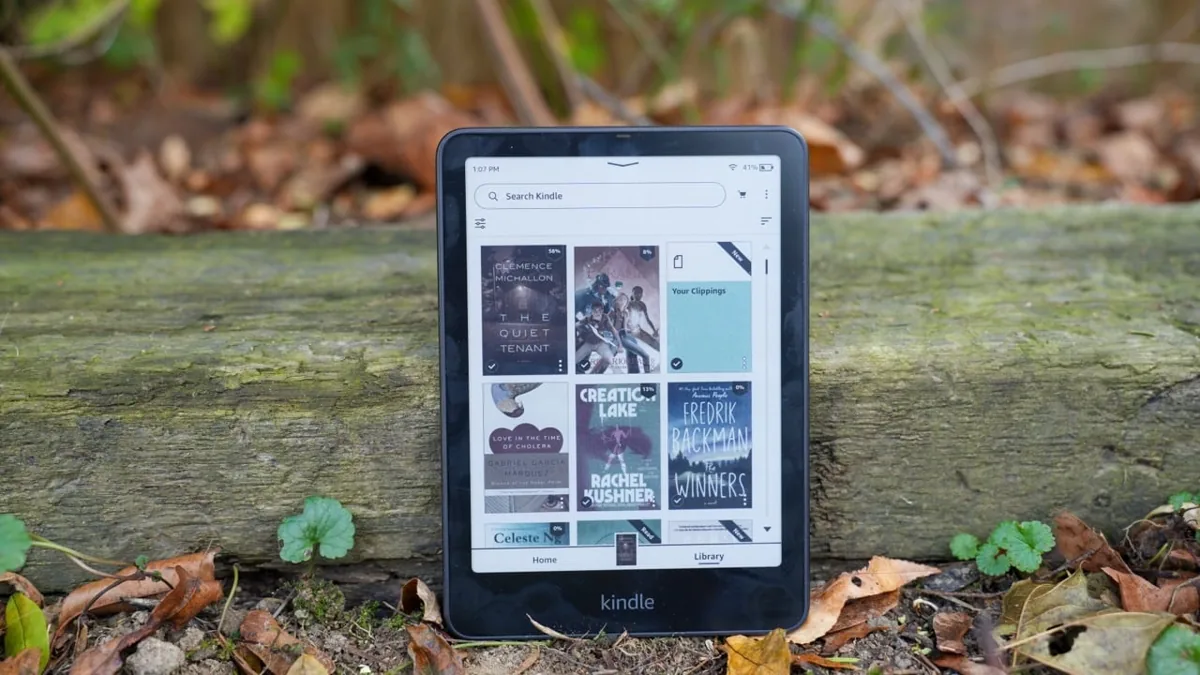
Menu structure is straightforward on both devices. Kindle organizes books into a Home screen, a Library tab, and Collections for grouping titles. Kobo uses a similar Home, Library, and Shelves structure. Search works well on both, though very large libraries can slow results slightly, especially on Kobo devices holding thousands of sideloaded files.
Discoverability is where the two diverge. Kindle’s Home screen actively promotes recommendations, deals, and store content, which some readers find useful and others find intrusive. Kobo’s Home screen is quieter and more focused on the reader’s own library.
Both platforms sync reading progress, bookmarks, and notes automatically across devices and apps, using Wi-Fi in the background. Update frequency favors Kindle slightly, partly because Amazon’s larger user base and newer AI features mean more frequent software rollouts.
Annotation and Note-Taking
For highlighting and basic notes, both platforms perform well. Highlights sync to the cloud, and both offer a way to review notes later: Kindle through its online notebook at read.amazon.com/notebook, and Kobo through its own notes and highlights section.
Serious note-taking is where the Kindle Scribe pulls ahead. It includes a full digital notebook with AI-powered search across handwritten notes, along with export options to Google Drive, Microsoft OneDrive, and OneNote. Students and professionals who want to combine reading and handwritten notes on one device will find the Scribe’s toolset more advanced.
Kobo’s answer is the Elipsa 2E, which supports handwritten notes and lets readers write directly in the margins of an e-book. It is a capable device, but its hardware has not been refreshed since 2023, and it feels dated next to the newer Scribe lineup as of 2026.
Battery Life
Battery life is strong on both brands, and real-world expectations are similar.
- Entry-level and mid-range models (Kindle Basic, Paperwhite, Kobo Clara BW, Clara Colour) typically last several weeks with the front light on moderate brightness and Wi-Fi turned off.
- Color models drain faster than black-and-white models on both brands, since the Kaleido color layer uses more power.
- Note-taking tablets (Kindle Scribe, Kobo Elipsa 2E) last weeks for reading but noticeably less when used heavily for writing and drawing.
- Turning off Wi-Fi, lowering front light brightness, and reducing warm light all extend battery life on either device.
Both brands charge over USB-C. Kindle’s Signature Edition and Colorsoft models add wireless charging support, which Kobo does not currently offer.
Audiobooks
Kindle owners generally pair their device with Audible, Amazon’s dedicated audiobook service, which has the deepest audiobook catalog of any platform. Kindle e-readers support Bluetooth, so audiobooks can be streamed to headphones or a speaker directly from the device.
Kobo owners can buy audiobooks individually from the Kobo Store or subscribe to Kobo Plus Listen for $7.99 a month. Kobo devices also support Bluetooth audio playback.
Audible’s catalog is larger and more polished, especially for bestsellers and celebrity-narrated titles. Kobo’s audiobook pricing is more flexible for readers who only want audio, without paying for e-book access they will not use.
Customization
This is where Kobo clearly outshines Kindle, and it is a major reason power users choose it.
- Custom fonts. Kobo lets readers add their own font files through a simple folder on the device. Kindle allows some personal font uploads, but the process is more restricted.
- Screensavers. Kobo makes it easy to set custom images as a screensaver. Kindle offers far less flexibility here without extra software.
- NickelMenu. This is a popular community tool that unlocks hidden settings and menu options on Kobo devices. Nothing comparable exists officially for Kindle.
- KOReader. This open-source reading app runs especially well on Kobo hardware, adding advanced formatting controls, statistics, and file format support beyond Kobo’s stock software.
- Sideloading. As covered earlier, Kobo reads EPUB and other common formats directly, making it the natural home for a personal, sideloaded library.
Readers who enjoy tinkering, building a Calibre-based library, or fine-tuning every detail of their reading setup will feel far more at home on a Kobo.
PDFs and Academic Reading
Neither platform handles PDFs perfectly, since PDFs are built for fixed-page layouts rather than reflowable text. However, there are differences worth knowing.
Both brands support zooming, cropping margins, and rotating into landscape mode for wide documents. Kobo tends to offer slightly more PDF tools across its lineup, including margin cropping and contrast adjustment on smaller models, not just the larger Elipsa.
For research papers, textbooks, and other large documents, screen size matters more than brand. The 11-inch Kindle Scribe and the 10.3-inch Kobo Elipsa 2E are both far better suited to PDFs than any 6- or 7-inch model. Complex layouts with side-by-side columns or heavy tables remain a struggle on both devices, and converting a PDF to EPUB or DOCX beforehand often produces a better reading experience than reading the original PDF.
Reflowable text, where a PDF’s content resizes to fit the screen like a normal e-book, works best on simple, single-column documents. Academic papers with footnotes, charts, and multi-column layouts rarely reflow cleanly on either brand, and readers who work with this kind of material often prefer a larger screen and manual zooming over relying on automatic reflow.
Privacy and Ecosystem Lock-In
Kindle ties closely to an Amazon account. Book purchases, reading data, and recommendations are all connected to the broader Amazon shopping ecosystem. Most Kindle purchases use Amazon’s proprietary formats, which keeps books tied to Kindle apps and devices unless converted.
Kobo, owned by Rakuten, also collects usage data, but its format choices are more open by default. Kobo Store purchases typically use industry-standard EPUB with Adobe DRM, which is compatible with a wider range of apps and devices than Amazon’s Kindle formats.
Amazon made one notable move toward openness in early 2026: eligible DRM-free titles in a Kindle library can now be downloaded directly in EPUB or PDF format, making it easier to move certain books to other apps or manage them in software like Calibre. This does not apply to most DRM-protected purchases, which remain locked to Amazon’s ecosystem.
Offline usage works well on both devices once a book has been downloaded. Neither brand requires a constant internet connection to read, though both use Wi-Fi in the background for syncing progress and delivering new purchases.
Ownership is the deeper question behind all of this. Buying a Kindle book is really buying a license to read it inside Amazon’s ecosystem, not a file the reader fully owns in the traditional sense. The same is broadly true of Kobo purchases, though the more standard EPUB format underneath makes it easier to move those files into other reading apps if a reader ever wants to leave the ecosystem entirely.
For readers who care about owning and freely moving their digital library, Kobo remains the more open option overall.
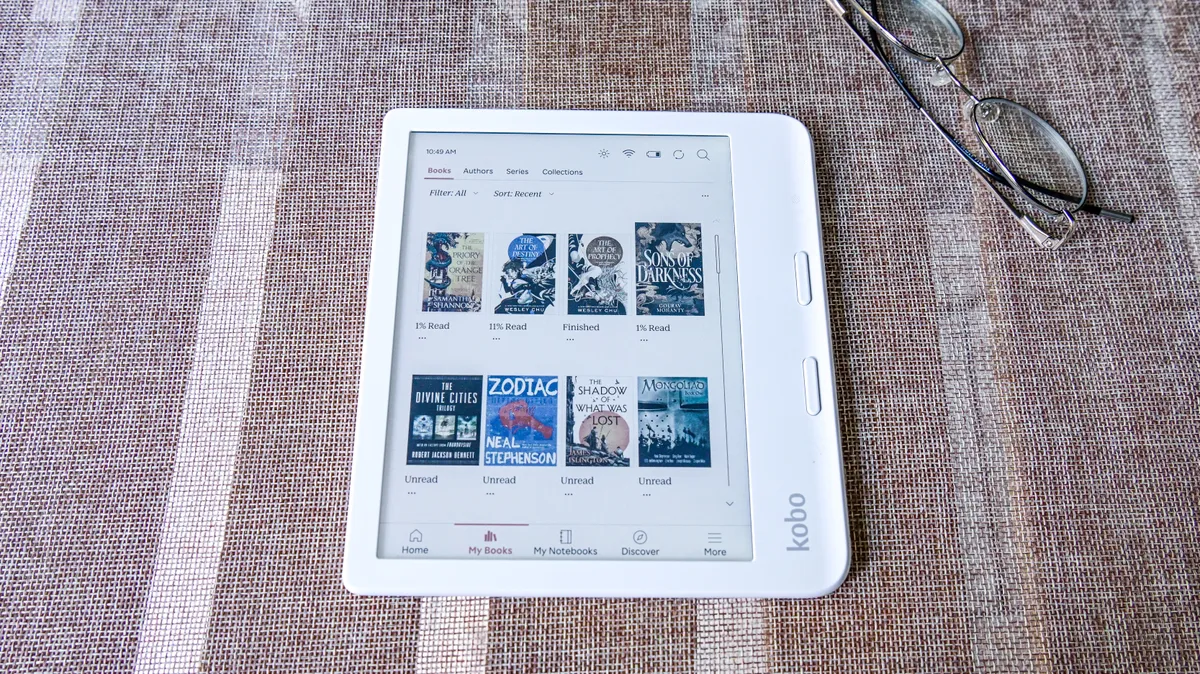
Performance
Boot times, page turns, and search speed are fast on current-generation hardware from both brands. Neither company has published raw processor specifications as a major selling point, since E Ink devices rely more on software optimization than raw speed.
Large libraries can slow down either device. Kindle’s cloud-first approach means not every purchased book needs to sit in local storage, which can help manage very large collections without filling up the device or slowing down search. Kobo handles large sideloaded libraries well, though performance can dip once a device holds several thousand individual files, since Kobo indexes everything stored locally rather than leaning on the cloud.
Book indexing and library management are both handled automatically in the background on modern software versions. Readers who sideload hundreds of personal files onto a Kobo may notice occasional slowdowns when scrolling through a large library or searching by title, something Kindle owners rarely experience since most of their books live in Amazon’s cloud until requested.
Accessories
Both ecosystems have healthy accessory markets.
- Cases. Amazon sells official cases for every current Kindle model, backed by an enormous third-party case market. Kobo also sells official cases, including seasonal limited-edition designs, though its third-party accessory market is smaller.
- Stylus support. The Kindle Scribe ships with an included pen. Kobo’s Libra Colour and Elipsa 2E support the Kobo Stylus 2, sold separately.
- Screen protectors and chargers. Widely available for both brands, with no meaningful difference in cost or quality.
- Charging accessories. Both brands charge over USB-C cables. Kindle’s Signature Edition and Colorsoft models also support wireless charging pads, which Kobo does not currently offer on any model.
Overall, Kindle’s larger install base means more choice at every price point, from budget cases to premium leather folios. Kobo’s accessory catalog is smaller, but the brand has leaned into playful, limited-edition designs, including seasonal collector cases released throughout the year.
Price Comparison
| Tier | Kindle | Kobo |
|---|---|---|
| Entry-level | Kindle (16GB): around $110 | Kobo Clara BW: around $150 |
| Mid-range | Kindle Paperwhite: around $160 | Kobo Clara Colour: around $170 |
| Color | Kindle Colorsoft: around $250–$280 | Kobo Libra Colour: around $230–$260 |
| Note-taking / large screen | Kindle Scribe: around $400–$500 (Colorsoft tiers run higher) | Kobo Elipsa 2E: around $400 |
Prices change often. Both brands run frequent sales around Prime Day, Black Friday, and other retail events, and street prices can run well below list price at any given time. Readers should always check current pricing before buying rather than relying on numbers from an older article.
Pros and Cons
Kindle Pros
- Largest ebook store with the most frequent deals
- Kindle Unlimited has the deepest overall catalog
- Deep Audible integration for audiobooks
- Simple, polished, beginner-friendly software
- Massive first- and third-party accessory market
- New AI reading tools like Recaps and Ask This Book
Kindle Cons
- No native EPUB support; files must be converted first
- Library borrowing limited to US libraries, with extra steps
- Tightly locked to Amazon’s account and format ecosystem
- Cheapest models show lockscreen ads unless upgraded
- No physical page-turn buttons on the current lineup
Kobo Pros
- Native EPUB, PDF, CBZ, and CBR support with no conversion
- Smoother built-in library borrowing across more countries
- Physical page buttons on the Libra line
- Strong customization: fonts, screensavers, NickelMenu, KOReader
- Kobo Plus offers flexible, lower-cost subscription tiers
- No ads anywhere on the device
Kobo Cons
- Smaller bookstore catalog with fewer aggressive discounts
- Slower hardware refresh cycle; some models feel dated in 2026
- Less widely available in physical retail stores in the US
- Kobo Plus catalog is smaller than Kindle Unlimited
- Smaller accessory ecosystem than Kindle
Kindle Is Better If…
Choose Kindle if you:
- Already shop on Amazon and want everything in one account
- Subscribe to Kindle Unlimited or plan to
- Use Audible for audiobooks
- Want the simplest possible setup and software
- Want access to the widest possible book selection
Kobo Is Better If…
Choose Kobo if you:
- Borrow ebooks from the library often
- Read EPUB files from sources outside Amazon
- Manage your library with Calibre
- Want more control and customization over your device
- Prefer an open ecosystem over a single retailer
Common Myths
“Kindle supports EPUB.” Not directly. Kindle only accepts EPUB through Send to Kindle, which converts the file to AZW3 or KFX before it reaches the device.
“All Kobo books are cheaper.” Not necessarily. List prices are usually similar between the two stores, and both run regular sales.
“You can’t sideload a Kindle.” You can, but the file must be converted to a Kindle-compatible format first, usually through Calibre. A raw EPUB copied over USB will not show up in the library.
“Kobo has fewer books.” The Kobo Store carries millions of titles. The real gap is in exclusive bestsellers and some self-published books tied to Amazon’s KDP program, not overall catalog size.
“Kindle has better hardware.” Specs are close across both brands. Kobo actually includes features, like physical page buttons and native file support, that current Kindles lack.
“Kobo is only for advanced users.” The entry-level Clara BW and Clara Colour are just as beginner-friendly out of the box as any Kindle.
Frequently Asked Questions
Can Kindle read EPUB files?
Not natively. Kindle accepts EPUB through Send to Kindle, which converts the file to AZW3 or KFX before delivering it to the device.
Can Kobo read Kindle books?
No. Kindle Store purchases use Amazon’s proprietary formats, which are not compatible with Kobo devices.
Can I move from Kindle to Kobo, or the other way around?
DRM-protected purchases generally stay locked to their original store. Personal, DRM-free files can usually be moved between platforms with the right conversion tool, most commonly Calibre.
Which is better for PDFs?
Kobo offers slightly more PDF tools across its lineup. For serious PDF and document reading, a larger screen like the Kindle Scribe or Kobo Elipsa 2E matters more than brand.
Which is better for students?
It depends on the task. The Kindle Scribe is stronger for combined reading and handwritten note-taking with AI search. Kobo is stronger for students who rely heavily on library ebooks or need to read PDFs and EPUBs from multiple sources.
Which is easier for seniors or first-time users?
Kindle’s software is generally considered the simpler starting point, with a more guided setup process.
Which has better battery life?
Both are comparable. Black-and-white models last the longest on both brands, while color models drain faster on either platform.
Which has better customer support?
Amazon’s larger scale generally means faster support response times. Kobo’s support is solid but smaller in scale, and can be slower during peak shopping periods.
Which has the better bookstore?
Kindle’s store is larger overall. Kobo’s store is smaller but supports independent bookstores directly.
Is Kobo available in my country?
Kobo sells widely in Canada, the UK, Australia, and much of Europe, along with parts of Asia. It is less common in physical retail in the United States but can be ordered online.
Does Kindle have ads?
The cheapest Kindle models show ads on the lock screen unless the buyer pays extra for an ad-free version. Kobo devices do not show lockscreen ads.
Can I borrow library books on either device?
Yes, both support Libby. Kobo’s borrowing is built directly into the device and works in more countries. Kindle’s process requires an extra step through Amazon’s website and is limited to US libraries.
Which is more durable or waterproof?
Kindle Paperwhite, Colorsoft, and Scribe models match Kobo’s Clara and Libra lines with an IPX8 water resistance rating.
Can I listen to audiobooks on either device?
Yes. Kindle pairs with Audible, which has the larger catalog. Kobo offers its own audiobook store and the Kobo Plus Listen subscription.
Which supports comics and manga better?
Both brands’ color models, using the same Kaleido display technology, handle comics and manga well. Kobo’s native CBZ and CBR support gives it a slight edge for readers with a personal comics collection.
Do I need Wi-Fi to use either device?
No. Both work fine offline once books are downloaded. Wi-Fi is only needed to buy, sync, or borrow new titles.
Which is better for handwritten notes?
The Kindle Scribe is currently the stronger option, thanks to its AI-powered notebook search and export tools. Kobo’s Elipsa 2E is capable but has not been updated as recently.
Can I use Calibre with both?
Yes, though the experience differs. Kobo accepts EPUB directly with no conversion. Kindle requires converting files to AZW3 or KFX through Calibre before transferring them.
Which one is better value overall?
Kobo tends to offer more features per dollar at the entry level. Kindle offers more value for readers who already use Kindle Unlimited or Audible, since the ecosystem savings add up over time.
Is Kindle or Kobo a safer long-term investment?
Both companies have sold e-readers for well over a decade and show no signs of leaving the market. Amazon’s larger scale makes Kindle the safer bet for long-term software support, while Kobo has kept its older devices updated for years as well.
Which is easier to switch to from a different e-reader brand?
Kobo tends to be the easier switch for anyone coming from a non-Amazon device, since it reads standard EPUB files without conversion. Switching to Kindle from another brand usually means converting or repurchasing books already owned in EPUB format.
Final Verdict
Neither Kindle nor Kobo is objectively better. The right choice depends on how someone reads, buys books, and wants to manage their library.
Buy Kindle if you:
- Use Amazon regularly
- Subscribe to Kindle Unlimited
- Listen to Audible audiobooks
- Want a simple, polished, beginner-friendly experience
Buy Kobo if you:
- Borrow books from the library often
- Read EPUB files from multiple sources
- Want maximum customization and control
- Prefer a more open reading ecosystem
Both platforms are excellent at their core job: giving readers a comfortable, distraction-free way to read more books. The better choice comes down to habits, existing ecosystem, and priorities, not which brand is “objectively” superior.