Facts verified November 2, 2026. This article contains affiliate links. As an Amazon Associate, 9to5Kindle earns from qualifying purchases. Read our affiliate disclosure.
You find an old Kindle Keyboard in a drawer. It still turns on. It has real buttons on both sides, a speaker that could read your book aloud, and a little “3G” icon from the days when it downloaded books for free almost anywhere in the world.
Then you pick up your new Kindle. It’s sharper, lighter, front-lit, and waterproof. It’s better in almost every way you can measure.
But not every way.
Over nearly two decades, Amazon has quietly removed features Kindle readers relied on. Some are gone for good. Some came back in a different form. A few returned only in 2025 and 2026. Knowing which is which helps you decide whether to keep an old Kindle, buy a used one, or upgrade.
If you want the full feature history, we’ve covered every Kindle feature introduced since 2007. This piece is about what got taken away, where it went, and what you can do about it.
The quick reference: every lost Kindle feature at a glance
Each feature below gets one of four labels:
- GONE: no current equivalent
- RETURNED: back on current Kindles
- REPLACED: something else does the job, differently
- REDUCED: still around, but less useful or less generous
| Feature | Last seen/ended | Status today | Best workaround |
|---|---|---|---|
| Physical keyboard | Kindle Keyboard, Kindle DX era | REPLACED | On-screen keyboard |
| SD card slot | Original 2007 Kindle | GONE | Cloud library; 32 GB+ models |
| User-replaceable battery | Dropped 2009, back 2026 | RETURNED | 2026 Kindle models |
| Speakers and headphone jack | Kindle Touch / Kindle Keyboard era | REPLACED | Bluetooth audio |
| Built-in text-to-speech | Dropped from 2012 Paperwhite on | RETURNED | Assistive Reader (2025) |
| Free 3G and cellular models | Cellular cut off 2021–2022 | GONE | Wi-Fi, phone hotspot |
| Physical page-turn buttons | Kindle Oasis, discontinued 2024 | REPLACED | Kindle Click, Page-Turn Cover, double tap |
| PagePress haptic buttons | Kindle Voyage | GONE | Page-turn accessories |
| Oasis battery cover | First Kindle Oasis (2016) | GONE | Longer built-in battery life |
| Qi wireless charging | 2026 Signature Editions dropped it | REPLACED | Amazon’s pogo-pin Charging Dock |
| USB cable in the box | 2026 Kindles | REDUCED | Any standard USB-C cable |
| Download & Transfer via USB | February 26, 2025 | GONE | Wi-Fi delivery; your own DRM-free files |
| Sending MOBI files to Kindle | Phased out from 2022 | REPLACED | Send EPUB instead |
| Lending a book to a friend | Around August 2022 | GONE | Family Library sharing |
| Kindle Owners’ Lending Library | Wound down after Prime Reading arrived in 2016 | REPLACED | Prime Reading |
| Kindle Newsstand subscriptions | September 4, 2023 | REDUCED | Magazines in Kindle+ |
| Kindle Vella | February 26, 2025 | GONE | None on Kindle |
| Kindle Store on 2012-and-earlier devices | May 20, 2026 | GONE | Upgrade, or read offline |
The details follow, grouped by hardware, software, and services.
Hardware Kindle left behind
The physical keyboard
The original Kindle, Kindle 2, Kindle DX, and Kindle Keyboard all had a row of physical keys. Typing a note meant pressing real buttons while the whole page stayed in view.
Touchscreens replaced keyboards starting with the 2011 Kindle Touch. Search, notes, and store browsing all moved to an on-screen keyboard that covers part of the page while you type.
Status: REPLACED. Nobody wants the old keyboard back for reading. A few heavy note-takers still miss it, but the Kindle Scribe’s pen now covers handwritten notes far better than tiny keys ever did.
The SD card slot
Only the original 2007 Kindle let you add storage with an SD card. Every Kindle since has had fixed internal storage.
Status: GONE. The cloud library made it less necessary, and current models start at 16 GB, with 32 GB and 64 GB options on some. If you keep large manga, comic, or PDF libraries on the device, buy a higher-storage model up front, because you can’t add more later.
User-replaceable batteries
The 2007 Kindle had a battery behind a removable back cover. The 2009 Kindle 2 sealed it inside, and that’s how it stayed for about 17 years.
Then 2026 changed things. Amazon’s Identify Your Kindle page now lists the 2026 Kindle, Kindle (Aluminum), and Amazon Kids Kindle with a “User-replaceable battery (EBR-compliant).” EBR almost certainly refers to the EU Batteries Regulation. Amazon hasn’t listed the 2026 Paperwhite and Colorsoft the same way, so don’t assume they’re covered yet.
Status: RETURNED. We covered what that means in practice, including how to check battery health, in New Kindles Bring Back Replaceable Batteries.
Speakers and the headphone jack
Early Kindles had built-in speakers and a 3.5mm headphone jack. You could play Audible audiobooks and MP3s, or listen to text-to-speech, with no extra gear.
The 2011 Kindle 4 dropped audio entirely. The Kindle Keyboard and Kindle Touch were the last with speakers. Audio didn’t return for years, and when it did, it was Bluetooth only.
Status: REPLACED. Current Kindles play Audible audiobooks and run screen-reader and read-aloud features through Bluetooth headphones or speakers. If you only have wired headphones, you’ll need a Bluetooth adapter.
Free 3G and cellular models
This was the original Kindle’s killer feature. Free cellular data, which Amazon called Whispernet, let you buy and download books almost anywhere, with no plan and no bill. Later premium models offered 3G and then 4G versions for an extra fee.
Two things ended it. Amazon stopped offering cellular models, and US carriers shut down their 2G and 3G networks in 2021 and 2022. Amazon emailed owners in 2021: Android Police reported that 3G models from the Kindle Keyboard through the first Kindle Oasis would lose cellular data but keep Wi-Fi. The first- and second-generation Kindles and the Kindle DX, which have no Wi-Fi, lost their connection entirely.
Status: GONE. The workaround is Wi-Fi, including your phone’s hotspot when you’re traveling.
Physical page-turn buttons
This is the loss readers complain about most.
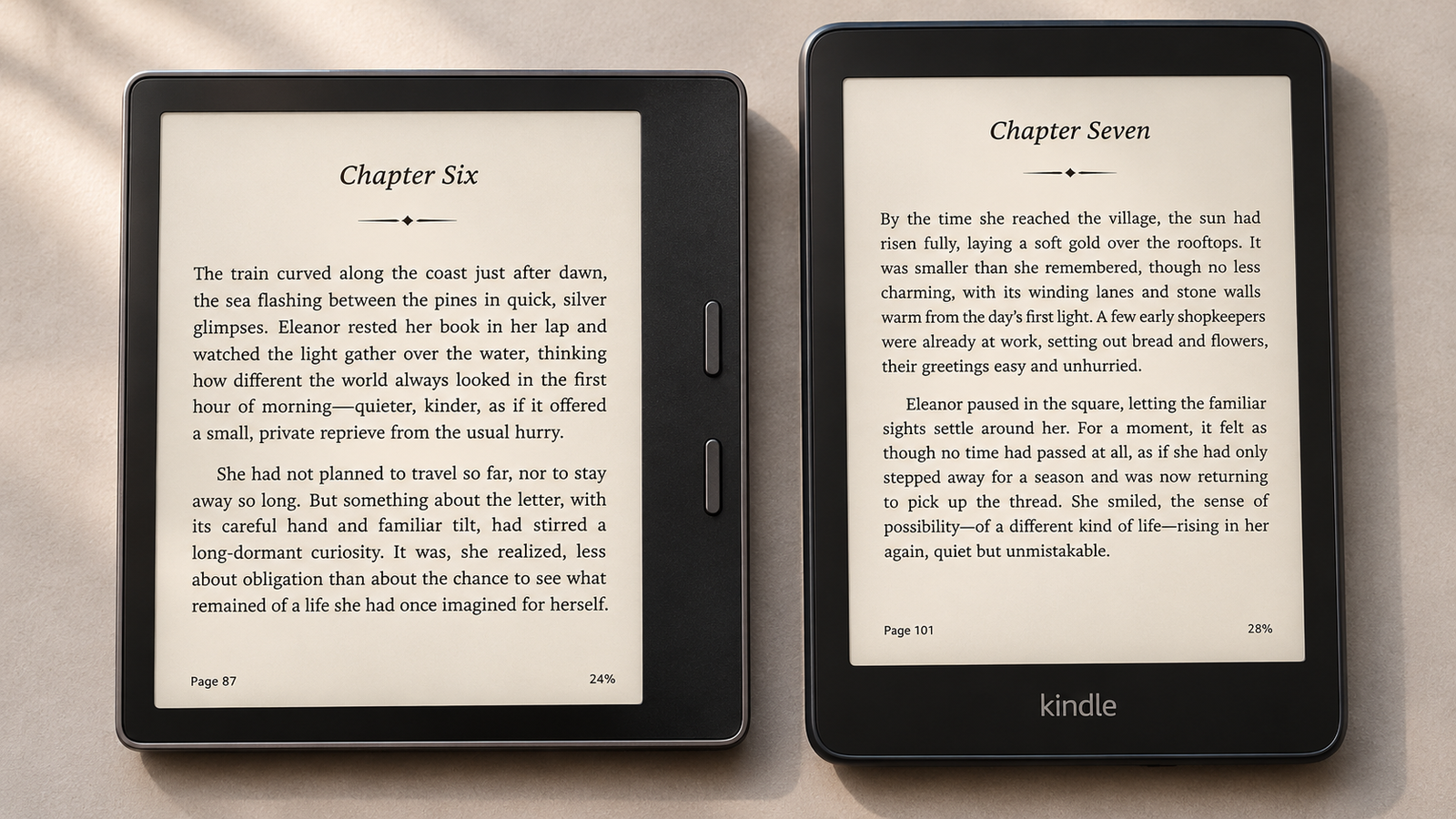
Kindles had page-turn buttons from day one: the original’s long side bars, the Kindle Keyboard’s rocker buttons, the Voyage’s pressure-sensitive bezel, and finally the Kindle Oasis, with its asymmetric grip and two real buttons.
In October 2024, Amazon discontinued the Oasis and confirmed to The Verge that it wouldn’t be restocked. A spokesperson said Amazon’s devices are “touch-forward.” No Kindle has shipped with built-in page buttons since.
Status: REPLACED. In 2026, Amazon brought physical page turns back as accessories:
- Kindle Click, a $34.99 Bluetooth remote that works with the 2026 Kindles and any Kindle model from 2024 or later
- Page-Turn Cover, a $79.99 magnetic case with physical buttons, for the 2026 Paperwhite and Colorsoft Signature Editions only
- Double tap to turn pages, built into those same Signature Editions
It’s not the same as buttons built into the frame. But for readers who’ve been asking since 2024, it’s the closest thing on offer. We broke down the full lineup in Amazon’s new Kindles and page-turn accessories.
If you miss page buttons, here’s how to get them back:
- You own a Kindle from 2024 or later: Kindle Click is compatible. Check the current Kindle Click price on Amazon
- You want buttons built into the case: the Page-Turn Cover fits the 2026 Paperwhite and Colorsoft Signature Editions only. Check the current Page-Turn Cover price on Amazon
- You’re buying a new Kindle anyway: the Paperwhite Signature Edition supports both double tap and the Page-Turn Cover. Check the current Paperwhite Signature Edition price on Amazon
PagePress and haptic feedback
The 2014 Kindle Voyage had pressure-sensitive areas on its bezel instead of moving buttons. Press, and the device turned the page and gave a small vibration so you knew it registered.
Status: GONE. No Kindle since has used pressure sensing or haptic feedback for page turns.
The Oasis charging cover
The first Kindle Oasis (2016) came with a cover that had its own battery and recharged the Kindle while attached. The 2017 and 2019 Oasis models dropped it.
Status: GONE. Current Kindles get weeks of battery life on their own, so the extra battery is less of a loss than it sounds.
Qi wireless charging on Signature Editions
The 2021 Paperwhite Signature Edition introduced Qi wireless charging, so it worked on any standard Qi pad. The 2024 Signature Editions kept it.
The 2026 models changed course. Amazon’s 2026 Kindle lineup announcement describes the new Signature Editions as using pogo-pin dock charging. Tom’s Guide’s review of the 2026 Paperwhite Signature Edition confirms that Qi support is gone. The pins work with Amazon’s own $59.99 Charging Dock.
Status: REPLACED. If you already own Qi pads, they won’t charge a 2026 Signature Edition. USB-C still works.
The large-screen Kindle DX
The Kindle DX had a 9.7-inch screen and was aimed at newspapers, textbooks, and PDFs. It was eventually discontinued, and for years there was no big-screen Kindle at all.
Status: RETURNED. The Kindle Scribe brought the large screen back in 2022, with a pen. The current model is 11 inches.
What’s in the box
Chargers disappeared from Kindle boxes years ago. With the 2026 Kindles, the USB cable went too. Amazon’s product listing states that a USB-C charging cable is not included, as The eBook Reader reported.
Status: REDUCED. Any standard USB-C cable works. Most people already have one. If you don’t, buy a decent one, not the cheapest no-name option.
Software features that vanished or changed
Text-to-speech
The Kindle 2 (2009) introduced text-to-speech: a synthetic voice that read your book aloud through the speaker. It was controversial from the start. After pressure from the Authors Guild, Amazon let publishers switch it off title by title.
The feature then disappeared from e-readers along with the speakers. It was gone from the 2012 Paperwhite onward. For years, the only way to hear a book read aloud on a Kindle was VoiceView, a screen reader built for blind and low-vision users, which reads menus and books over Bluetooth but is awkward for casual listening.
The gap lasted more than a decade. Then, in mid-2025, Amazon added Assistive Reader to Kindle e-readers in a software update. It reads books aloud and underlines each word as it goes. According to Amazon’s Assistive Reader help page, it works on 11th-generation Kindles and newer, the Kindle Scribe, and the Kindle Colorsoft.
There are limits. The voice is robotic compared with a narrated audiobook. The eBook Reader found that it doesn’t work with sideloaded books or documents sent through Send to Kindle. It supports English, Spanish, French, German, and Italian.
Status: RETURNED, partly. If read-aloud matters to you, your Kindle needs to be from 2021 or later. Our guide to Kindle accessibility features covers VoiceView and Assistive Reader in more depth.
Download & Transfer via USB
For years, Amazon’s website let you download a copy of a Kindle book you bought to your computer, then copy it to a Kindle by cable. It was built for Kindles without Wi-Fi. It was also, quietly, the main way readers kept their own backup copies of their purchases.
Amazon removed it on February 26, 2025, as The Verge reported. Purchased Kindle books now reach your devices over Wi-Fi.
It helps to be clear about what didn’t change:
- You can still copy your own DRM-free files to a Kindle over USB.
- Send to Kindle still works for documents and DRM-free ebooks.
- Books already downloaded to your Kindle stay there.
Status: GONE. If keeping your own copies matters to you, buy from stores that sell DRM-free e-books where you can, and keep those files backed up yourself.
Sending MOBI files
MOBI was the Kindle’s original e-book format, and for years it was what you emailed to your Kindle. In 2022, Amazon added EPUB support to Send to Kindle and began phasing out sending MOBI and AZW files. Amazon’s original “late 2022” timeline slipped into 2023.
The trade-off was mostly good news. EPUB is the format most e-book stores and public-domain libraries use, so sending files got easier for most people. But anyone with an old MOBI collection had to convert it first.
Status: REPLACED. Send EPUB files instead. Existing MOBI files already on your Kindle still open, and you can still copy MOBI files over USB. Here’s how to send EPUB files to Kindle.
The experimental browser
Kindles have shipped with a basic web browser since the original. Amazon still labels it experimental, and it shows. It’s slow, struggles with modern websites, and is best for quick lookups.
Status: still there, barely. It hasn’t disappeared, but don’t buy a Kindle expecting it to replace a phone or tablet browser.
Services Amazon shut down or folded into something else
Kindle Owners’ Lending Library
Launched in 2011, this Prime perk let Kindle owners borrow one free book a month from a large catalog. Unlike most loans, there was no due date.
Amazon launched Prime Reading in 2016 and stopped promoting the Lending Library. It was quietly retired a few years later. Reports place the final shutdown around the end of 2020.
Status: REPLACED. Prime Reading’s catalog is much smaller, but it works on Kindle apps as well as devices. If you want a bigger borrowing catalog, Kindle+ (formerly Kindle Unlimited) is the paid option. See our Kindle Unlimited vs Prime Reading comparison.
Lending a book to a friend
For years, some Kindle books carried a Loan this title option. You could lend an eligible book to another reader for 14 days, and it would disappear from your library until it came back. Publishers decided which titles were eligible, and each book could only be lent once.
The option disappeared around August 2022, without an announcement. Book Riot first reported the change, and Good e-Reader later reported that an Amazon customer service agent confirmed it had been discontinued.
Status: GONE. The supported way to share Kindle books now is Family Library, which lets two adults in an Amazon Family household (formerly Amazon Household) share eligible books with each other and with children in the household. It’s for your household, not your friends.
Kindle Newsstand
Kindle Newsstand sold digital newspaper and magazine subscriptions that arrived on your Kindle automatically every day or month.
Amazon stopped selling new subscriptions on March 9, 2023, and existing subscriptions ended on September 4, 2023. Some magazines moved into Kindle Unlimited, which Amazon renamed Kindle+ in October 2026. Amazon’s help page now notes that, starting April 22, 2026, magazine issues you borrow through Kindle Unlimited count toward the 20-title borrowing limit and are no longer delivered automatically.
Status: REDUCED. The daily paper on your Kindle is gone. Some magazines remain, but only through a subscription and with more manual effort.
Kindle Vella
Launched in 2021, Kindle Vella sold serialized fiction episode by episode, paid for with tokens. Amazon said it hadn’t caught on as hoped and closed it on February 26, 2025. Readers who unlocked episodes can still read them in the Kindle apps for iOS, Android, and Fire tablets.
Status: GONE.
Kindle Worlds
Kindle Worlds was Amazon’s licensed fan-fiction program, which let writers publish and sell stories set in approved fictional universes. It launched in 2013 and shut down in August 2018.
Status: GONE.
Renamed, not removed
If you’re searching for an old name and finding nothing, it may simply have a new one:
- Kindle Unlimited is now Kindle+. Amazon renamed it on October 22, 2026. The price and the 20-title borrowing limit stayed the same, and US subscribers also got a selection of AI-narrated audiobooks.
- Kindle FreeTime is now Amazon Kids
- Amazon Household is now Amazon Family
- Kindle Cloud Reader is now Kindle for Web
When old Kindles lose store access
This is the loss that affects whole devices, not just features.
Amazon told customers by email that, starting May 20, 2026, Kindle e-readers and Kindle Fire tablets released in 2012 or earlier would lose Kindle Store access. TechCrunch reported that affected devices can no longer buy, borrow, or download new books. The list includes the original Kindle through the Kindle Keyboard, Kindle Touch, the 2011 and 2012 basic Kindles, and the first Kindle Paperwhite.
What still works and what doesn’t:
- Still works: reading books already downloaded to the device, and copying your own DRM-free files over USB
- Doesn’t work: buying, borrowing, or downloading anything new from Amazon
- The trap: if you factory reset or deregister one of these Kindles, you can’t register it again
Amazon offered affected owners a discount and an e-book credit toward a new Kindle, but that offer expired on June 20, 2026.
This cutoff won’t be the last. Amazon has trimmed support for older devices before and will do it again. If you’re curious how long a Kindle typically stays useful, see How Long Does a Kindle Last?
The features that came back
Not every story here ends badly. Several features Amazon dropped have come back, usually in a new form:
- Replaceable batteries returned in 2026, after about 17 long years.
- Read-aloud returned in 2025 as Assistive Reader, with word-by-word underlining the old text-to-speech never had.
- The big screen returned with the Kindle Scribe, which also added a pen.
- Audio returned over Bluetooth.
- Physical page turns returned as accessories: Kindle Click, the Page-Turn Cover, and double tap.
The pattern is consistent. Amazon tends to remove features when they get in the way of a thinner, cheaper, or waterproof design, then bring back the ones readers keep asking for, in a form that fits that design. Sometimes regulation helps. The battery change lines up neatly with the EU’s battery rules, which take effect in February 2027.
Why Amazon keeps removing features
Amazon rarely explains why a feature disappears. What follows is our analysis, based on the timing and on what Amazon has said publicly.
- Thinner, sealed, waterproof designs. Speakers, headphone jacks, removable backs, and moving buttons are all harder to waterproof and harder to fit in a thin device. Waterproofing arrived on Kindles just as the last openings were closing up.
- Cost and simplicity. Every part adds cost. Every button is a part that can break. Amazon told The Verge its devices are “touch-forward” when it discontinued the Oasis.
- Low usage. Book lending to friends, Kindle Newsstand, and Kindle Vella all ended quietly or with Amazon saying they hadn’t caught on. When few people use a feature, it’s an easy cut.
- Piracy concerns. The Download & Transfer via USB option provided files that were relatively easy to strip of DRM. Removing it closed that route.
- Forces outside Amazon. Kindles lost cellular data because carriers shut down 3G, not because Amazon chose to drop it.
- Regulation pushing the other way. The EU’s battery rules show regulators can push features back in, too.
What this means if you’re buying a used or older Kindle
A cheap used Kindle can be a great buy, or a device that’s already lost half its usefulness. Check these before you pay:
- Release year: anything from 2012 or earlier has lost Kindle Store access. It’s an offline reader now.
- Front light: Kindles before the 2012 Paperwhite have no light, and the basic Kindle didn’t get one until 2019.
- Waterproofing: only the 2017 Oasis and later premium models, the 2018 Paperwhite and newer, and the Colorsoft are waterproof.
- Charging port: USB-C arrived in 2021. Older Kindles use micro-USB.
- Bluetooth: you need it for audiobooks and screen readers.
- Read-aloud: Assistive Reader needs an 11th-generation Kindle (2021) or newer, a Scribe, or a Colorsoft.
- 3G models: cellular no longer works. A 3G model is just a Wi-Fi Kindle now, or completely offline if it has no Wi-Fi.
- Software updates: check whether the model still receives them.
Some older models are still worth keeping. A Kindle Oasis that still holds a charge and still connects to the Kindle Store is a fine e-reader, and it’s the newest Kindle ever made with built-in page buttons. If you’re shopping secondhand, our ranking of every Kindle ever released shows which ones have aged best.
Workarounds for the features you miss most
- Page-turn buttons: Kindle Click (2024-and-later Kindles), the Page-Turn Cover (2026 Signature Editions), or double tap
- Audio and audiobooks: a pair of Bluetooth headphones or a Bluetooth speaker
- Read-aloud: Assistive Reader on a 2021-or-newer Kindle
- A bigger screen: the Kindle Scribe
- Backups of your books: buy DRM-free e-books where you can, keep the files, and use Send to Kindle
- Sharing books: Family Library within your Amazon Family household
- Charging without a cable: the Charging Dock on 2026 Signature Editions
- Storage: a 32 GB model if you keep large comic, manga, or PDF libraries on the device
Several of these are accessories. Our guide to the best Kindle accessories covers the ones worth buying.
Should you upgrade, or hold on to your old Kindle?
Keep your old Kindle if it still lights up, holds a charge for a reasonable time, connects to the Kindle Store, and you don’t miss anything on the lists above. A working Kindle doesn’t become worse because newer ones exist.
Upgrade if any of these apply:
- Your Kindle is from 2012 or earlier and has lost access to the store.
- It has no front light, and you read in bed.
- You want waterproofing for the bath or the beach.
- You want read-aloud, which needs a 2021 or newer model.
- The battery is fading, and you’d like the next one to be replaceable.
- You want page-turn buttons without giving up a modern screen. A Signature Edition with the Page-Turn Cover is the closest you’ll get.
If you’re upgrading
9to5Kindle may earn a commission from qualifying purchases.
- Replaceable battery at the lowest price: Kindle (2026). Check current price on Amazon
- Waterproofing and warm light: Kindle Paperwhite (2026). Check current price on Amazon
- Double tap and Page-Turn Cover support: Paperwhite Signature Edition. Check current price on Amazon
- The big screen the DX once offered, plus a pen: Kindle Scribe. Check current price on Amazon
For model-by-model recommendations, see our guide to the best Kindle in 2026, and check Kindle Deal Watch for current discounts before you buy.
Frequently asked questions
Which Kindle was the last with physical page-turn buttons?
The 2019 Kindle Oasis. Amazon discontinued it in October 2024 and hasn’t released a Kindle with built-in buttons since. The 2026 lineup offers page-turn buttons only through accessories: the Kindle Click remote and the Page-Turn Cover for Signature Editions.
Why did Kindle remove text-to-speech?
It disappeared along with the speakers in the early 2010s, and publishers had already pushed back on it from the start. It has partly returned. Assistive Reader, added in 2025, reads books aloud over Bluetooth on 11th-generation Kindles and newer, the Scribe, and the Colorsoft, though not for sideloaded books.
Can I still use an old 3G Kindle?
Yes, over Wi-Fi, if it has Wi-Fi. Cellular data stopped working when US carriers shut down 3G. The first two Kindles and the Kindle DX have no Wi-Fi, so they’re offline-only. Any Kindle from 2012 or earlier has also lost Kindle Store access.
Can I still download Kindle books to my computer?
Not from Amazon’s website. The Download & Transfer via USB option ended on February 26, 2025. Purchased books now go to your devices over Wi-Fi. You can still copy your own DRM-free files to a Kindle over USB.
Will Amazon bring back page-turn buttons?
Not built into a Kindle, as far as anything announced so far shows. Amazon’s 2026 answer is accessories: Kindle Click and the Page-Turn Cover. That could change, but don’t buy a Kindle expecting it to.
Do new Kindles have replaceable batteries?
Some do. Amazon lists the 2026 Kindle, Kindle (Aluminum), and Amazon Kids Kindle with user-replaceable batteries. It hasn’t listed the 2026 Paperwhite or Colorsoft the same way yet. Amazon still recommends professional help for the replacement itself.
Can I still lend Kindle books to friends?
No. The two-week lending option disappeared around August 2022. You can share eligible books with members of your household through Family Library, but not with friends outside it.
Does my old Kindle still work if it loses store access?
Yes, as a reader. You can still read everything already downloaded to it, and copy over your own DRM-free files by USB. You can’t buy or download anything new from Amazon. Don’t factory reset it, because you won’t be able to register it again.
The bottom line
Back to that Kindle Keyboard from the drawer. It had things your new Kindle doesn’t, and that’s not nostalgia talking. Amazon really did take away features readers used.
But the story isn’t all loss. Kindles are better readers than ever, and some of the most-missed features have found their way back: read-aloud, replaceable batteries, a big screen, and page turns through accessories. Others, like free 3G and lending to friends, are gone for good.
If a missing feature is what’s bothering you, check the workaround first. It may cost you nothing. If you do need new hardware, the upgrade picks above and our best Kindle in 2026 guide will point you to the right model.